Quickstart
Deploy your first dedicated model endpoint and make your first API call. You will need an FPT AI Factory account with credits — go to Billing to top up before you start.
Step 1: Deploy a model
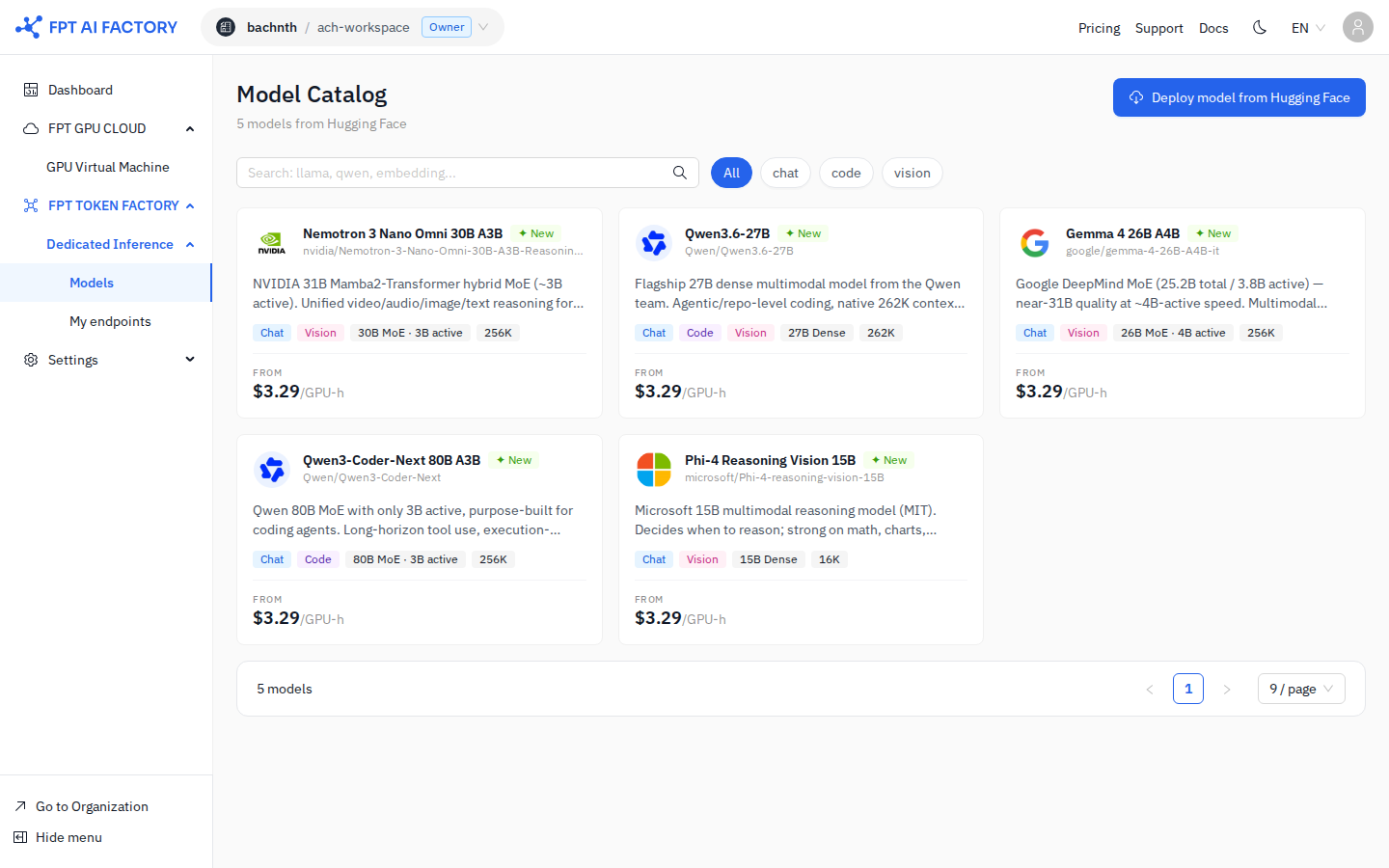
- In the left sidebar, under Dedicated Inference, click Model Catalog.
- Browse the catalog and click Deploy on a model card. For a quick test, choose a small model (e.g. Mistral 7B).
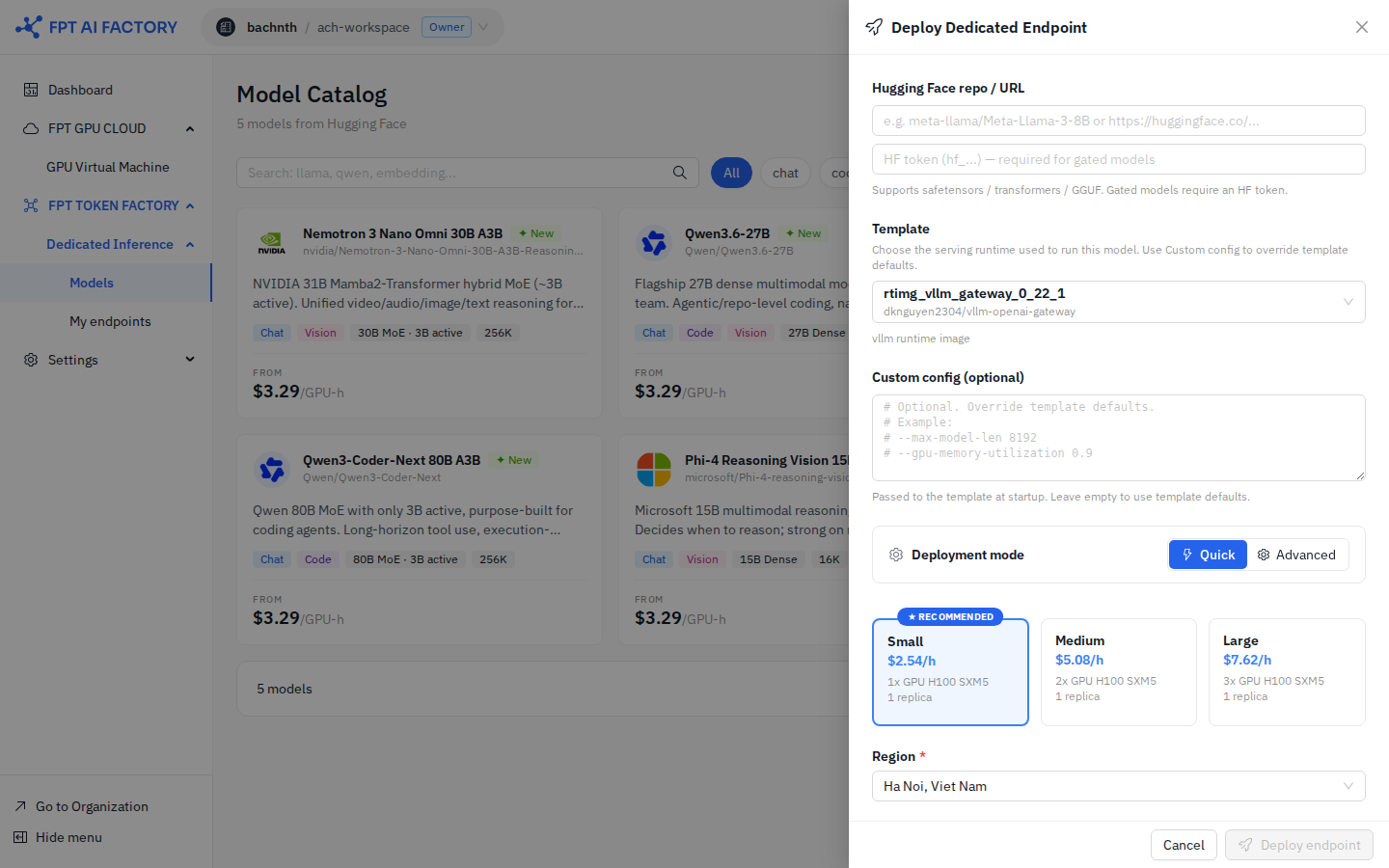
- In the Deploy Dedicated Endpoint modal:
- Enter the Hugging Face repo / URL (e.g.
mistralai/Mistral-7B-Instruct-v0.3). - Select a Region.
- Select Quick mode and choose a Size (Small / Medium / Large).
- Review the ESTIMATED COST (PER HOUR / BIZ HOURS / 24/7).
- Enter the Hugging Face repo / URL (e.g.
- Click Deploy endpoint.
See detailed guide: Deploy a Model
Step 2: Wait for Running status
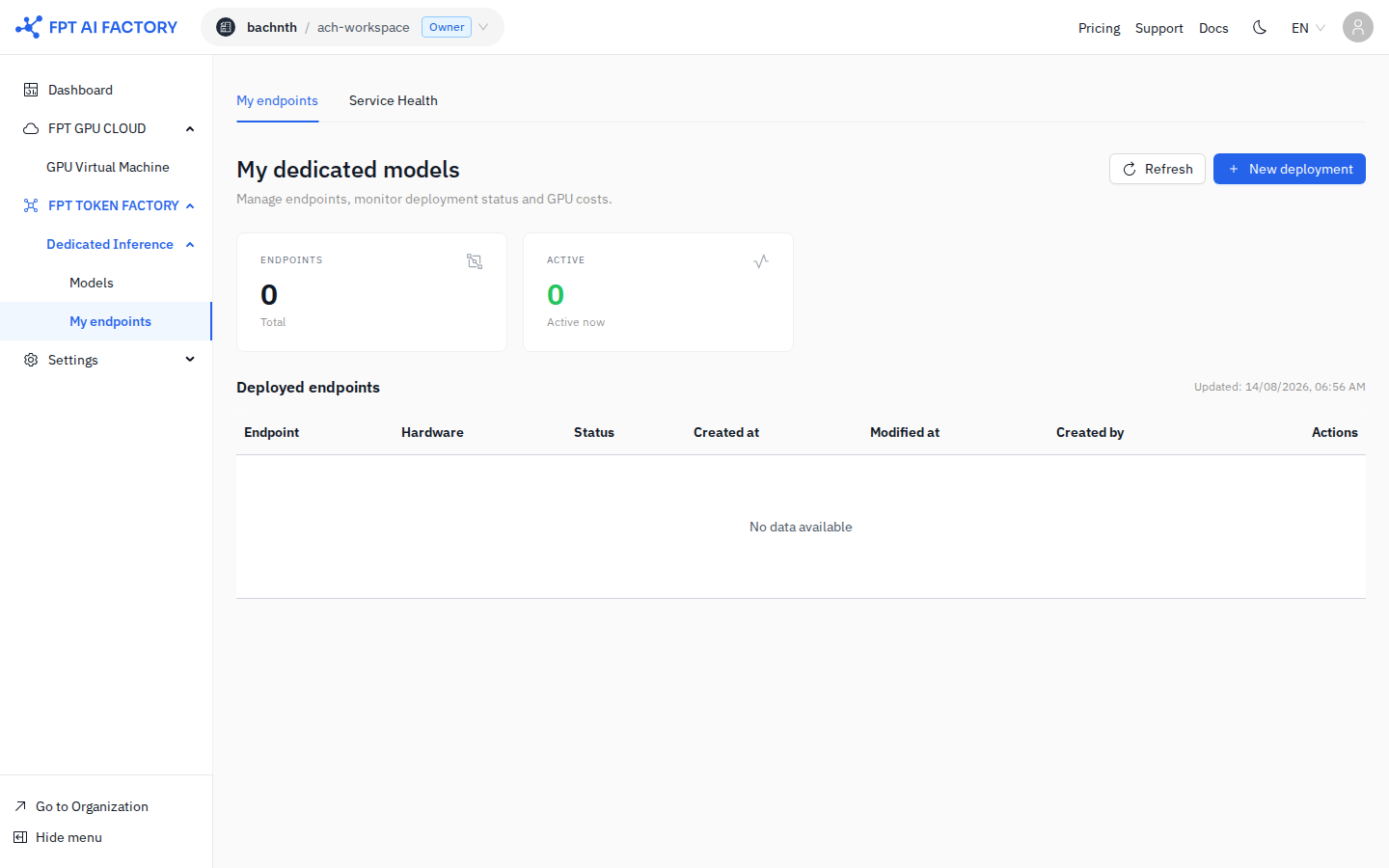
- In the left sidebar, under Dedicated Inference, click My endpoints.
- Find your new endpoint — its status shows Deploying.
- Wait until the status changes to Running.
See detailed guide: Manage Endpoints
Step 3: Get an API key
- Click the API keys tab in Dedicated Inference.
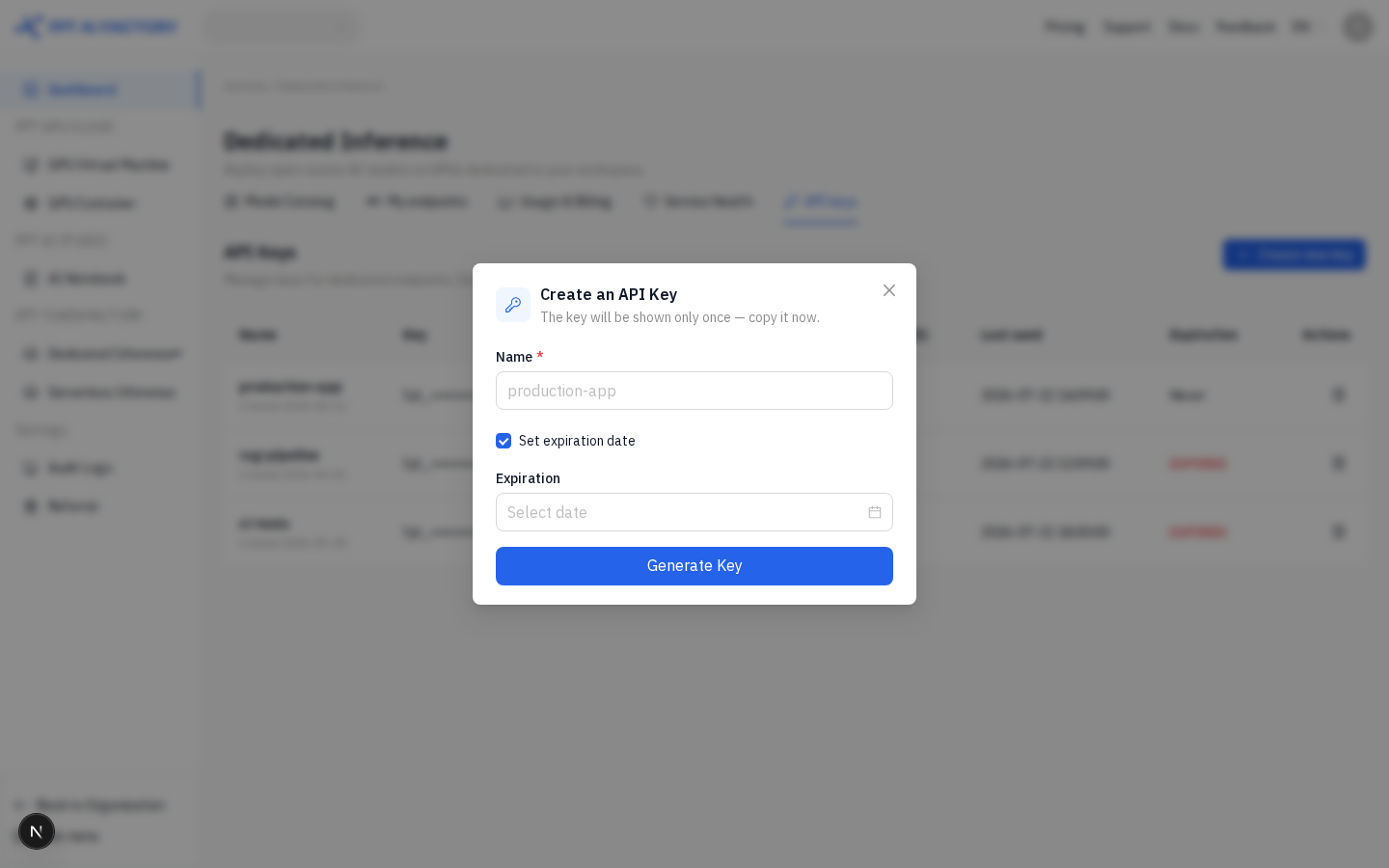
- Click + Create new key.
- Enter a Name for the key (e.g.
quickstart-test). - Click Generate Key, then copy the key — it is shown only once.
See detailed guide: Create an API Key
Step 4: Call the API
Use the gateway URL from the endpoint detail page:
curl https://<ddi-gateway-domain>/v1/chat/completions \
  -H "Authorization: Bearer sk-vgw-xxxxxxxxxxxxxxxxxxxxxxxxxxxxxxxxxxxxxx" \
  -H "Content-Type: application/json" \
  -d '{
    "model": "mistralai/Mistral-7B-Instruct-v0.3",
    "messages": [{"role": "user", "content": "Hello!"}],
    "max_tokens": 256
  }'
Find the gateway domain on the endpoint detail page. Get your API key from My endpoints → API keys.
See detailed guide: Call the Inference API
Step 5: Stop the endpoint when done
To avoid unnecessary GPU charges, stop the endpoint when not in use:
- In the left sidebar, under Dedicated Inference, click My endpoints.
- Find your endpoint and click the Pause button in the Actions column.
- Confirm the action.
See detailed guide: Manage Endpoints