Browse the Model Catalog
Open the Model Catalog
In the left sidebar, under Dedicated Inference, click Model Catalog.
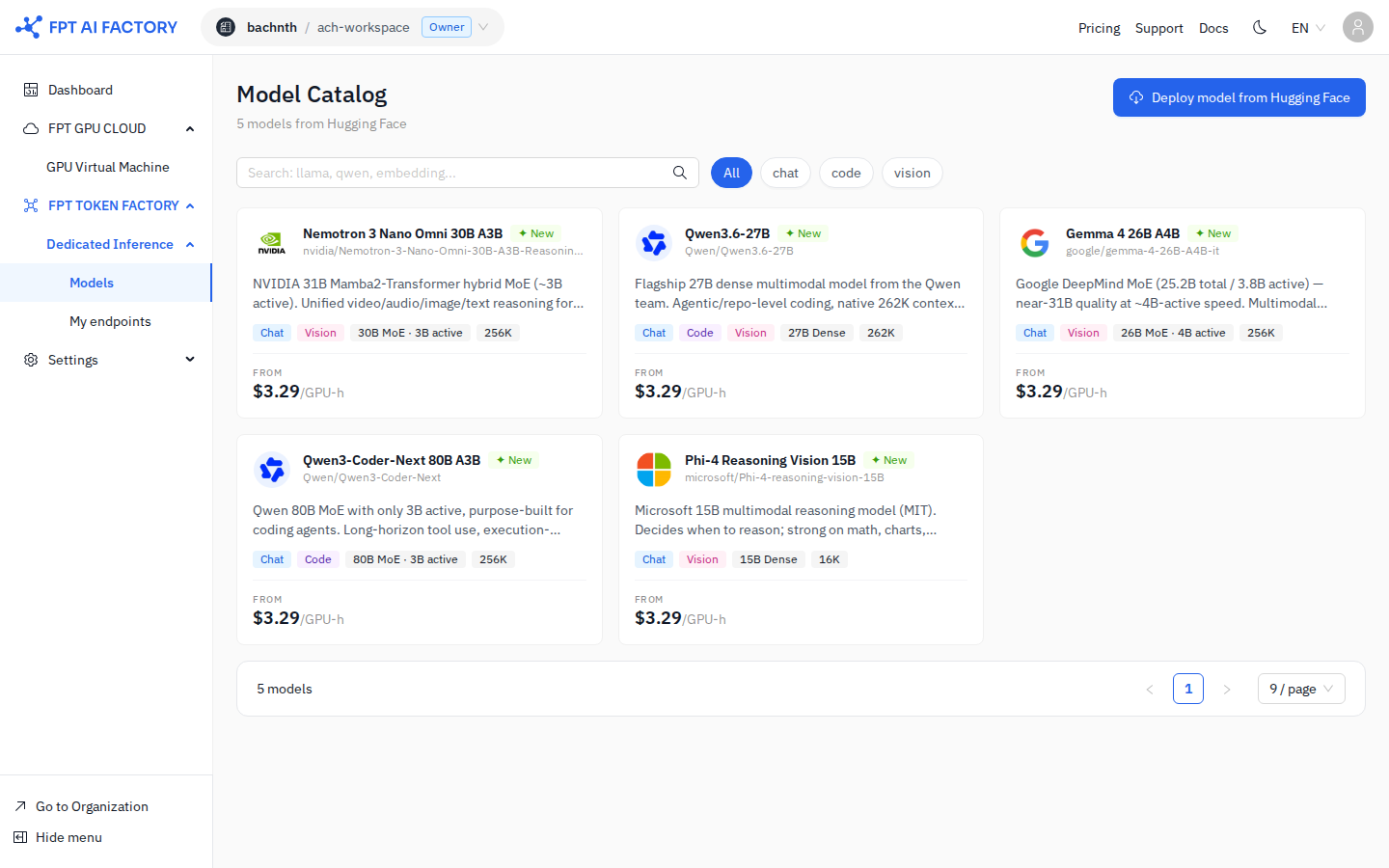
The catalog shows available models from Hugging Face in a card grid. Each card displays:
- Model name and Hugging Face repository path (e.g.
meta-llama/Llama-3.3-70B-Instruct) - Capability tags: Chat · Reasoning · Code · Embedding · Vision
- Context window size (e.g. 128K)
- Starting price: FROM $X.XX /GPU-h
Filter Models
Use the filter tabs at the top to narrow by capability type:
All · Chat · Code · Reasoning · Embedding · Vision
Use the search bar (Search: llama, qwen, embedding...) to find a model by name or repository.
Deploy a Model
Click Deploy on a model card to go to My endpoints and open the Deploy Dedicated Endpoint modal. You will need to enter the Hugging Face repository path manually.
See detailed guide: Deploy a Model