Call the Inference API
Get Your Endpoint URL
After your endpoint reaches Running status, open the endpoint detail page to find the endpoint URL. The inference gateway URL follows this pattern (environment-specific):
https://<ddi-gateway-domain>/v1/chat/completions
The endpoint exposes the standard chat completions API.
Call via curl
curl https://<ddi-gateway-domain>/v1/chat/completions \
  -H "Authorization: Bearer sk-vgw-xxxxxxxxxxxxxxxxxxxxxxxxxxxxxxxxxxxxxx" \
  -H "Content-Type: application/json" \
  -d '{
    "model": "mistralai/Mistral-7B-Instruct-v0.3",
    "messages": [
      {"role": "system", "content": "You are a helpful assistant."},
      {"role": "user", "content": "Summarize the benefits of dedicated GPU inference."}
    ],
    "max_tokens": 256
  }'
Replace <ddi-gateway-domain> with the gateway domain from the endpoint detail page, and sk-vgw-xxxxxxxxxxxxxxxxxxxxxxxxxxxxxxxxxxxxxx with your key from the API keys tab.
Call via Python
import requests

url = "https://<ddi-gateway-domain>/v1/chat/completions"
headers = {
    "Authorization": "Bearer sk-vgw-xxxxxxxxxxxxxxxxxxxxxxxxxxxxxxxxxxxxxx",
    "Content-Type": "application/json",
}
payload = {
    "model": "mistralai/Mistral-7B-Instruct-v0.3",
    "messages": [
        {"role": "system", "content": "You are a helpful assistant."},
        {"role": "user", "content": "Hello!"},
    ],
    "max_tokens": 256,
}

response = requests.post(url, headers=headers, json=payload)
result = response.json()
print(result["choices"][0]["message"]["content"])
Streaming Responses
import requests, json

url = "https://<ddi-gateway-domain>/v1/chat/completions"
headers = {
    "Authorization": "Bearer sk-vgw-xxxxxxxxxxxxxxxxxxxxxxxxxxxxxxxxxxxxxx",
    "Content-Type": "application/json",
}
payload = {
    "model": "mistralai/Mistral-7B-Instruct-v0.3",
    "messages": [{"role": "user", "content": "Write a short poem."}],
    "max_tokens": 200,
    "stream": True,
}

with requests.post(url, headers=headers, json=payload, stream=True) as r:
    for line in r.iter_lines():
        if line and line.startswith(b"data: "):
            data = line[6:]
            if data != b"[DONE]":
                chunk = json.loads(data)
                content = chunk["choices"][0]["delta"].get("content", "")
                print(content, end="", flush=True)
Try It in the Playground
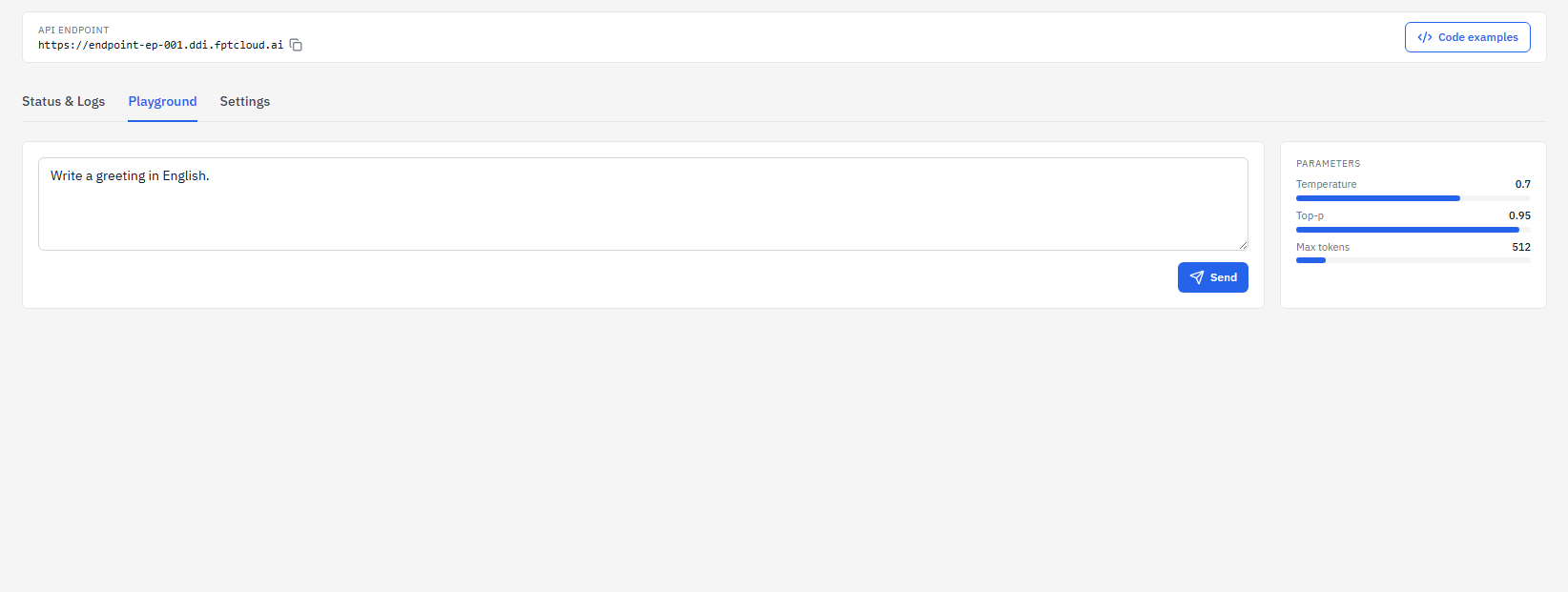
Open the endpoint detail page and click the Playground tab to send test requests directly from the browser — no code required. You can adjust Temperature, Top-p, and Max tokens in the Parameters panel on the right.
Common HTTP Errors
| Status | Cause | Fix |
|---|---|---|
401 Unauthorized | Missing or invalid API key | Check your API key in the API keys tab |
429 rate_limited | Rate limit exceeded (RPM, TPM, or concurrent requests) | Retry after a delay or contact support to increase limits |
503 Service Unavailable | Endpoint not in Running state | Wait for the endpoint to reach Running in My endpoints |