Manage Storage
Every GPU Container has two types of storage:
| Type | Persistence | Configured at |
|---|---|---|
| Temporary disk | Deleted when the container is stopped or deleted | Automatically included with the GPU instance |
| Persistent disk | Survives stop/start cycles | Optionally added at container creation time |
Temporary disk
The temporary disk is fast local NVMe storage bundled with every GPU instance. Its size is fixed per instance size (e.g., 1 TB for 1×H100). It is available at the default working directory inside the container.
You cannot attach or detach the temporary disk. It is created and deleted automatically with the container.
All data on the temporary disk is permanently lost when the container is stopped or deleted. Use the persistent disk or an external storage service for data you need to keep.
Persistent disk
The persistent disk is optional block storage you attach at container creation time. It survives stop/start cycles and is re-attached automatically when the container starts again.
Attach a persistent disk at creation
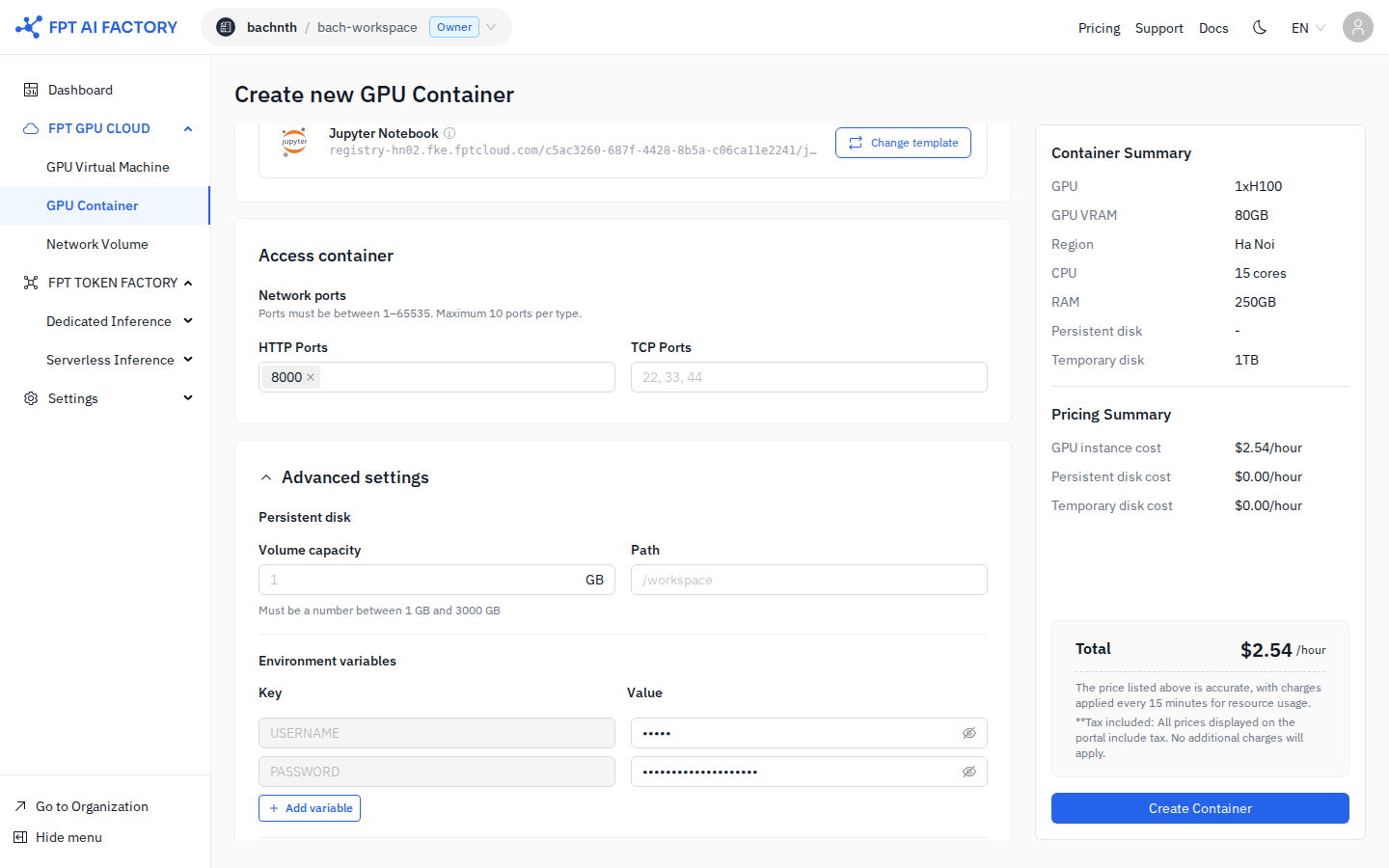
- When creating a container, expand Advanced settings.
- Under Persistent disk, enter:
- Volume capacity — size in GB (1–3,000 GB).
- Path — the mount path inside the container (default:
/workspace).
- The persistent disk cost is shown in the Pricing Summary on the right.
Pricing
Persistent disk is billed per GB provisioned per hour, regardless of how much data is stored. The rate is shown in the Pricing Summary on the create container form.
You cannot resize or detach a persistent disk after the container is created. If you need a different size, delete the container and create a new one with the desired capacity.