Quickstart
Create an API key and make your first serverless inference call. You will need an FPT AI Factory account with credits — go to Billing to top up before you start.
Step 1: Browse the Model Catalog
- In the left sidebar, click Serverless Inference.
- Click Models to see all available models.
- Each model card shows the model name, provider, context window, and per-token pricing.
Note the model name you want to use — you will pass it in the API request body.
See detailed guide: Browse the Model Catalog
Step 2: Create an API Key
- Click API Keys in the Serverless Inference sidebar.
- Click + Create API Key.
- Enter a Name for the key (e.g.
quickstart-test). - Select the models this key is allowed to call (or keep Select all).
- Click Create, then copy the key — it is shown only once.
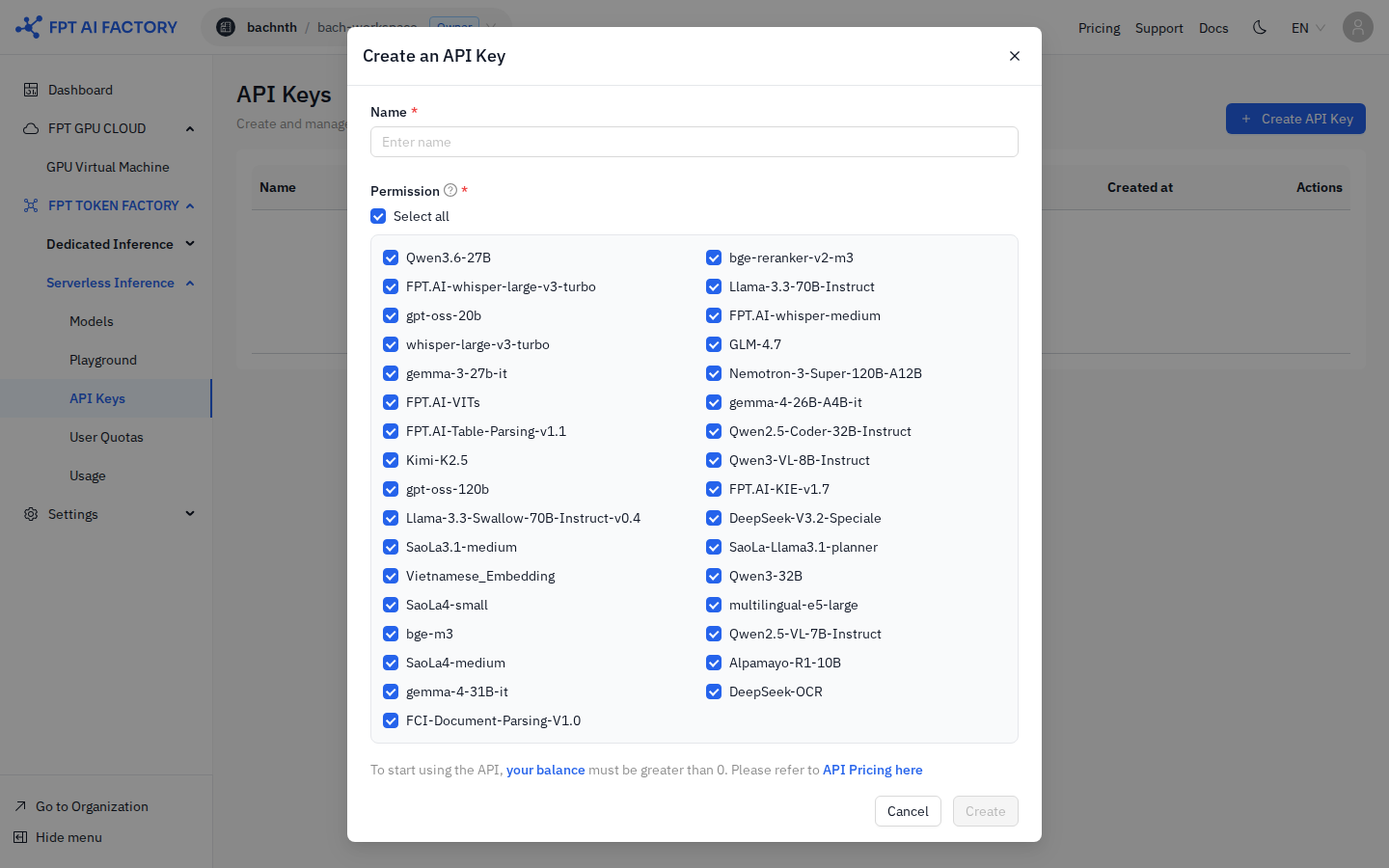
See detailed guide: Create an API Key
Step 3: Call the API
Send a request to the serverless gateway. The gateway base URL is shown in the API Keys page and each model's detail card.
curl https://<serverless-gateway-domain>/v1/chat/completions \
  -H "Authorization: Bearer <your-api-key>" \
  -H "Content-Type: application/json" \
  -d '{
    "model": "<model-name>",
    "messages": [{"role": "user", "content": "Hello!"}],
    "max_tokens": 256
  }'
Replace <serverless-gateway-domain>, <your-api-key>, and <model-name> with your actual values.
See detailed guide: Call the Inference API
Step 4: Check your usage
- Click Usage in the Serverless Inference sidebar.
- The dashboard shows month-to-date totals: requests, tokens in, tokens out, and estimated cost.
- The Tokens by model table breaks down usage per model; Usage by API Key shows per-key spend.
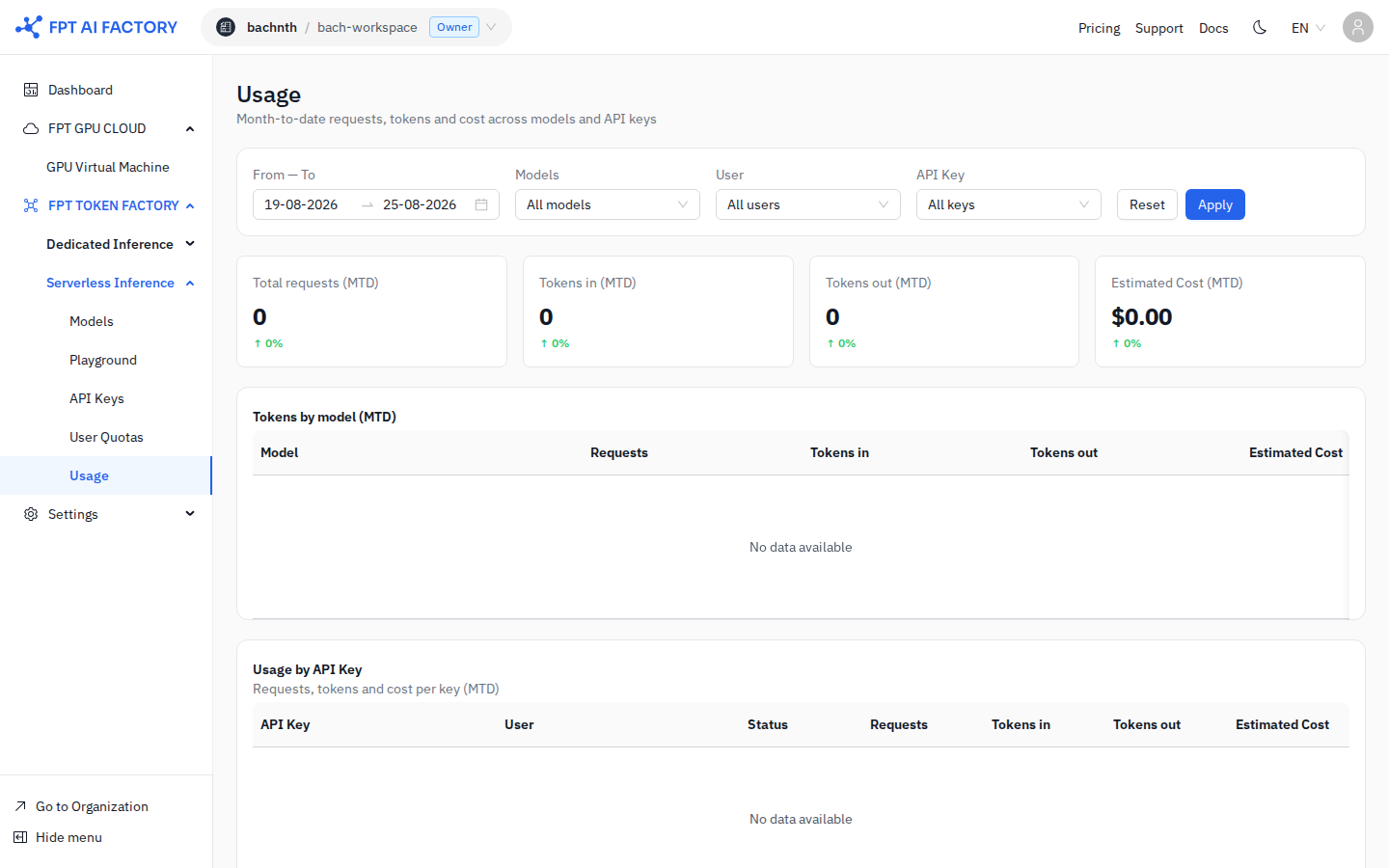
See detailed guide: Monitor Usage & Billing