Use the Playground
The Playground lets you send messages to any serverless model directly in the browser — no code required. Use it to compare models, tune generation parameters, and validate prompts before writing your integration.
Open the Playground
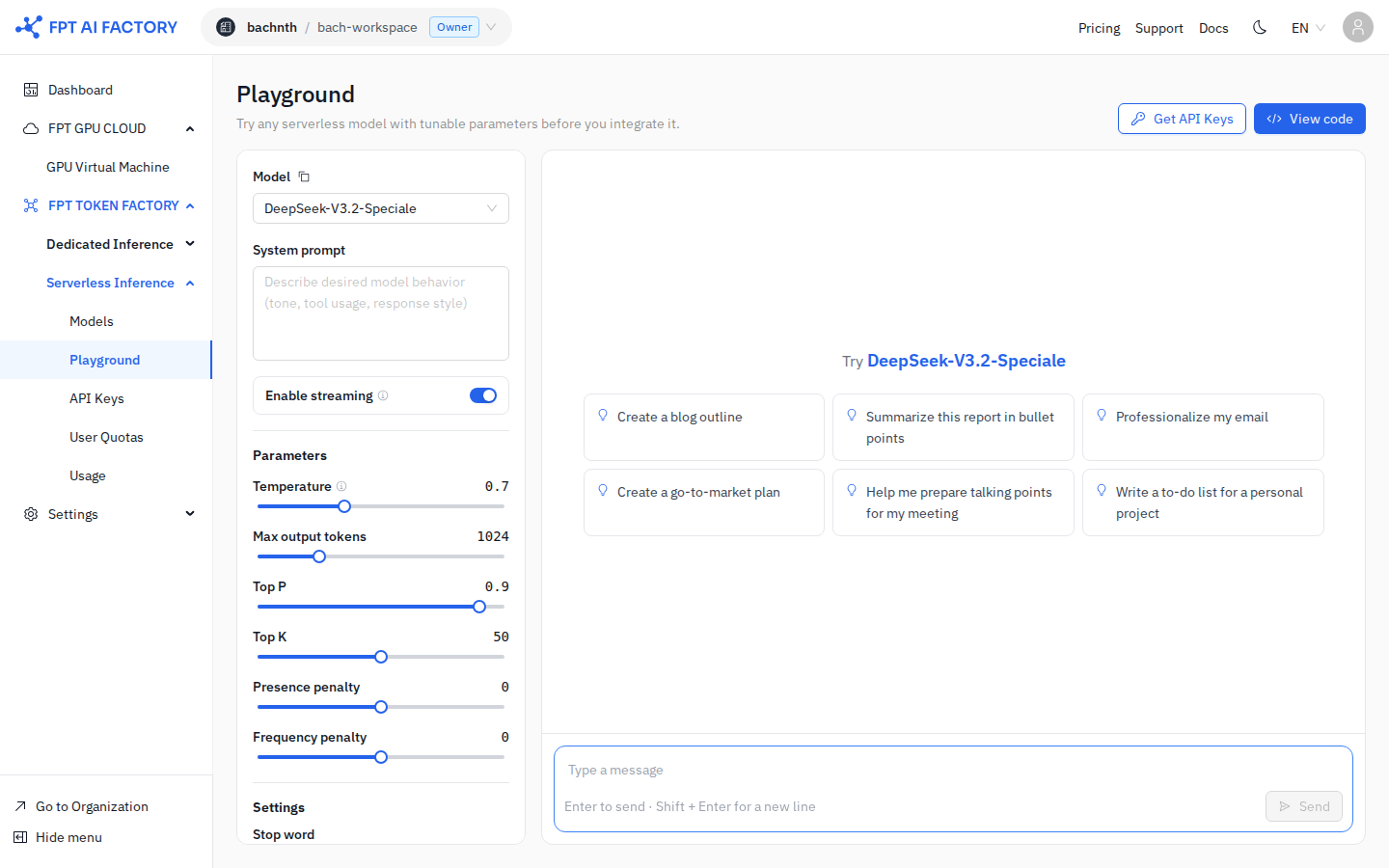
- In the left sidebar under Serverless Inference, click Playground.
Select a model
Click the Model dropdown (top-left of the left panel) and choose the model you want to test. The dropdown lists all models available in your workspace.
To copy the model ID for use in API calls, click the copy icon next to the model name.
Write a system prompt
Enter instructions in the System prompt field to define the model's persona or behavior. For example:
You are a concise technical writer. Respond only in English.
Limit answers to 3 sentences.
Leave it empty to use the model's default behavior.
Tune parameters
| Parameter | Description | Typical range |
|---|---|---|
| Temperature | Randomness of output. Lower = more deterministic | 0 – 1 |
| Max output tokens | Maximum tokens in the response | 1 – model max |
| Top P | Nucleus sampling threshold | 0 – 1 |
| Top K | Limits vocabulary to top-K tokens per step | 1 – 100 |
| Presence penalty | Penalises repeating topics already mentioned | -2 – 2 |
| Frequency penalty | Penalises repeating the same tokens | -2 – 2 |
Toggle Enable streaming to receive the response token-by-token as it is generated (on by default).
Send a message
Type your message in the chat input at the bottom-right and press Enter (or Shift+Enter for a new line, then Enter to send). The response appears in the chat area.
You can also click one of the starter prompts shown in the chat area to quickly populate the input field.
View and copy the generated code
Click View code (top-right) to see a code snippet — curl, Python, or JavaScript — that reproduces the current request. Copy the snippet directly into your project.
Click Get API Keys to jump to the API Keys page and create a key if you do not have one yet.
What's next
- Call the Inference API — integrate the model into your application using the generated code snippet.
- Create an API Key — create a key to authenticate API calls from your code.