Viewing and Handling Recommendations
This guide describes how to view rule details per category (Security, Cost optimization, Fault tolerance) and how to act on violations.
Prerequisites
- Signed in to FPT Cloud Console Portal
- Access to Cloud Advisor on the Tenant
Viewing Security recommendations
Select Cloud advisor → Recommendations → Security in the left menu.
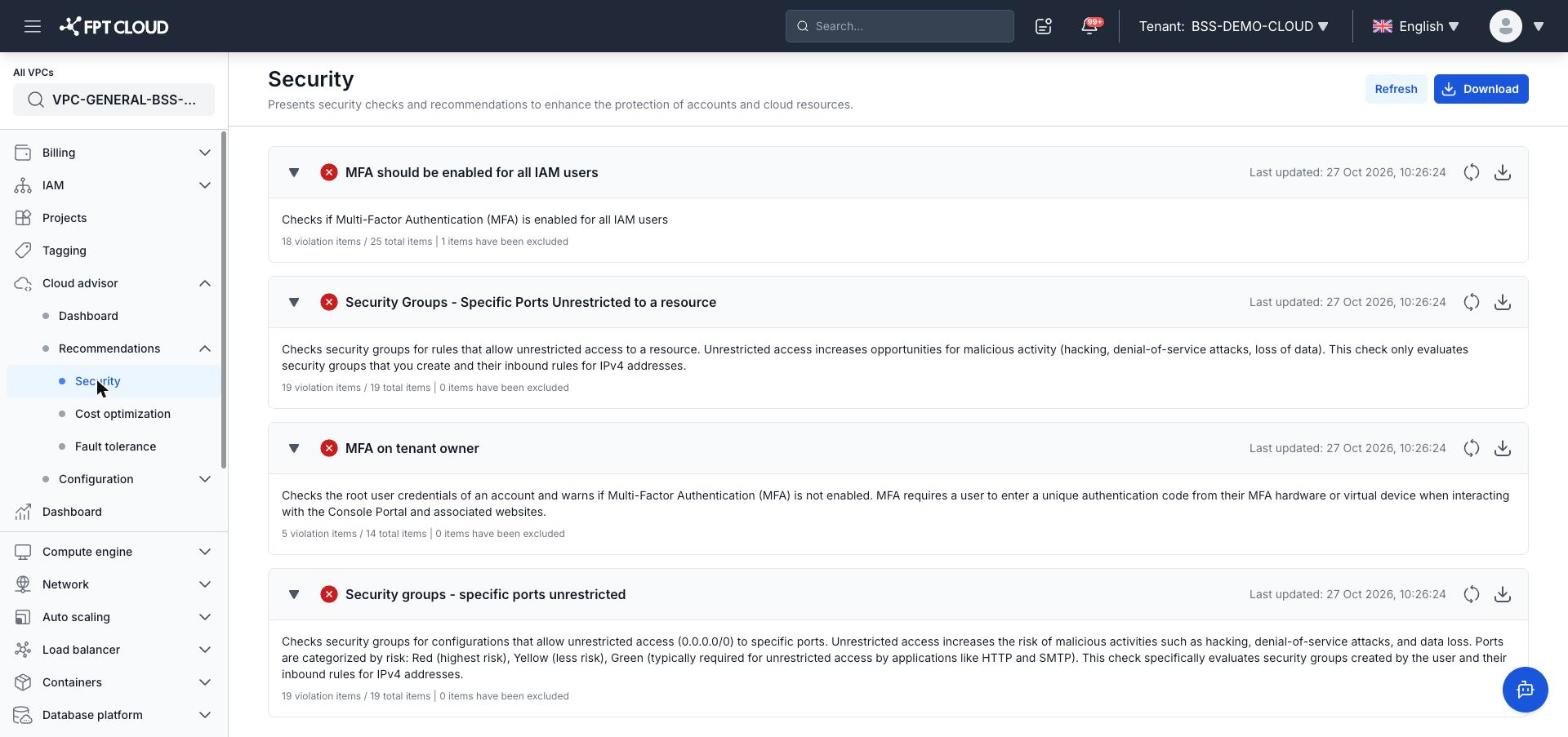
The Security page lists security check rules:
| Rule | Description |
|---|---|
| MFA should be enabled for all IAM users | Checks if MFA is enabled for all IAM users |
| MFA on tenant owner | Checks the root account and warns if MFA is not enabled on the Tenant owner account |
| Security groups - specific ports unrestricted | Checks Security Groups for configurations that allow unrestricted access (0.0.0.0/0) to specific ports. Categorized by risk: Red (highest), Yellow (lower), Green (typically required by applications like HTTP and SMTP). Evaluates user-created Security Groups and their inbound rules for IPv4 addresses |
| Security Groups - Specific Ports Unrestricted to a resource | Checks Security Groups for rules that allow unrestricted access to a specific resource. Evaluates user-created Security Groups and their inbound rules for IPv4 addresses |
Viewing Cost optimization recommendations
Select Cloud advisor → Recommendations → Cost optimization in the left menu.
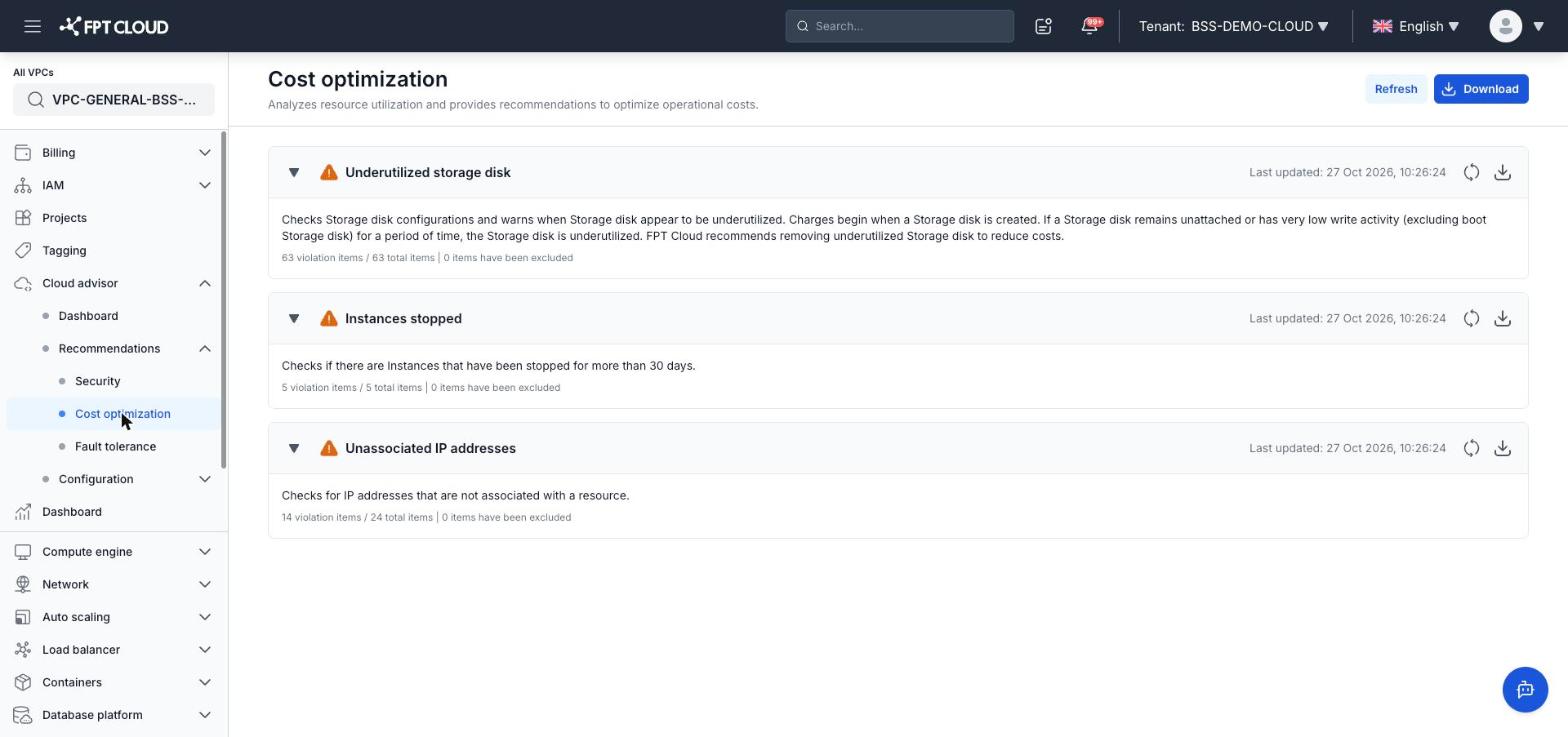
The Cost optimization page lists cost reduction rules:
| Rule | Description |
|---|---|
| Underutilized storage disk | Checks Storage disk configurations and warns when a disk appears underutilized. Charges begin when a disk is created. If it remains unattached or has very low write activity (excluding boot disk) for a period, FPT Cloud recommends removing it to reduce costs |
| Instances stopped | Checks if any Instance has been stopped for more than 30 days |
| Unassociated IP addresses | Checks for IP addresses not associated with any resource |
| Low utilization instances | Checks instances running in the last 14 days. Alerts when CPU utilization ≤ 10% AND network I/O ≤ 5 MB for at least 4 days |
Viewing Fault tolerance recommendations
Select Cloud advisor → Recommendations → Fault tolerance in the left menu.
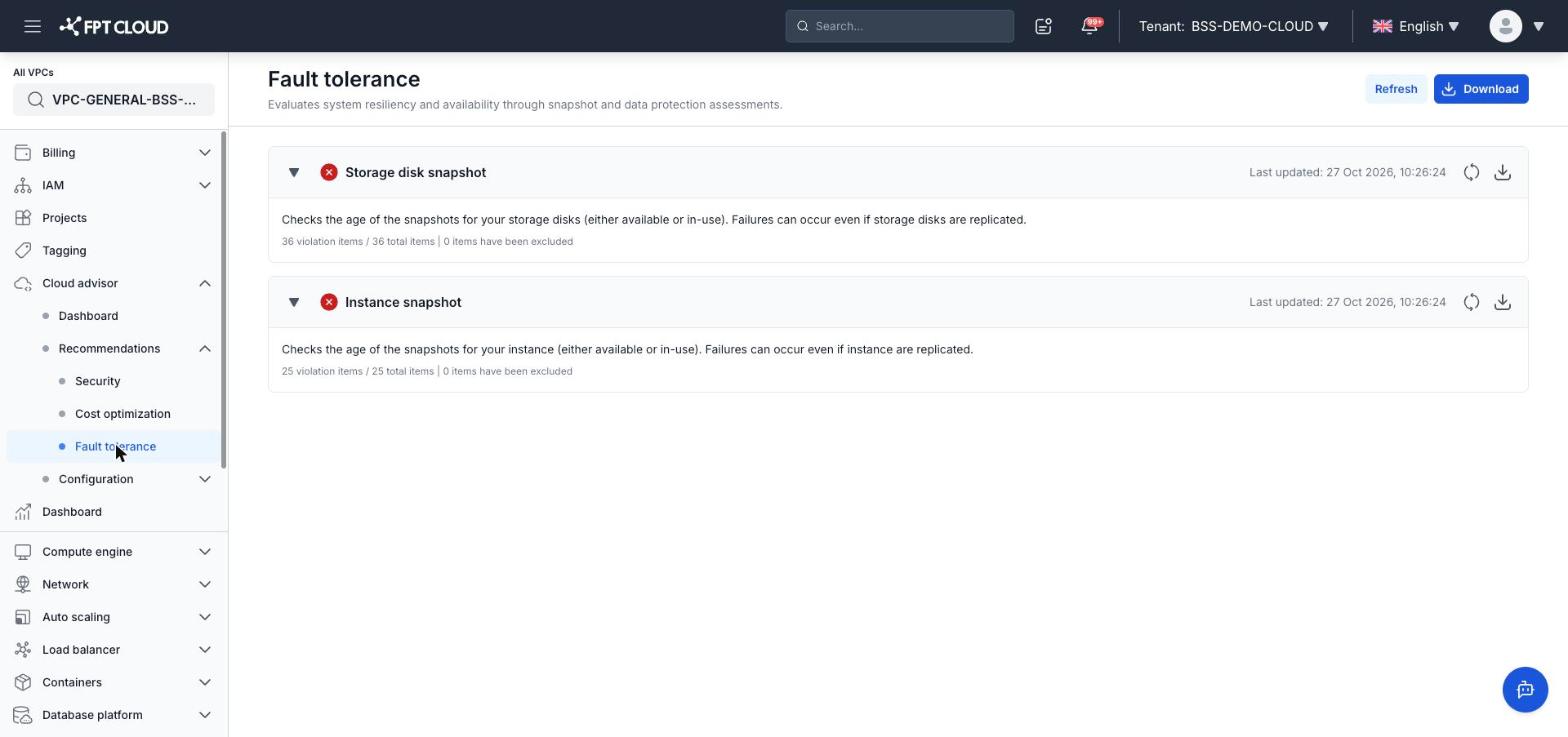
The Fault tolerance page lists resiliency check rules:
| Rule | Description |
|---|---|
| Storage disk snapshot | Checks the age of snapshots for storage disks (available or in-use). Failures can occur even if storage disks are replicated |
| Instance snapshot | Checks the age of snapshots for instances (available or in-use). Failures can occur even if instances are replicated |
Information shown for each rule
Each rule on the Recommendations pages displays:
- Rule name and priority level (icon color)
- Description — what the rule checks
- Statistics —
X violation items / Y total items | Z items have been excluded - Last updated timestamp
- Refresh button (🔄) — refreshes data for that rule
- Download button (⬇) — downloads the violation list for that rule
Excluding an item from a check
To exclude a resource from a specific rule:
- Expand the rule by clicking its name
- Select (checkbox) the resource to exclude from the violation list
- Click Exclude to remove it from the check
Excluded resources no longer appear in the violation list and are counted under Rules with excluded items on the Dashboard.