Monitor Backup Service Usage
Overall statistics
The Monitoring tab of Backup & Recovery gives an overview of backup usage across the whole VPC. Check it regularly to catch a storage quota filling up before it stops your backups.
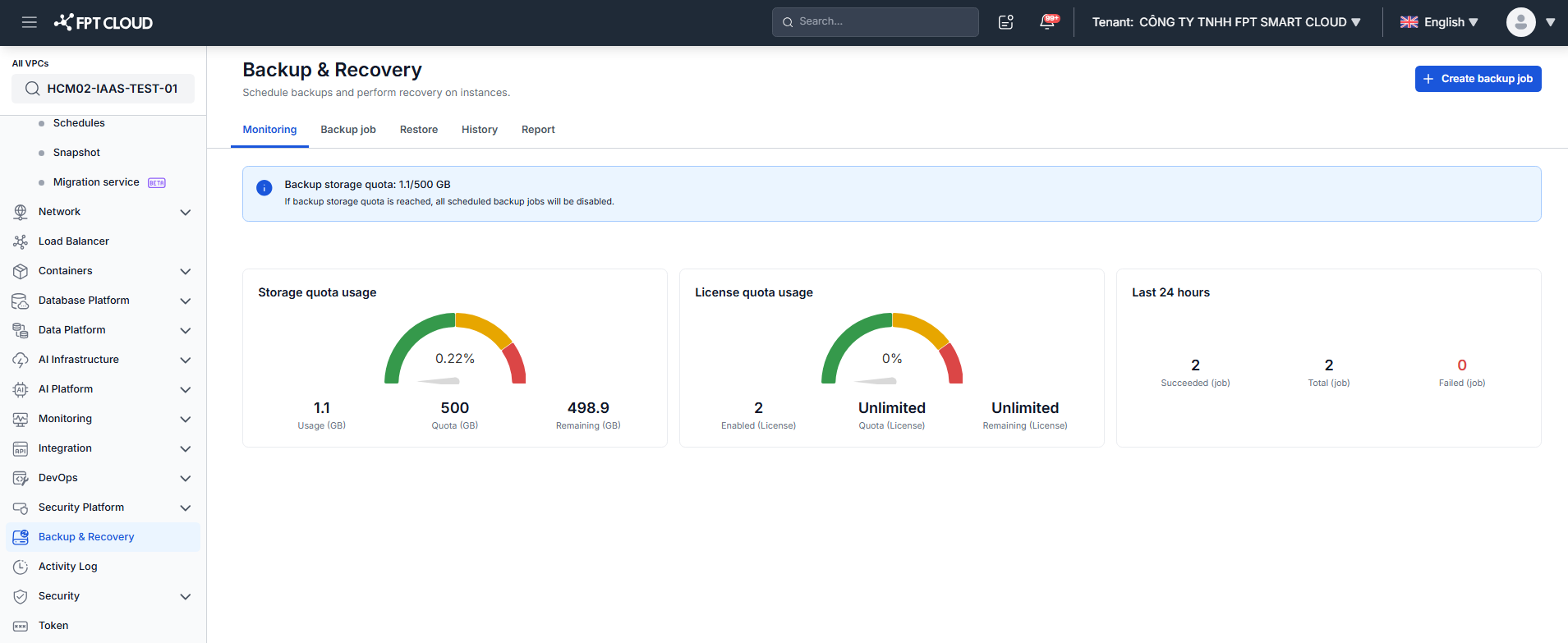
| Card | Description |
|---|---|
| Storage quota usage | Backup storage used, quota, and remaining capacity, in GB. If the quota is reached, all scheduled backup jobs are disabled. |
| License quota usage | Number of enabled licenses against the license quota. |
| Last 24 hours | Jobs succeeded, total jobs, and failed jobs in the last 24 hours. |
warning
When backup storage reaches its quota, all scheduled backup jobs are disabled and no new restore points are created. Free up storage or request a quota increase before that happens.
See also
- Backup Report: per-target usage detail across VPCs
- Manage Backup Jobs: disable jobs to free quota
- Delete Restore Point: reclaim storage