View Backup & Recovery History
You can view the complete operation history for the Backup & Recovery service on FPT Portal, including creating and deleting Backup Jobs, and restoring or cloning restore points.
Use the history when you need to confirm that a scheduled run succeeded, or to find out why one failed.
To view the Backup & Recovery history, follow these steps:
In the menu, select Backup & Recovery. Open the History tab.
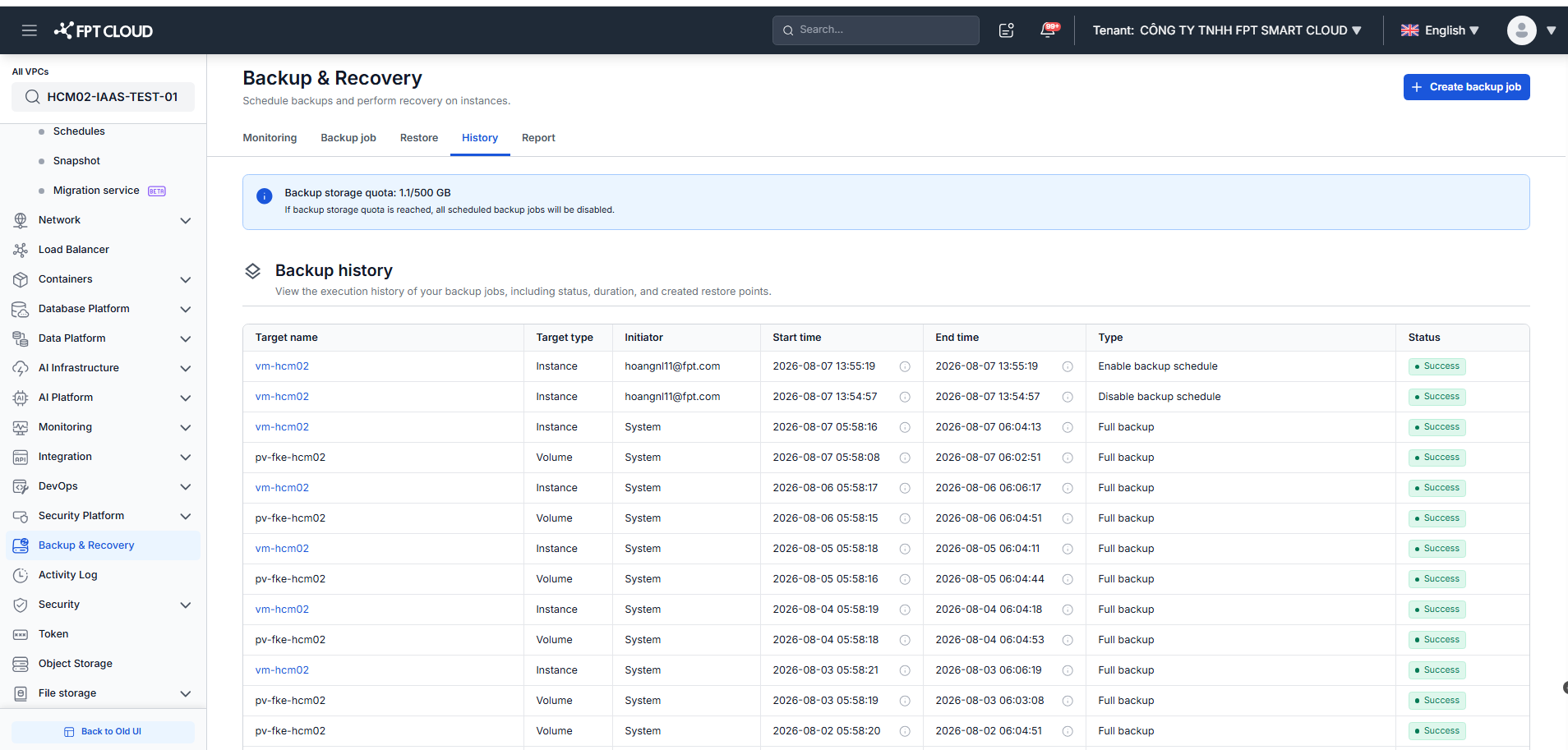
The Backup history table shows the execution history of your backup jobs, including status, duration, and created restore points:
| Column | Description |
|---|---|
| Target name | The VM or volume the operation applied to. |
| Target type | Instance or Volume. |
| Initiator | Who triggered the operation — a user account, or System for scheduled runs. |
| Start time / End time | When the operation started and finished. |
| Type | Operation type. |
| Status | Result of the operation. |