Service Suspended
An account is Suspended one day after it becomes Restricted if no Credit is added. All services pause and your data is preserved, but you have seven days to top up before resources are terminated.
What Suspended does
Suspension applies to the whole prepaid subscription:
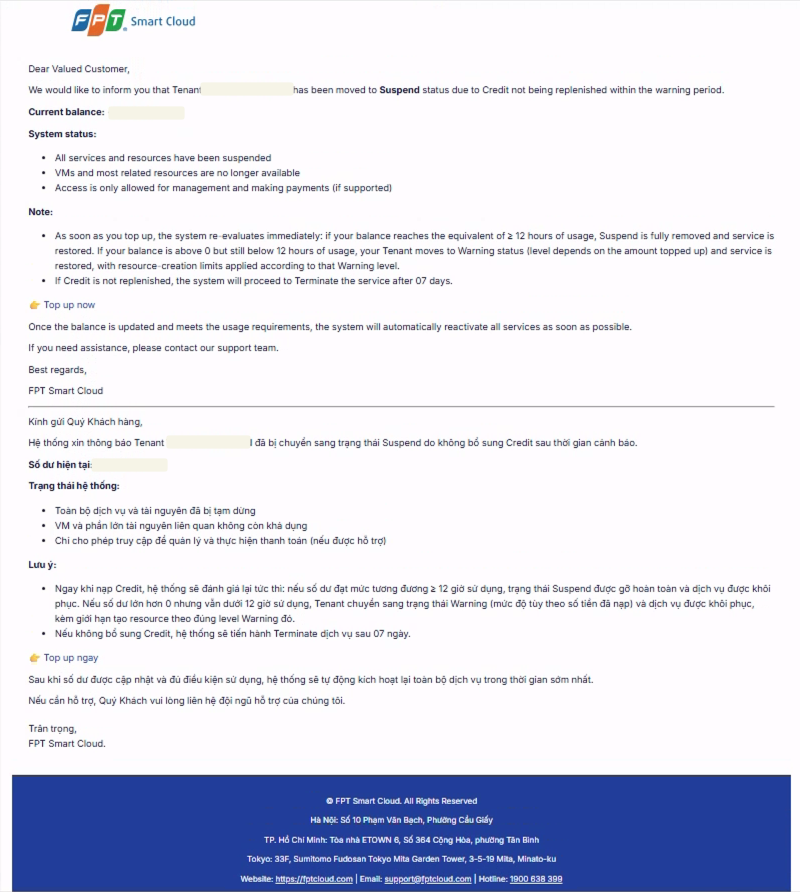
- All services and resources are paused; VMs and most related resources become unavailable.
- Access is limited to management and payment actions.
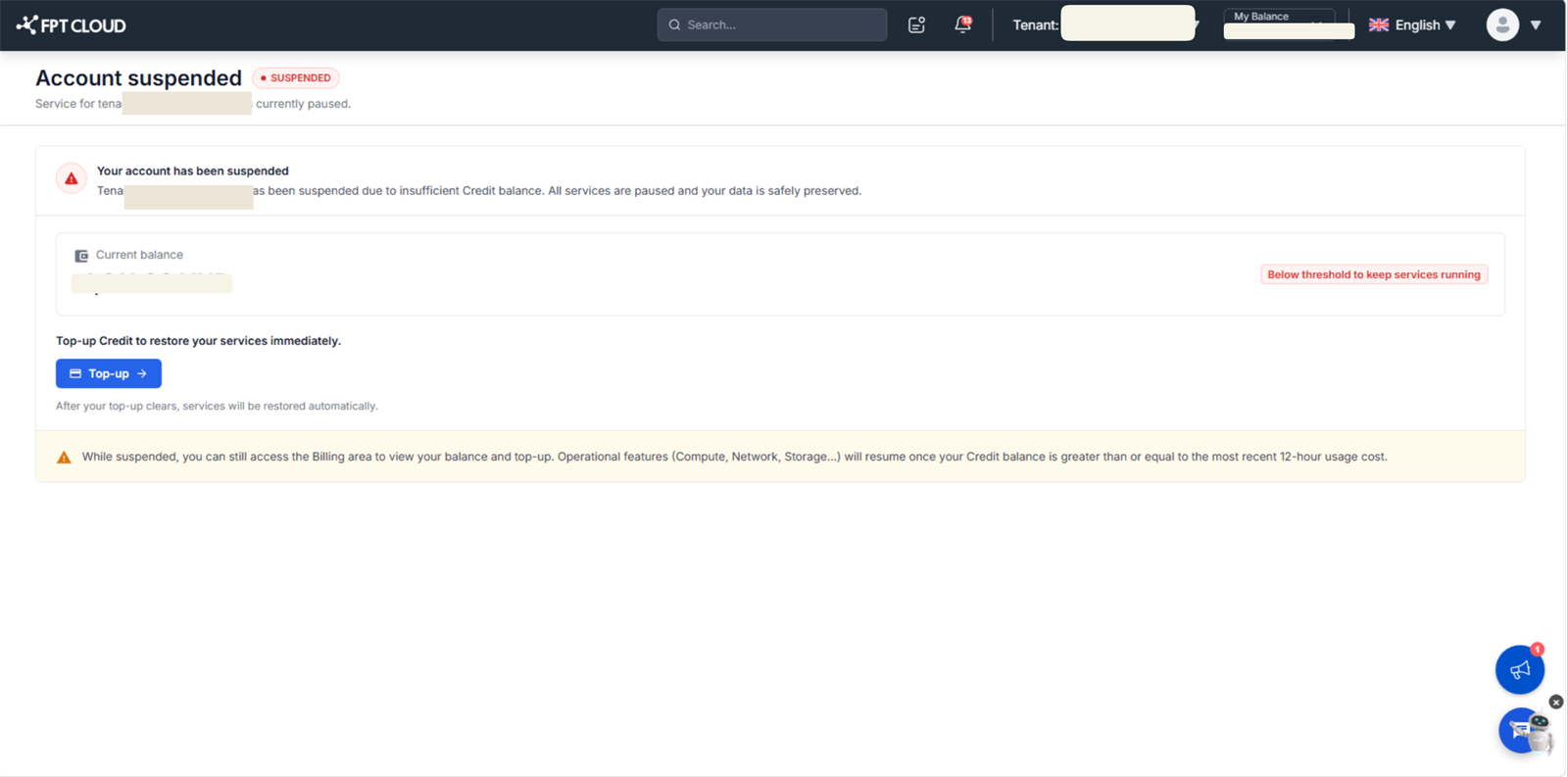
A seven-day countdown to Service Terminated starts from suspension. When you open the Console, FPT Cloud shows the Account suspended page instead of a 403 screen.
If Credit is not added within seven days of suspension, all resources are terminated and deleted. Termination cannot be undone.
When your account moves to Suspended, you receive an email notification like the one below:
Regain access from the Account suspended page
When your account is suspended, opening the Console shows the Account suspended page instead of the usual dashboard.
Prerequisites
- A signed-in FPT Cloud Console account for the suspended tenant.
- A payment method available for Top up.
Steps
- Sign in to the FPT Cloud Console. The Account suspended page opens automatically under Billing → Overview, with the side menu hidden.
- Select Top up. The Console opens the Top up screen.
- Complete the top-up following the on-screen payment flow.
- Wait for the balance to update. FPT Cloud re-evaluates the account immediately after a successful top-up.
Restore service by topping up Credit
Topping up is the one action that recovers an account from any sanction state except Terminated. FPT Cloud re-evaluates your account the instant a top-up succeeds, so you never wait out a countdown.
How much to top up
Amounts are relative to your recent spend:
- To lift the new-resource block (Warning L3/L4): add at least cost(3h) − current Credit.
- To return to fully normal service: add at least cost(12h) − current Credit.
What each result means
| New balance | Result |
|---|---|
| ≥ 12h of usage | Sanction removed fully; service restored; creation re-enabled. |
| Between 0 and 12h | Account returns to the matching Warning level; VMs restored; creation limits kept. |
| Still ≤ 0 | Current state (Restricted or Suspended) is kept. |
Any active countdown (Restricted → Suspended, or Suspended → Terminated) is cancelled once the top-up moves you out of that state.
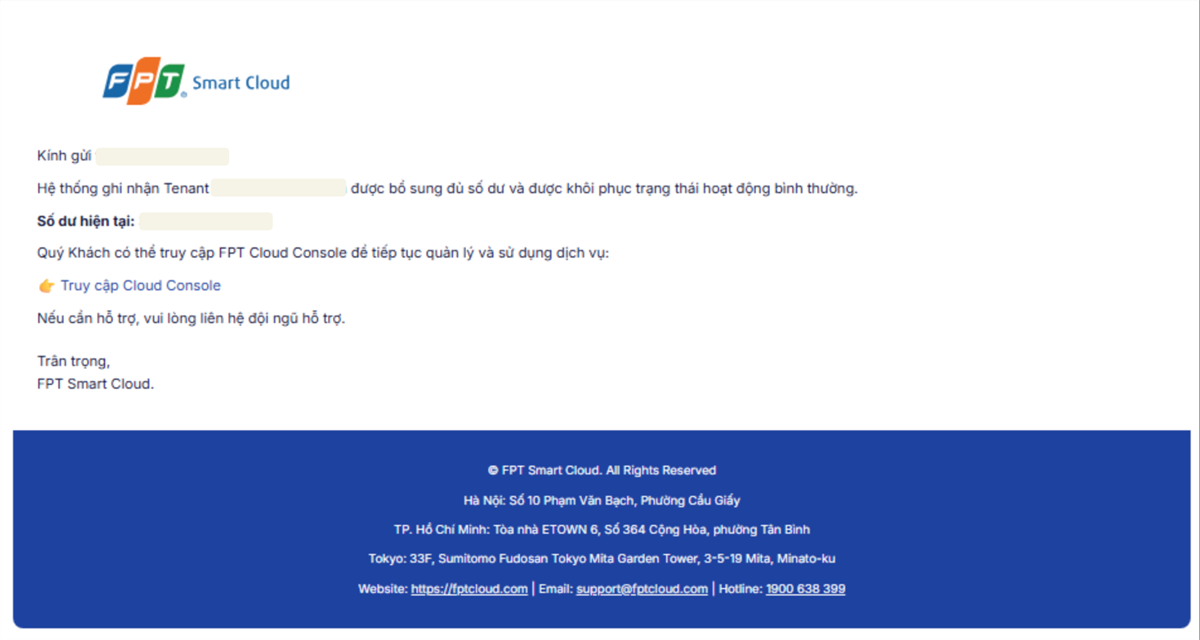
Recovery confirmation
Once the balance clears the 12-hour threshold, FPT Cloud emails you to confirm the account is back to normal.