Tutorial: View and monitor your wallet balance
This tutorial helps you understand the Balance & Transaction page and monitor your financial status on FPT Cloud.
Prerequisites
- Signed in to FPT Cloud Portal.
View your wallet balance
-
From the left navigation, go to Billing → Balance & Transactions.
The Balance & Transaction page opens with two main panels:
- Balance (left): Wallet balance
- Billing information (right): Billing details
-
In the Balance panel, check the 3 metrics:
| Metric | Meaning |
|---|---|
| My Balance | Total wallet balance |
| Available Balance | Amount ready to use |
| On Hold Balance | Funds held for running resources |
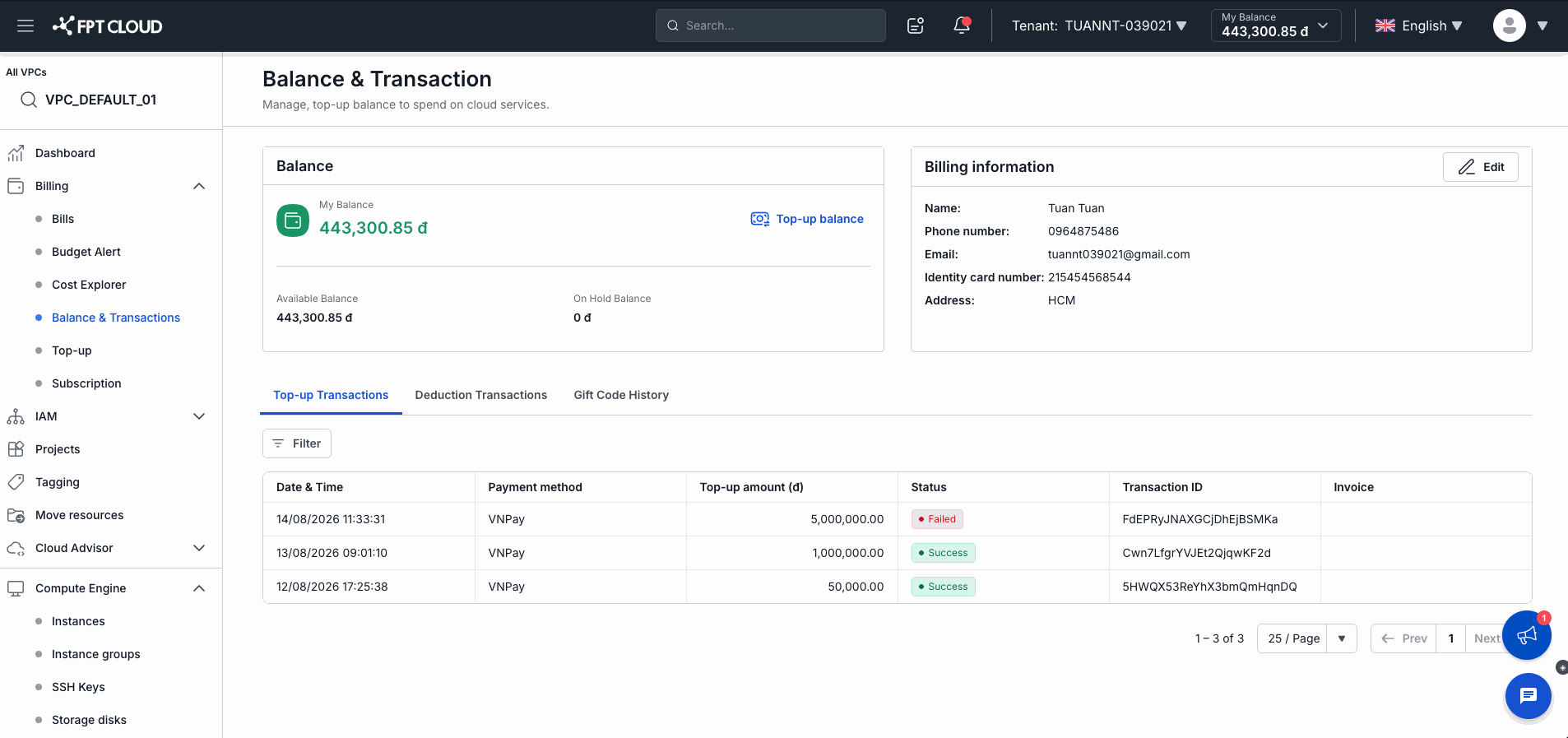
- If you need to add funds, click Top-up balance to go to the top-up page.
View transaction history
The lower section of the page has 3 tabs:
Top-up Transactions — top-up history:
| Column | Meaning |
|---|---|
| Date & Time | Transaction time |
| Payment method | VNPay |
| Top-up amount (₫) | Amount topped up |
| Status | Success / Failed |
| Transaction ID | Transaction code |
| Invoice | Linked invoice |
Deduction Transactions — automatic deduction history:
| Column | Meaning |
|---|---|
| Transaction ID | Transaction code (click to view details) |
| Deduction Time | When the deduction occurred |
| Wallet Balance Before | Balance before deduction |
| Deduction Amount | Amount deducted |
| Wallet Balance After | Balance after deduction |
| Currency | VND |
| Status | Success |
Gift Code History — gift code redemption history: Gift Code, Top-up amount (₫), Redeem Date.
Use the Filter button or search field on each tab to filter results.
Result
After this tutorial, you know how to:
- Read the 3 wallet balance metrics
- Track top-up and deduction history
- Check gift code redemption history