Guide: Explore the Homepage
Get familiar with the main areas of the Homepage to navigate quickly to resources and account information.
Homepage overview
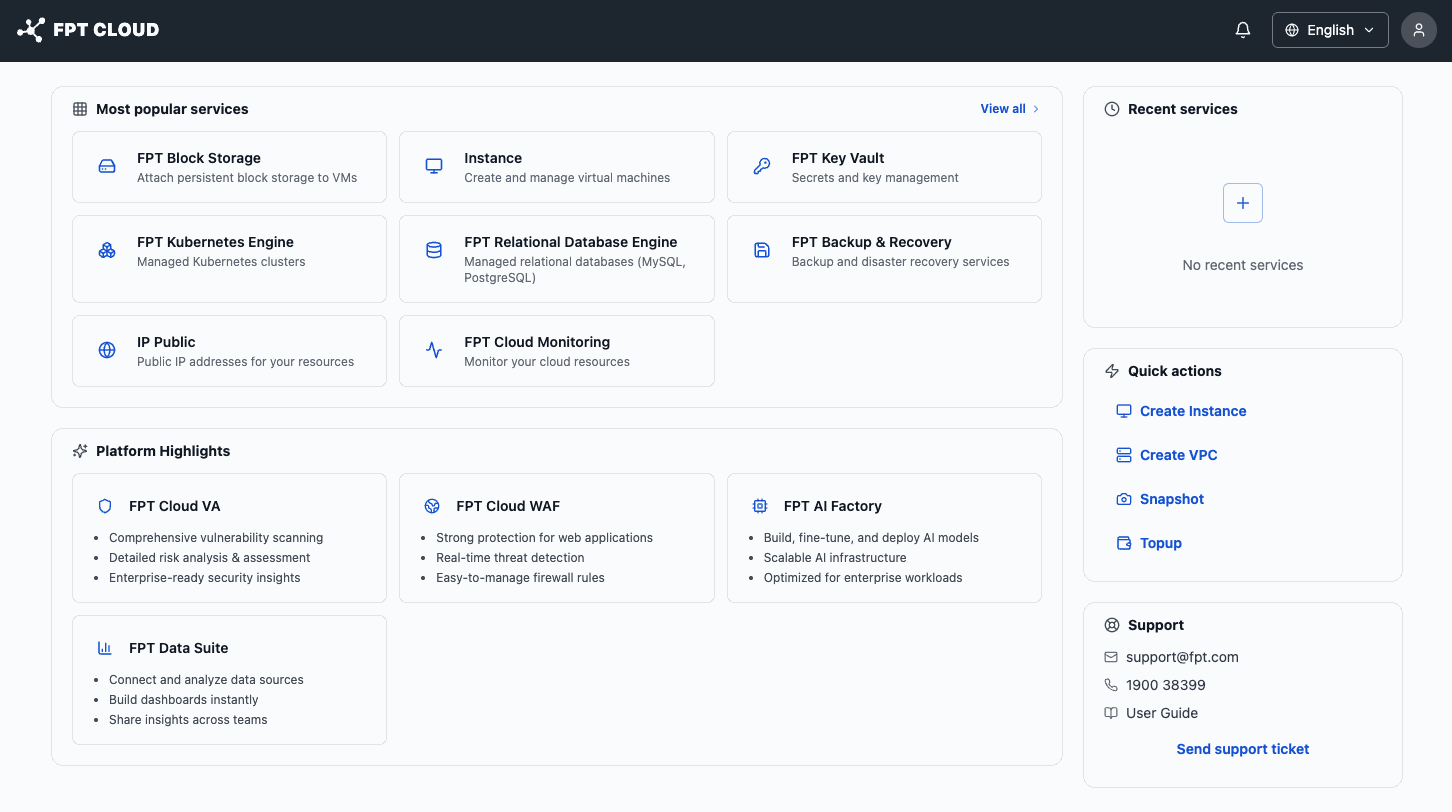
The Homepage has 3 main areas:
| Area | Location | Description |
|---|---|---|
| Most popular services | Center, top | The most commonly used services — click to access quickly. |
| Platform Highlights | Center, bottom | Highlights advanced platform services (FPT Cloud VA, WAF, AI Factory, etc.). |
| Recent services | Right sidebar, top | Services you recently used (empty on first login). |
| Quick actions | Right sidebar, middle | Create quickly: Create Instance, Create VPC, Snapshot, Topup. |
| Support | Right sidebar, bottom | Email, hotline, and Send support ticket button. |
| Notifications | Top bar (bell icon) | System notifications. |
| Language / Account | Top bar, right | Switch language and manage your account. |
Access services from Most popular services
The most used services appear directly on the Homepage:
| Service | Description |
|---|---|
| Instance | Create and manage virtual machines. |
| FPT Block Storage | Attach storage disks to VMs. |
| IP Public | Allocate public IP addresses. |
| FPT Kubernetes Engine | Managed Kubernetes clusters. |
| FPT Relational Database Engine | Managed MySQL/PostgreSQL databases. |
| FPT Backup & Recovery | Data backup and recovery. |
| FPT Key Vault | Secrets and key management. |
| FPT Cloud Monitoring | Monitor cloud resources. |
Click View all → to see the full service catalog.
Quick actions
The right sidebar has 4 quick actions to get started immediately:
- Create Instance — create a new virtual machine.
- Create VPC — create a virtual private network.
- Snapshot — take a snapshot of an instance state.
- Topup — top up your prepaid wallet.
💡 Start here: If your wallet has no balance, click Topup first, then click Create Instance to create your first server.
Support contact
The Support area in the right sidebar provides:
- Email: support@fpt.com
- Hotline: 1800 6139
- Send support ticket button — submit a support request directly.