Tutorial: First login and phone verification
After verifying your email, this tutorial helps you sign in to FPT Cloud and secure your account with OTP phone verification.
📝 Before you begin: Complete account registration and have a Vietnamese phone number ready to receive SMS.
Step 1: Open the sign-in page
-
Open your browser and go to console.fptcloud.com.
-
Click Login with FPT ID.
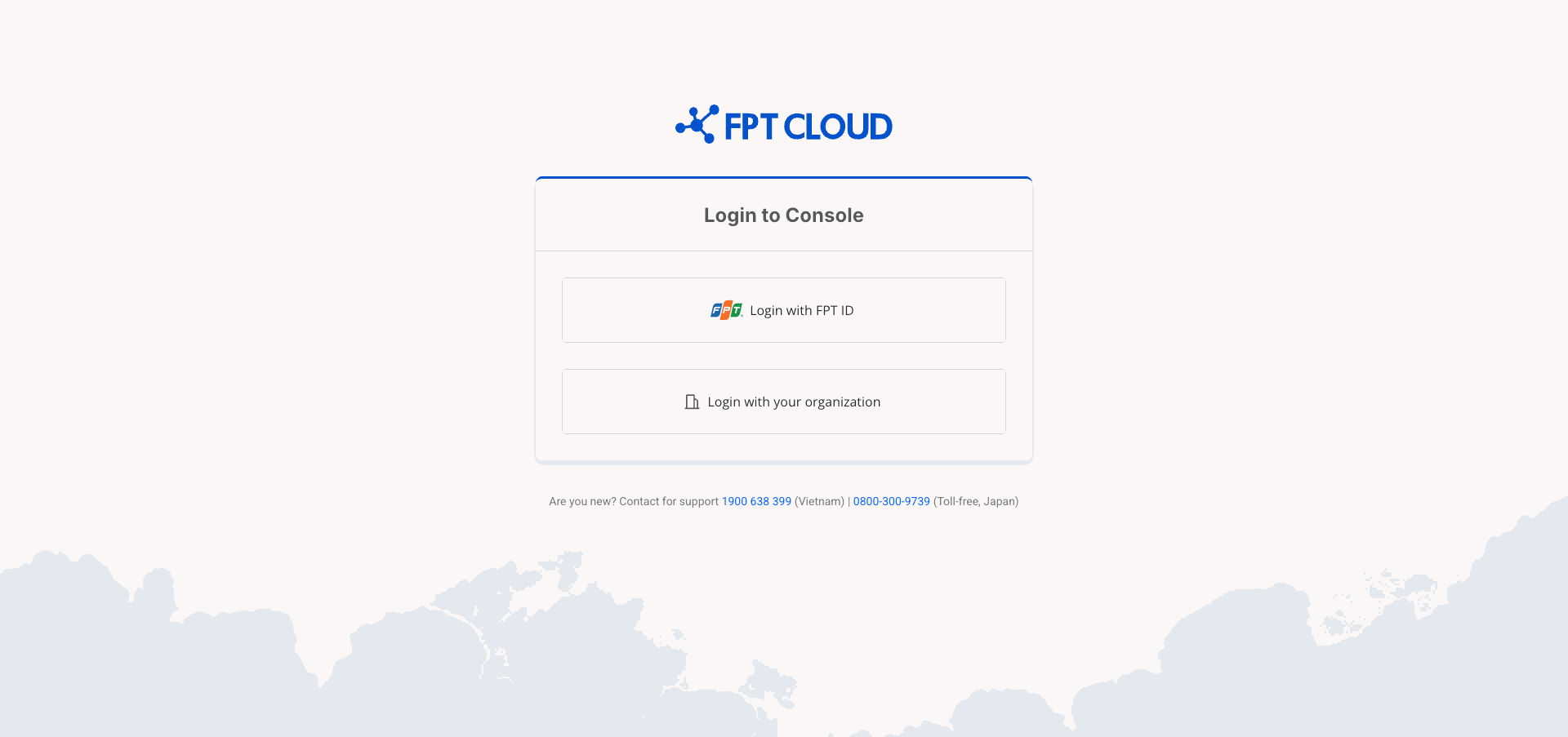
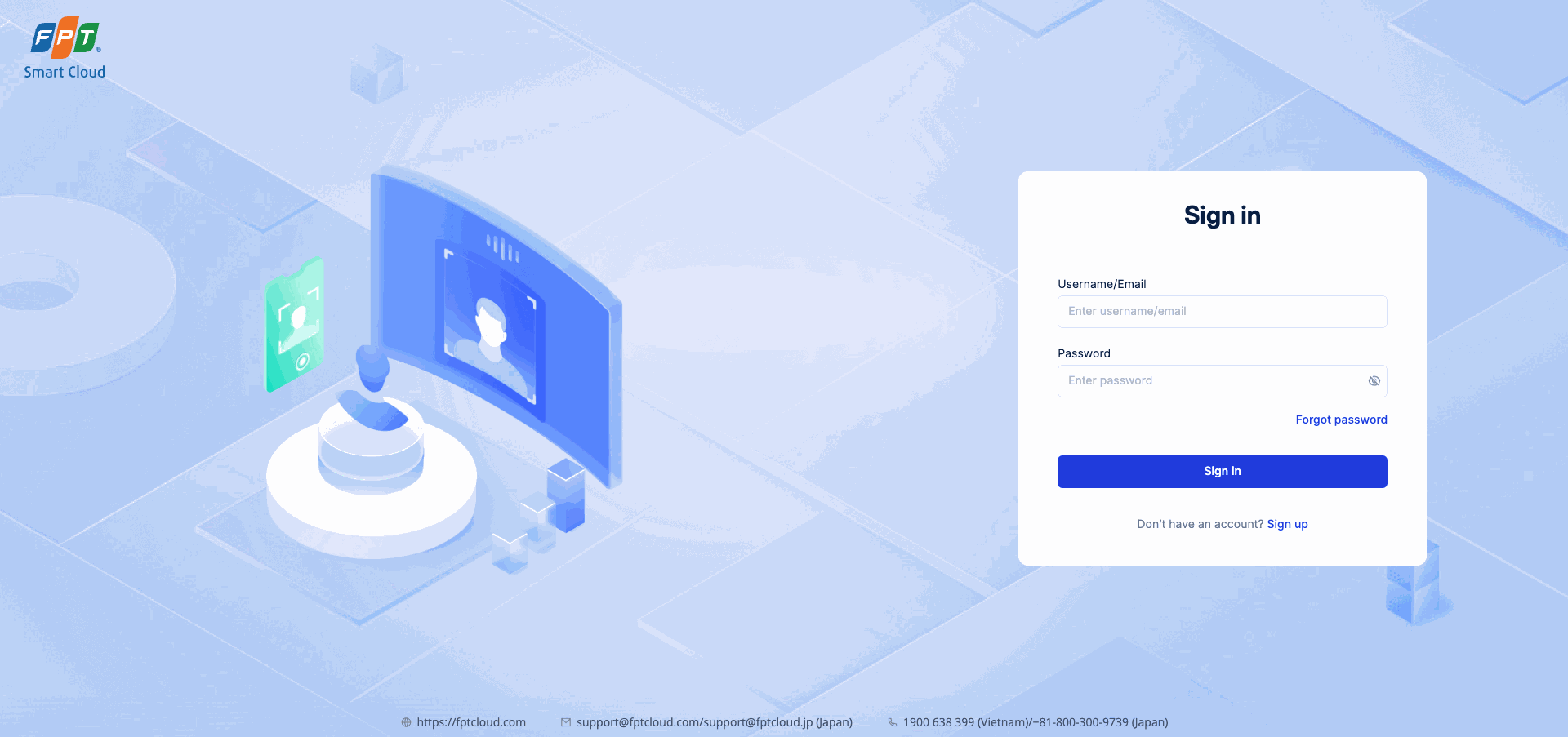
Step 2: Sign in with your FPT ID
-
Enter the Username/Email and Password you registered with.
-
Click Sign in.
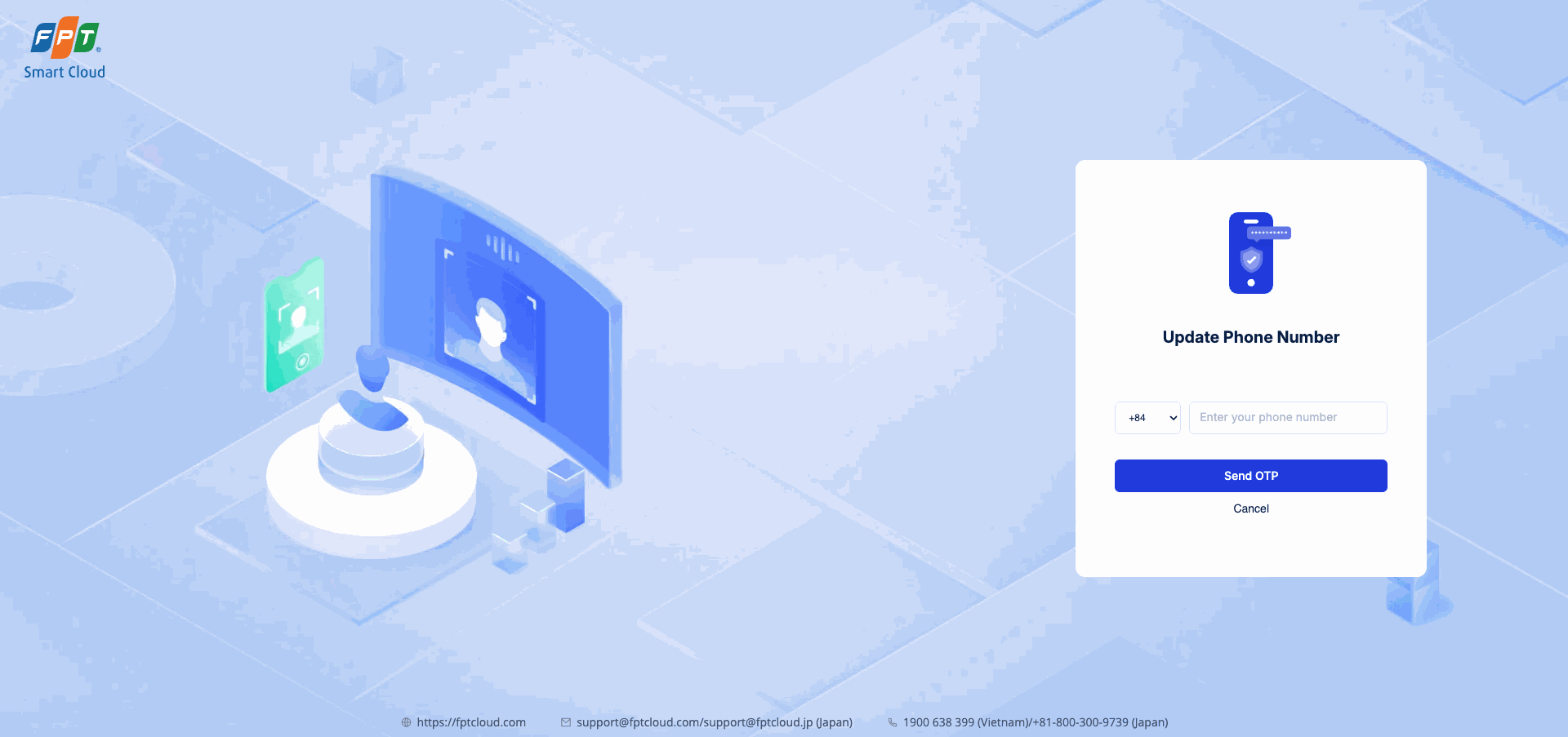
Step 3: Update your phone number
Since this is your first login, the system asks you to link a phone number to secure your account.
-
Select your country code from the list (default +84 for Vietnam).
-
Enter your phone number in the Enter your phone number field (e.g., 912 345 678).
-
Click Send OTP.
⚠️ Note: Each phone number can only be linked to one FPT ID account. If the number is already in use, choose a different one.
Step 4: Verify the OTP
-
Check the SMS on your phone — you'll receive an OTP code.
-
Enter the OTP in the verification field on screen.
-
Confirm.
📝 If you haven't received the SMS, click Resend to request a new code.
Result
OTP verification successful — the system automatically redirects you to the Onboarding screen to fill in your organization information.