Create a Storage Disk
You can add a storage disk to an Instance when creating the virtual machine, or attach one after the Instance is already running.
Prerequisites
- Signed in to FPT Cloud Portal.
- Wallet has sufficient balance to cover the disk cost (Storage Disk is billed hourly with a hold mechanism).
Create a Storage Disk
-
From the left navigation bar, select Compute Engine → Storage disks.
-
Click the create button in the top-right corner.
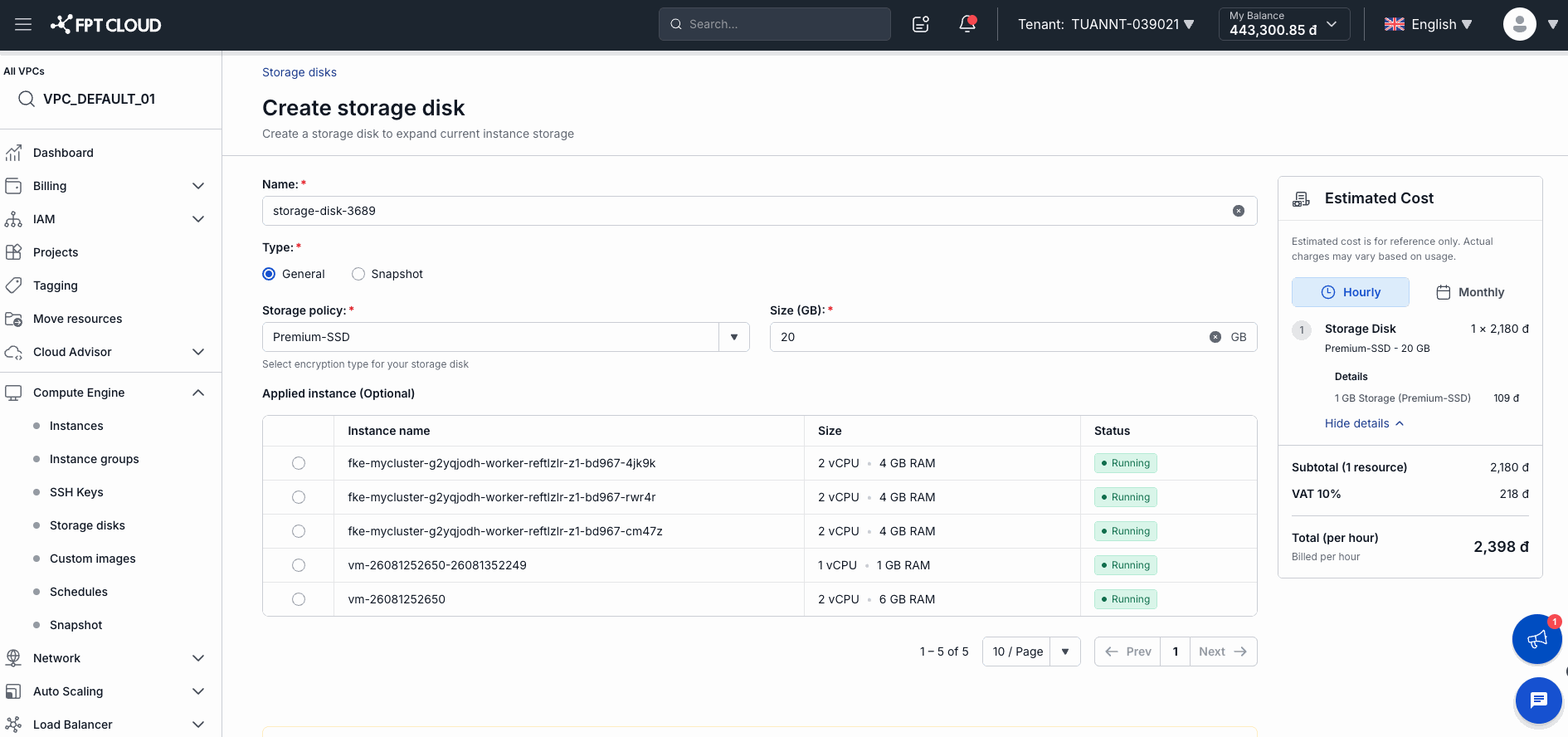
The Create storage disk page opens with an Estimated Cost panel on the right.
-
Fill in the details:
| Field | Guidance |
|---|---|
| Name * | Disk name. The system suggests one automatically (e.g., storage-disk-3689). |
| Type * | General — standard data disk. Snapshot — create from an existing snapshot. |
| Storage policy * | Disk type (e.g., Premium-SSD). Affects speed and price. |
| Size (GB) * | Required capacity in GB. |
| Applied instance | Optional — select an Instance to attach the disk immediately on creation. |
-
Review the Estimated Cost on the right — for example: Premium-SSD 20 GB = 2,398đ/hour (including 10% VAT).
-
Click the confirm button to create the disk.
The system holds funds for the first hour immediately after the disk is created successfully.
Storage Disk billing
| Time | What happens |
|---|---|
| Immediately on creation | System holds funds for the first hour |
| After 1 hour | Deducts from wallet; holds for the next hour |
| Each subsequent hour | Continues hourly deduction |
| When disk is deleted | Stops billing; releases any remaining held amount |
⚠️ Note: The disk continues to be billed even when not attached to any Instance. Delete the disk when you no longer need it to avoid unnecessary charges.