Firewall — Overview
Important note: Firewall is a feature reserved for accounts that have been specially configured by FPT Cloud. If your account has not been configured, the Firewall menu will not appear in the interface. In that case, you can use Security Groups to control network traffic.
Firewall is a network-level firewall feature for Specific VPC, enabling centralized control over all traffic flowing into and out of the VPC according to configured rules.
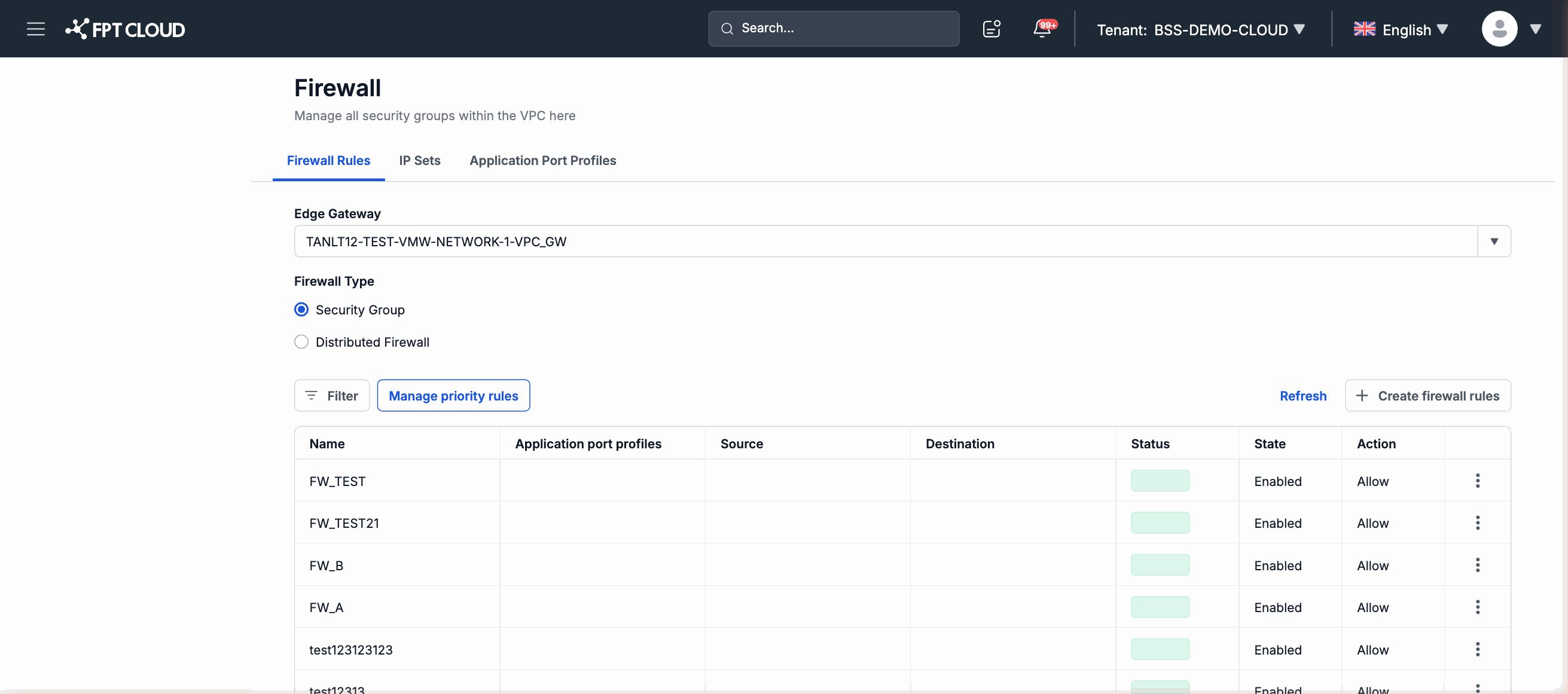
How Firewall works
When Firewall is activated on an account, all network traffic passing through a Specific VPC is filtered against the set of configured rules:
- Inbound rule — controls traffic entering the VPC from outside.
- Outbound rule — controls traffic leaving the VPC to the outside.
Traffic that does not match any rule is denied by default.
Scope of applicability
| VPC type | Firewall support |
|---|---|
| General VPC | Not supported |
| Specific VPC | Yes — for specially configured accounts only |
Firewall vs. Security Groups — Which one should you use?
Both features serve the purpose of controlling network traffic, but they differ in scope and intended audience:
| Criteria | Firewall | Security Groups |
|---|---|---|
| Intended users | Accounts specially configured by FPT Cloud | All customers |
| Supported VPC types | Specific VPC only | General VPC and Specific VPC |
| Control level | Network-level firewall | Resource-level firewall |
| Complexity | Designed for specialized enterprise requirements | Suitable for general use cases |
| Activation requirement | Must be pre-configured by FPT Cloud | Ready to use immediately after creating a VPC |
If your account has Firewall access, you can use both features simultaneously or just one, depending on your organization's network design.
What you can do
| Action | Description |
|---|---|
| View Firewall list | View all Firewalls currently configured in the Specific VPC |
| View rule details | View all inbound rules and outbound rules for a Firewall |
| Add rule | Create a new rule to allow or block traffic in either direction |
| Edit rule | Update an existing rule's configuration (protocol, port, source/destination address, action) |
| Delete rule | Remove a rule that is no longer needed |
Navigation
To access Firewall, from the left navigation panel within the context of a Specific VPC:
Network → Firewall
The Firewall menu only appears when the account has been specially configured by FPT Cloud. If you do not see this menu, refer to the Security Groups guide or contact FPT Cloud support.