Firewall — Reference
This document provides detailed descriptions of all columns, fields, and values displayed in the Firewall interface.
Note: Firewall is only available on Specific VPC and is reserved for accounts specially configured by FPT Cloud. The actual fields shown in the interface may vary depending on your account configuration.
Firewall interface structure
The Firewall page is organized into 3 tabs:
| Tab | Description |
|---|---|
| Firewall Rules | The list of rules that control traffic — the default tab when opening the Firewall page. |
| IP Sets | Named groups of IP addresses or CIDR ranges used as references in Firewall Rules. |
| Application Port Profiles | Named sets of ports and protocols used as references in Firewall Rules instead of entering values manually. |
Firewall Rules tab — List columns
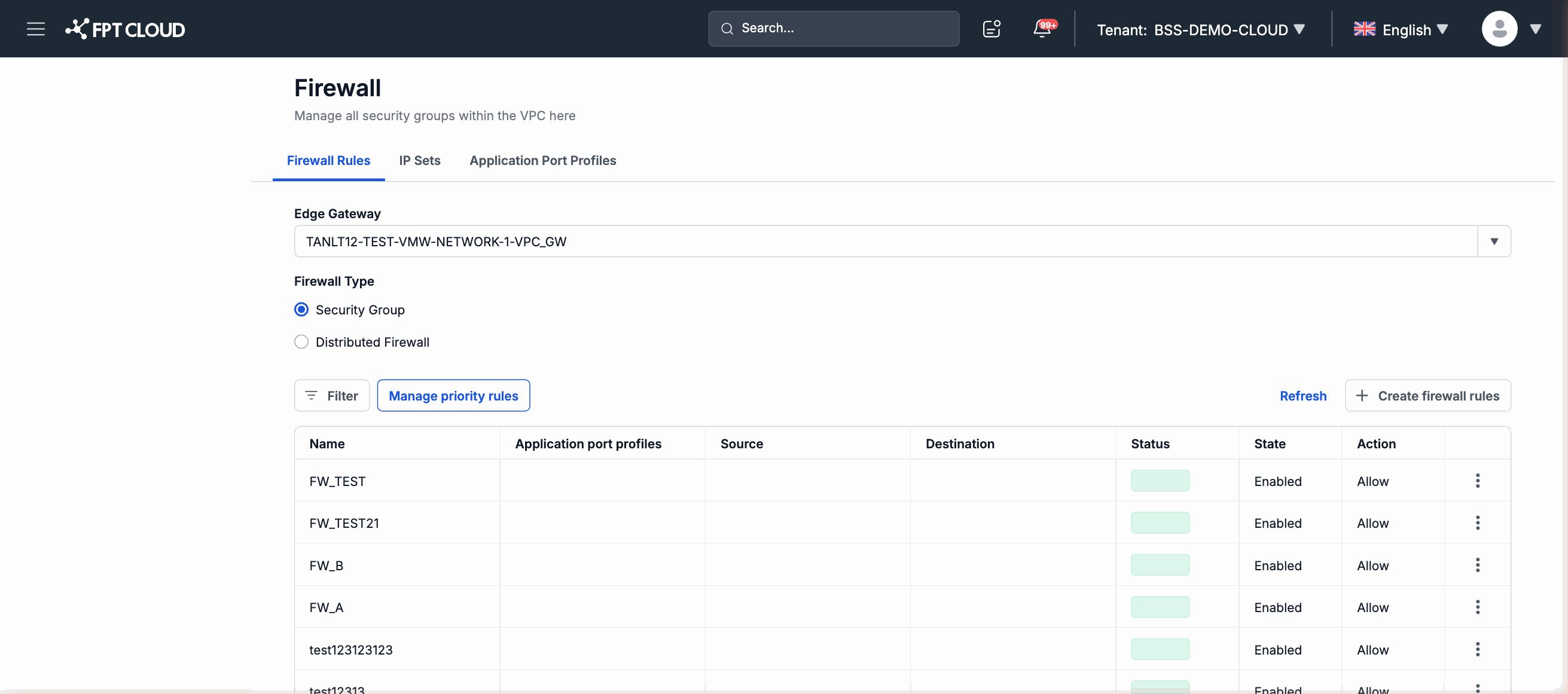
| Column | Description |
|---|---|
| Name | The identifying name of the rule. |
| Application port profiles | The port/protocol profile applied to this rule (referenced from the Application Port Profiles tab). |
| Source | The traffic source — can be an IP address, CIDR range, or a named IP Set. |
| Destination | The traffic destination — can be an IP address, CIDR range, or a named IP Set. |
| Status | The current status of the rule. |
| State | Whether the rule is enabled or disabled (Enabled/Disabled). |
| Action | The action taken when traffic matches the rule: Allow or Deny. |
Status values
| Value | Meaning |
|---|---|
| Active | The Firewall (or rule) is operating normally and being applied. |
| Pending | An operation is being processed (creation, update, or deletion). Please wait a moment. |
| Error | An error occurred during processing. Retry the operation or contact support if the error persists. |
| Inactive | The Firewall (or rule) is disabled and is not being applied to traffic. |
Firewall vs. Security Groups comparison
The table below helps you identify the right feature for your needs:
| Criteria | Firewall | Security Groups |
|---|---|---|
| Intended users | Accounts specially configured by FPT Cloud | All customers |
| Supported VPC types | Specific VPC only | General VPC and Specific VPC |
| Control level | Network-level firewall — applied to the entire VPC | Resource-level firewall — applied to individual virtual machines or network interfaces |
| Activation requirement | Requires pre-configuration by FPT Cloud | Ready to use immediately after creating a VPC |
| Inbound / Outbound rule | Yes | Yes |
| Rule actions | Allow and Deny | Allow and Deny |
| Best suited when | Centralized network-level traffic control is needed for specialized enterprise requirements | Flexible per-resource traffic control is needed for individual resources |