Detach Policy from Group
Detach a policy from a group
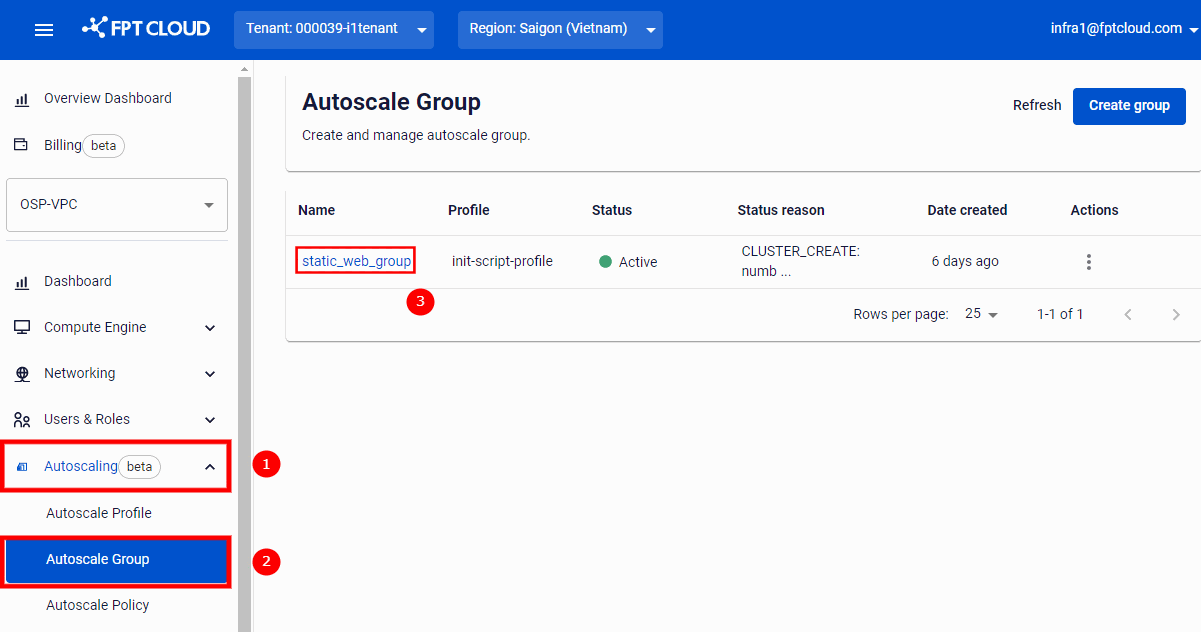
Step 1: Go to Autoscaling > Autoscale Group. Click the name of the group you want to detach a policy from.
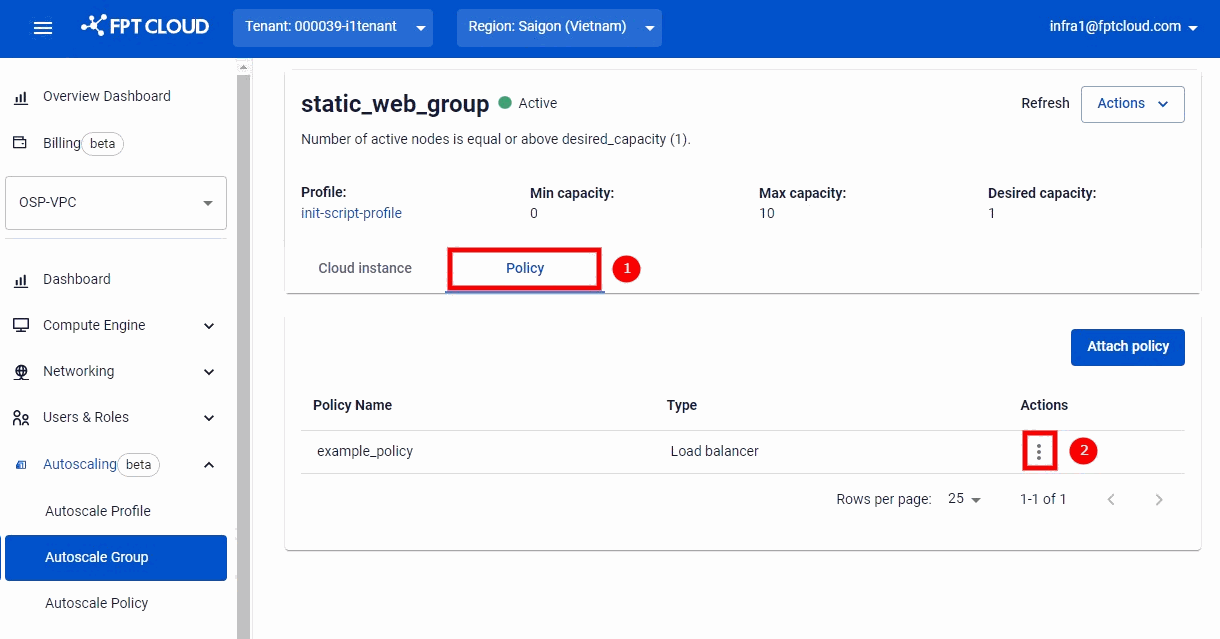
Step 2: Switch to the Policy tab. On the row containing the policy you want to detach, click the Action menu icon.
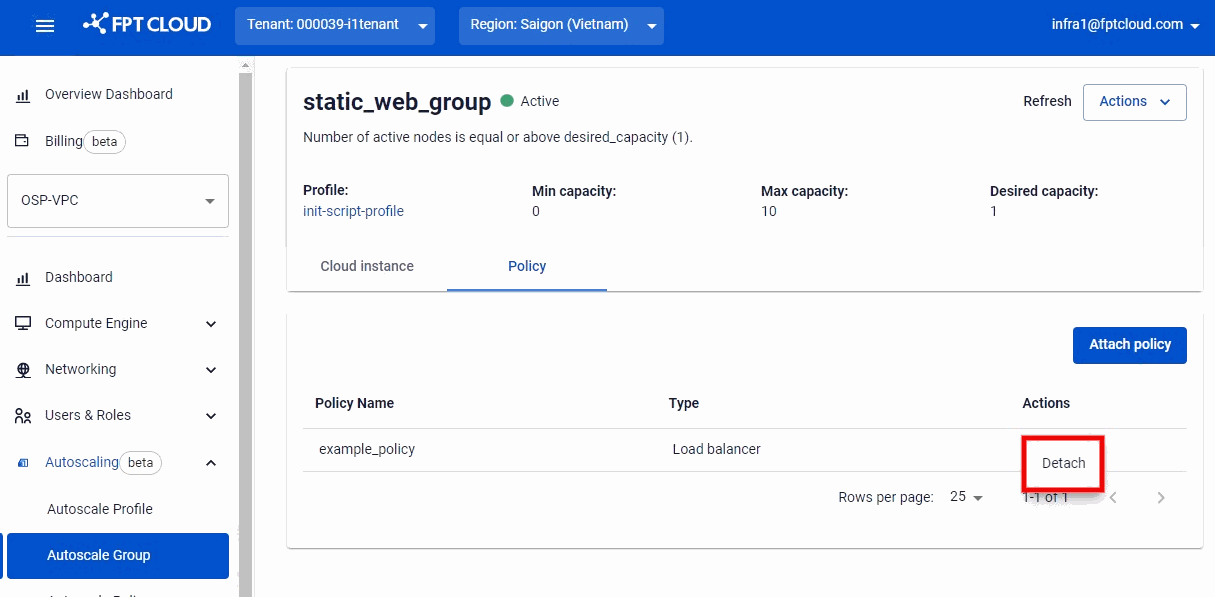
Step 3: In the menu, select Detach.