Before You Create an Instance
Before creating an Instance, make sure you have all the necessary prerequisites and information so the provisioning process goes smoothly.
Requirements
- An FPT Cloud account that has been activated and can log in to the Customer Portal.
- At least one VPC already exists — and you know whether it is a Specific or General VPC, because the VPC type determines the feature set available to the Instance (see Instance Overview).
- At least one Subnet exists within the VPC where you plan to deploy the Instance.
- Sufficient quota (vCPU, RAM, Storage) within the VPC to accommodate the Flavor you intend to choose.
- You know which Image you want to use — this can be an OS image provided by FPT Cloud or a custom image you have already uploaded.
- If you want to authenticate via SSH instead of a password, you need an SSH key pair already registered in the portal.
Note: If you do not yet have a VPC or Subnet, create them first in the Network module. An Instance cannot be created without a Subnet.
Information to Prepare
| Information | Description | Example |
|---|---|---|
| Instance Name | A unique identifier using only letters, numbers, and hyphens | web-server-01 |
| Flavor | The vCPU and RAM configuration of the Instance | 2 vCPU / 4 GB RAM |
| Storage (GB) | Root disk capacity | 50 GB |
| Subnet | The Subnet within the VPC to attach the primary NIC | subnet-private-01 |
| Authentication method | SSH key or password (password is sent to your registered email) | SSH key: my-key-pair |
Important: The root disk cannot be deleted after the Instance is created. Choose an appropriate capacity from the start.
Accessing the Instance Module
To navigate to the Instance module:
- Log in to the Customer Portal at https://console.fptcloud.com.
- In the left navigation bar, select the VPC where you want to deploy the Instance.
- In the VPC menu, select Compute, then select Instance.
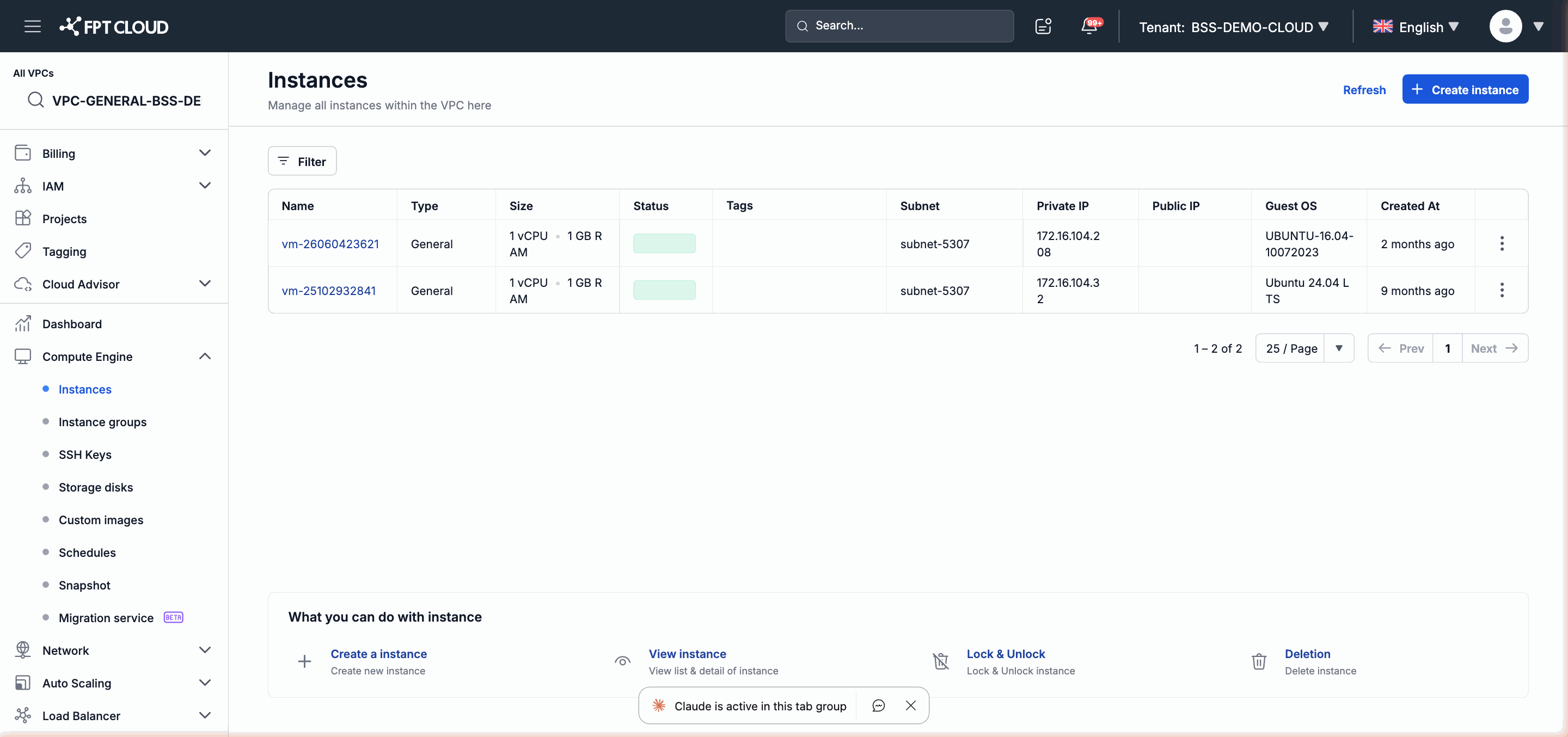
The list of Instances in the VPC is displayed here. Click Create Instance to begin the provisioning workflow.
Differences by VPC Type
The VPC type (Specific or General) affects some of the options that appear in the Instance creation form. For example, with a Specific VPC you can choose to create an Instance from an existing Snapshot image; with a General VPC you have the additional option of creating from a NAT Instance. After the Instance is created, the VPC type also determines which management features are available — for example, manual Snapshot and Clone are only available in Specific VPC.
See the full comparison table at Instance Overview — Features by VPC Type.
Next: create your first Instance — Instance Quickstart or Full Instance Creation Tutorial.