Guide: Managing Projects
This guide describes how to view, create, edit, and delete projects in FPT Cloud.
Viewing the Projects List
-
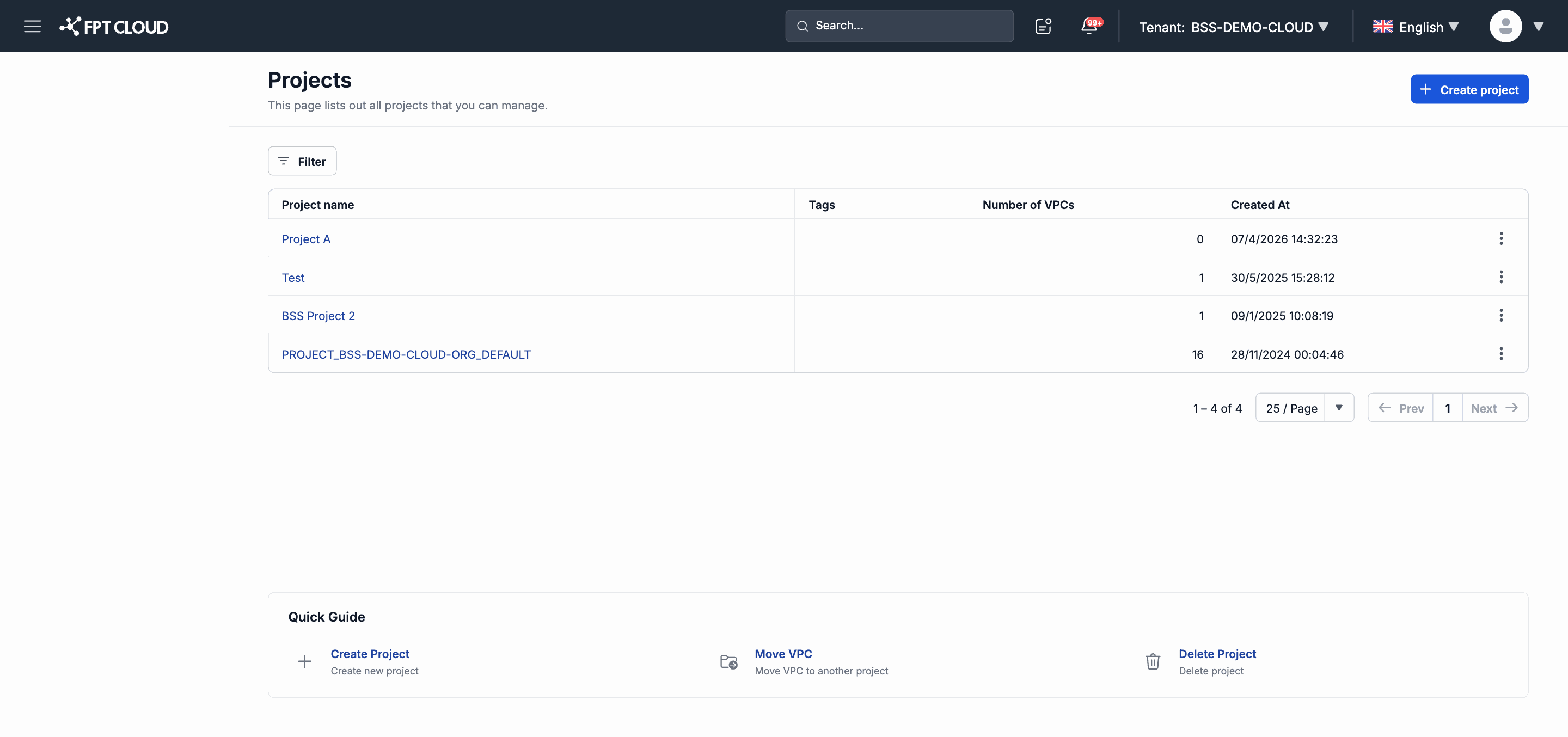
From the left navigation bar, select Projects.
The project list page appears.
-
The table includes the following columns:
| Column | Description |
|---|---|
| Project name | The identifying name of the project. |
| Tags | Labels (tags) attached to the project for classification. |
| Number of VPCs | The number of VPCs belonging to this project. |
| Created At | When the project was created. |
Creating a New Project
-
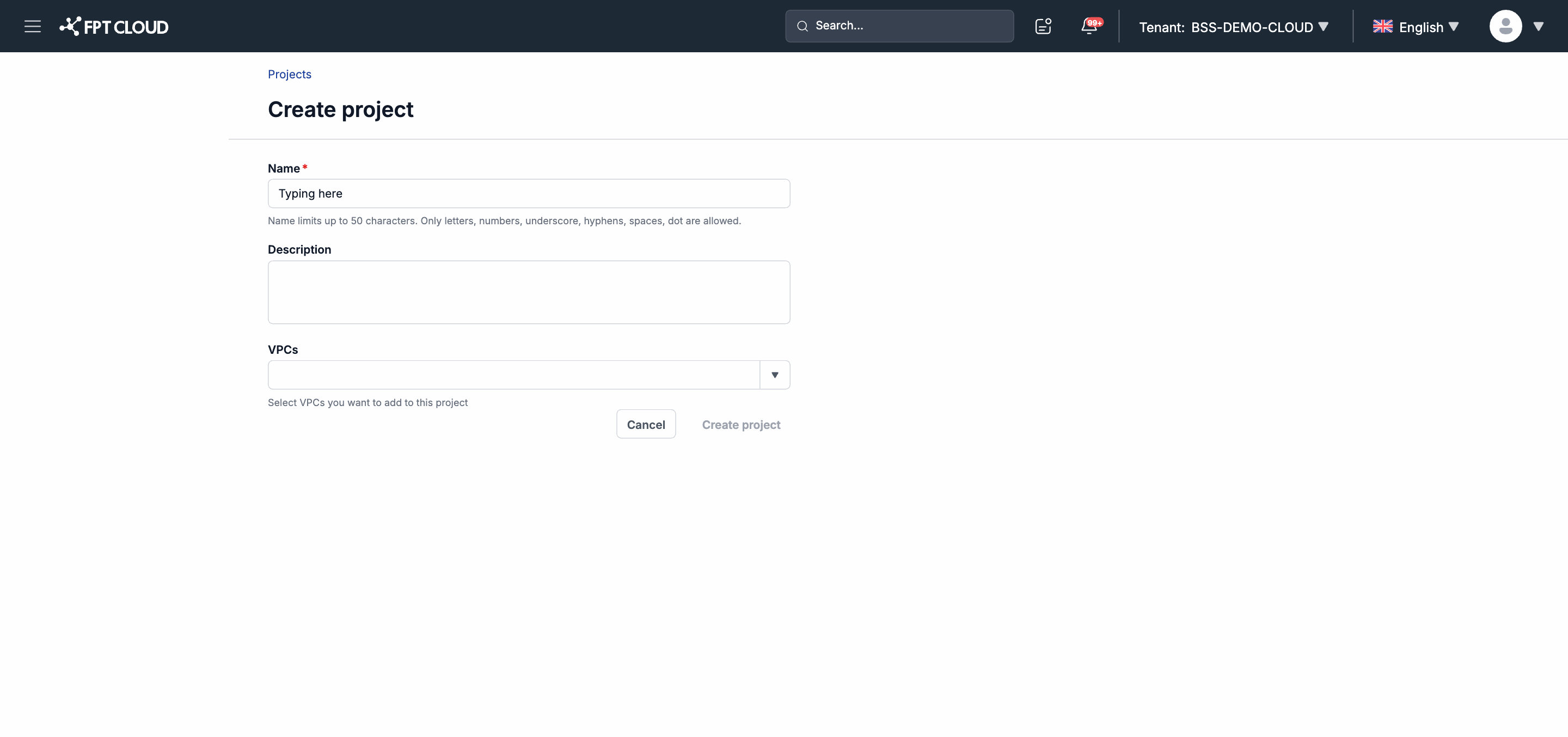
On the Projects page, click Create project.
The project creation page appears.
-
Fill in the fields:
| Field | Required | Description |
|---|---|---|
| Name | Yes | The identifying name of the project. |
| Description | No | A short description of the project's purpose. |
| VPCs | No | Select the VPCs to assign to this project. |
- Click Save to create the project.
Editing a Project
- In the list, click the name of the project you want to edit.
- Update the name, description, or VPC list.
- Click Save to confirm the changes.
Deleting a Project
- In the list, locate the project to delete.
- Click the delete icon or select Delete from the action menu.
- Confirm in the confirmation dialog.
Note: The default project cannot be deleted. Only user-created projects can be deleted. When a project is deleted, the VPCs belonging to it are not deleted — they are moved to the default project.