Guide — Delete a Snapshot
Warning: Deleting a snapshot is irreversible. A deleted snapshot cannot be recovered. Ensure you no longer need the snapshot before proceeding.
Note: This feature is only available on General VPC.
Delete an Instance Snapshot
-
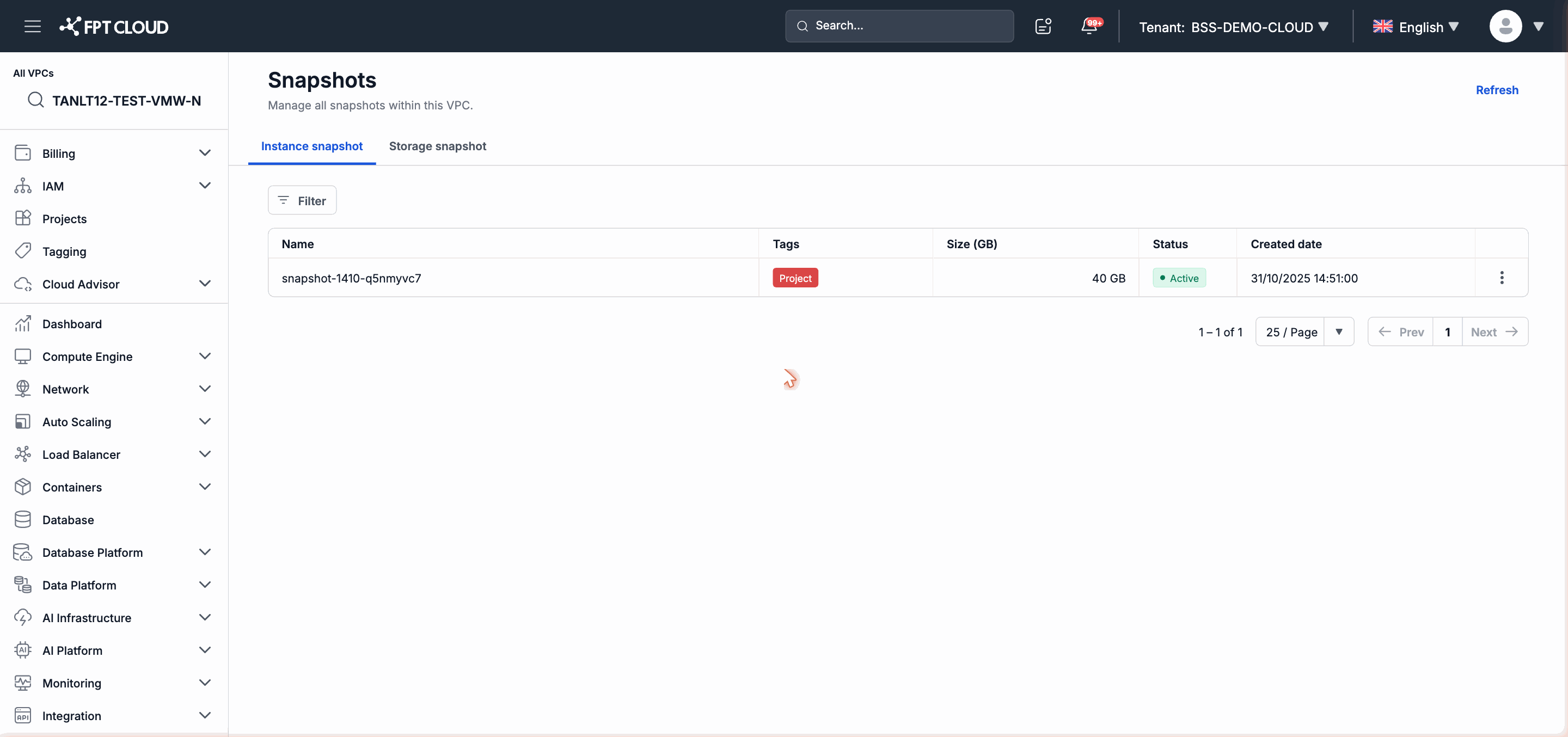
In the left navigation bar, select Compute Engine → Snapshots.
-
Select the Instance snapshot tab.
-
Find the snapshot to delete in the list.
-
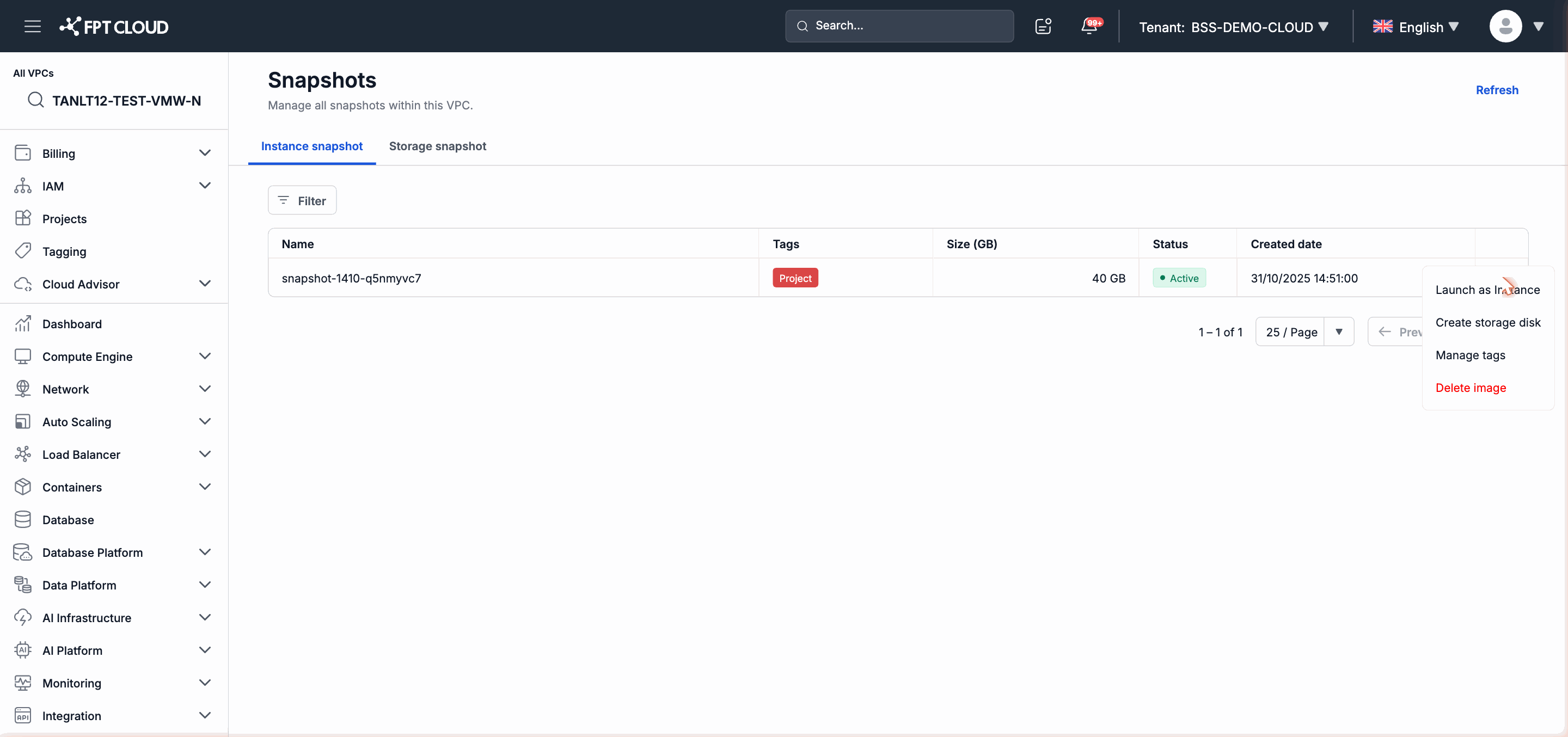
Click the action menu icon (⋮) at the end of that snapshot's row.
-
Select Delete image.
-
Read the confirmation message and click Delete (or the equivalent confirmation button) to complete.
The deleted snapshot will no longer appear in the list.
Delete a Storage Snapshot
-
In the left navigation bar, select Compute Engine → Snapshots.
-
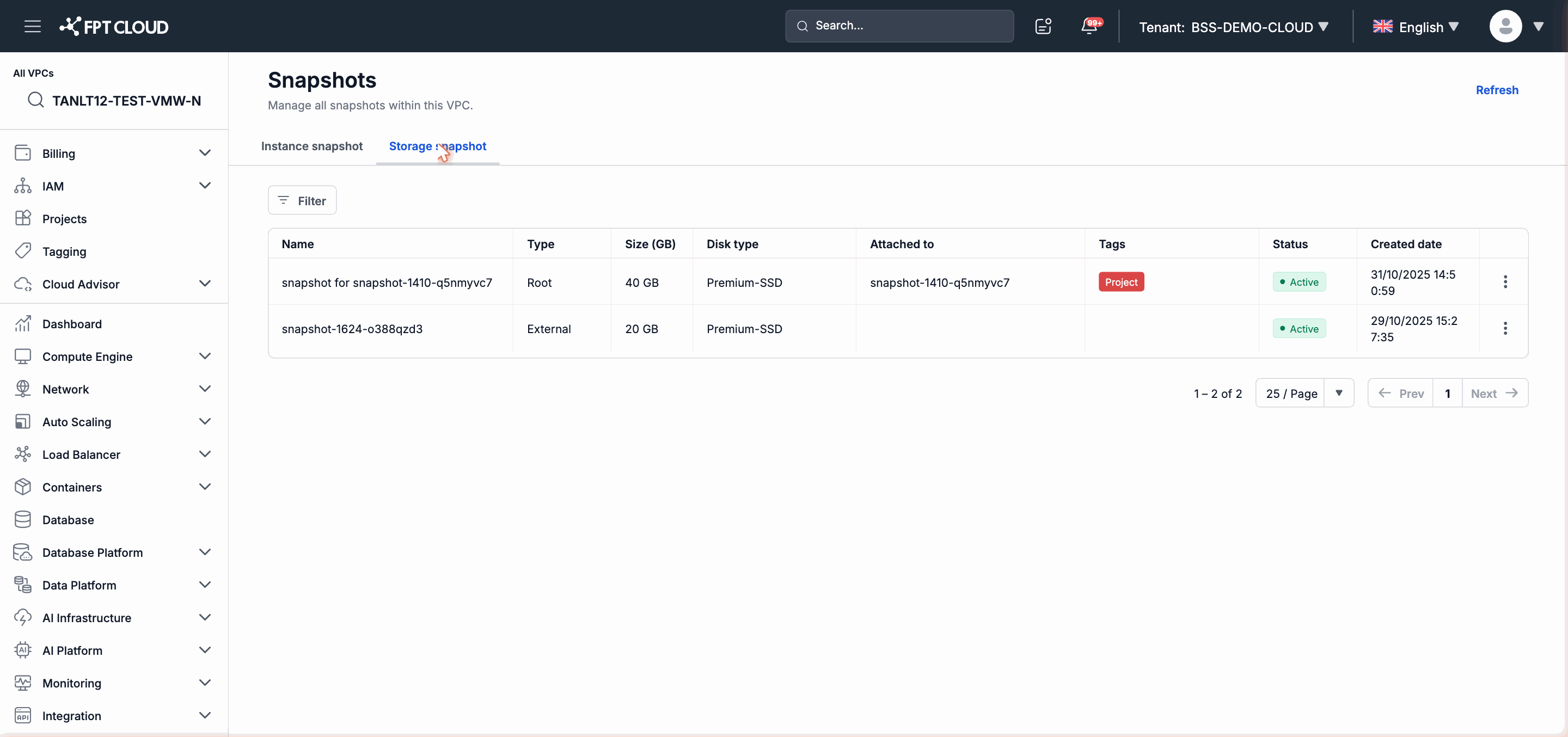
Select the Storage snapshot tab.
-
Find the snapshot to delete.
-
Click the action menu icon (⋮) at the end of the row.
-
Select Delete.
-
Confirm the deletion in the confirmation dialog.
After Deletion
- A deleted snapshot can no longer be used to Launch as Instance or Create storage disk.
- Instances or Storage Disks that were previously created from the snapshot are not affected and continue to operate normally.