Activate the service
To use FPT Container Registry, you must activate the service on the FPT Portal. Activation requires the appropriate permissions to ensure the security of your organization's resources.
Prerequisites
- You are a Tenant Owner, or a VPC Admin granted the
ContainerRegistry:Activepermission in an IAM role (typically the SuperAdmin role). - You checked the Service plan & quota reference for the available Container Registry plans before activating, to avoid exceeding your Quota during use.
Activate the service
-
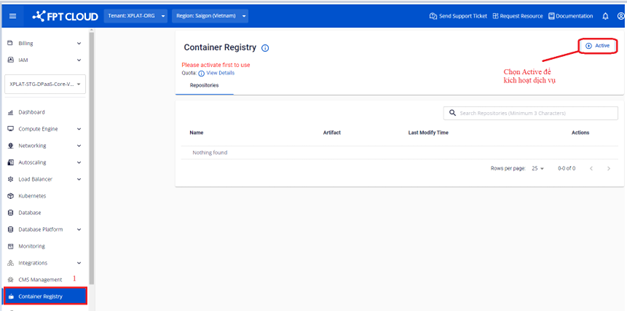
On the Container Registry screen, click Active to activate the service.
-
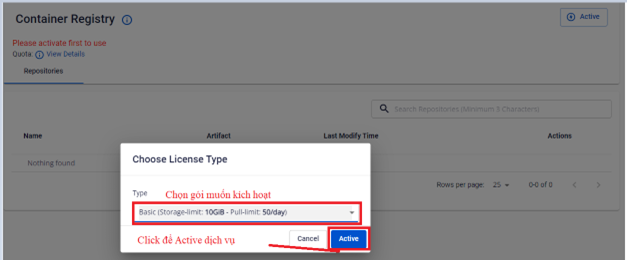
On the activation screen, select the Service Plan you want to activate.
-
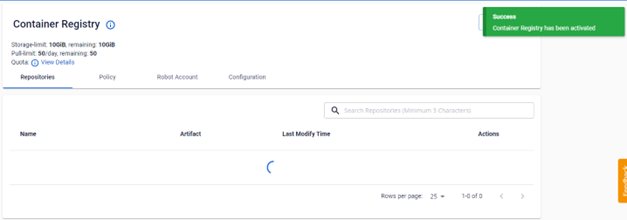
Verify the service activation result.
-
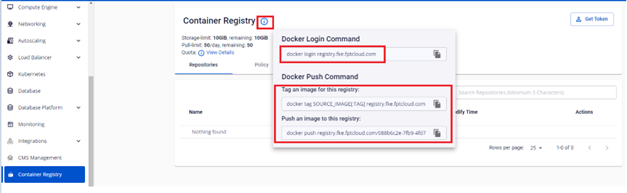
Hover over the ⓘ icon to get the login credentials, tag, and push image commands.


note
Users who are not the Tenant Owner do not see the Active button. Select a tenant where you have the owner role to activate the service.
Next steps
- Docker CLI usage (login, tag & push, pull) — log in, tag, push, and pull your first image.