Add a retention rule
A repository can accumulate many images with different tags over time, many of which become outdated and unused. These redundant tags consume significant storage space.
FPT Cloud provides the Retention Rule feature to define rules that automatically retain or delete images and tags based on criteria you specify, helping optimize storage usage.
Tag retention rules let you define criteria to automatically retain or delete tags in a repository, giving you control over storage usage without manual intervention.
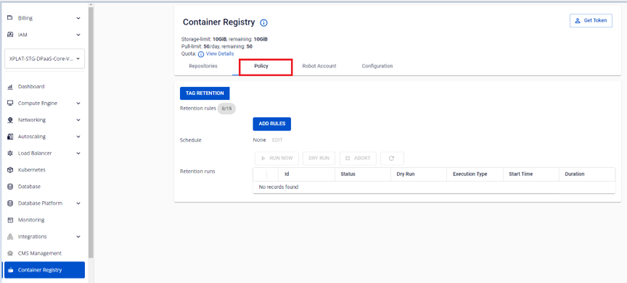
1. Open the Policy tab
On the FPT Portal menu, select Container Registry > Policy tab.
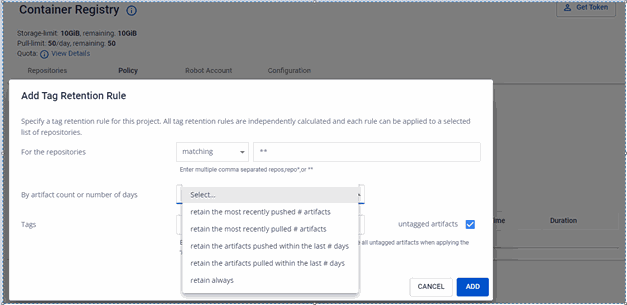
2. Start a new rule
Click ADD RULES and enter the information to create a tag retention rule.
3. Choose matching or excluding repositories
In the Repositories menu, select matching or excluding.
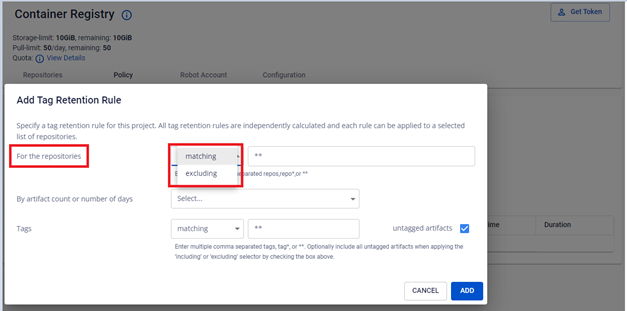
4. Enter the repository name pattern
In the Repositories field, enter the information to identify the repositories the rule applies to.
- A single repository name, e.g.
my_repo_1. - A comma-separated list of repositories, e.g.
my_repo_1, my_repo_2. - Repository names with wildcard characters.

Use ** to apply to all repositories. If you select matching, the rule applies to the repositories you specify. If you select excluding, the rule applies to all except the repositories you specify.
5. Set the retention criteria
In the By image count or number of days menu, specify the number of tags to retain or the retention period.
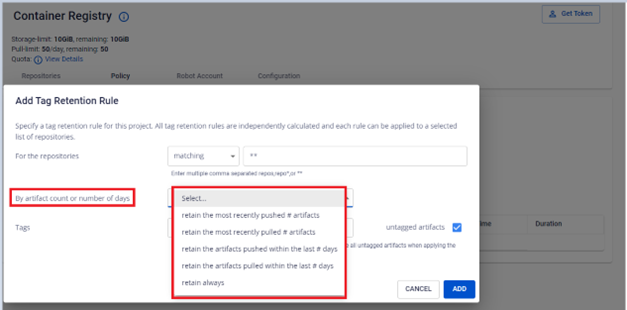
See Retention rule reference for the full list of count and days options.
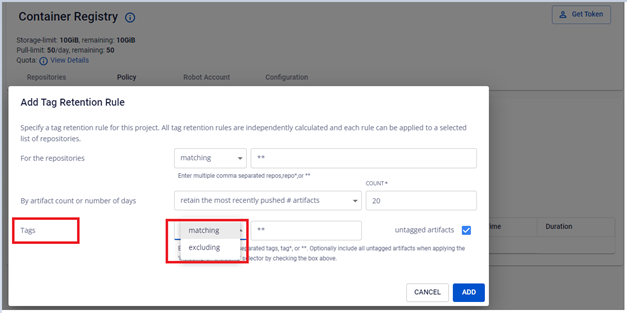
6. Choose matching or excluding tags
In the Tag menu, select matching or excluding.
7. Enter the tag name pattern
In the Tag field, enter the information to identify the tags the rule applies to.
- A single tag name, e.g.
my_tag_1. - A comma-separated list of tags.
- Tag names with wildcard characters.

Use ** to apply to all tags.
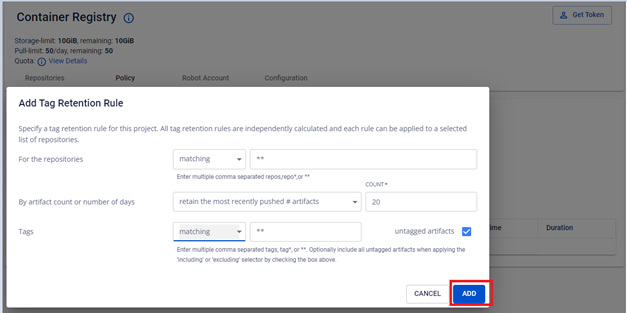
8. Save the rule
Click Add to save the rule.
9. Verify the result
Verify the newly created tag retention rule.
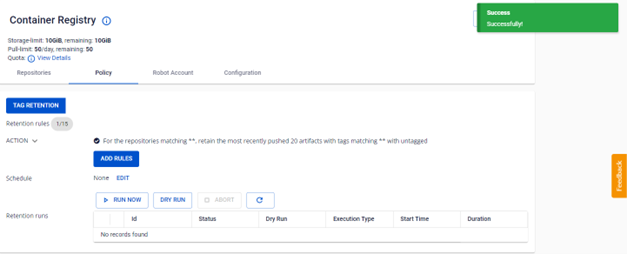
Example: a rule that retains the 20 most recently pushed artifacts across all tags in all repositories.
Next steps
- Manage retention rules & runs — update, disable, enable, delete, schedule, and run a retention rule.
- Retention rule reference — count/days and schedule frequency field reference.