Manage repositories
FPT Container Registry lets you manage all Repositories directly on the FPT Portal, including viewing the list and deleting images or Artifacts that are no longer needed.
View the repositories list
After pushing images to the registry, all Repositories are displayed on the Portal so you can track and manage them.
-
On the FPT Portal menu, select Container Registry.
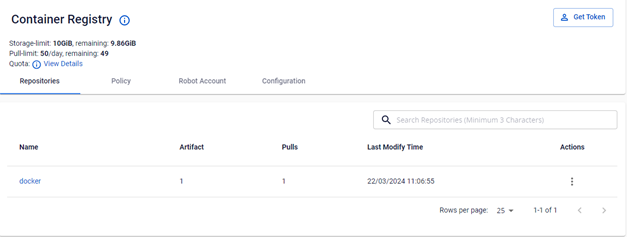

The Repositories tab displays the list of all pushed Repositories.
Delete a repository, an artifact, or a tag
When you need to free up storage space or remove unused images and Artifacts, use the steps below.
Deleting a Repository, Artifact, or Tag is irreversible. Make sure you no longer need the resource before deleting it.
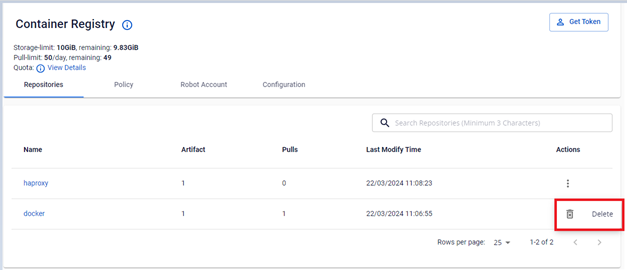
Delete a repository
-
In the Action section of the image or Artifact, select Delete.
-
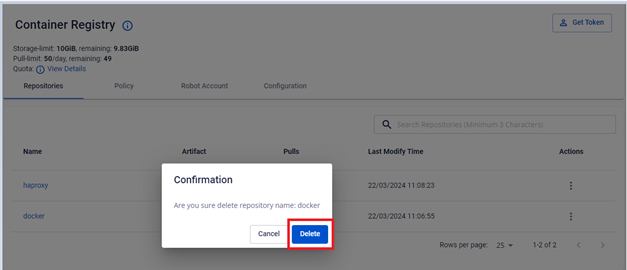
Click Delete in the confirmation dialog.


Delete an artifact
-
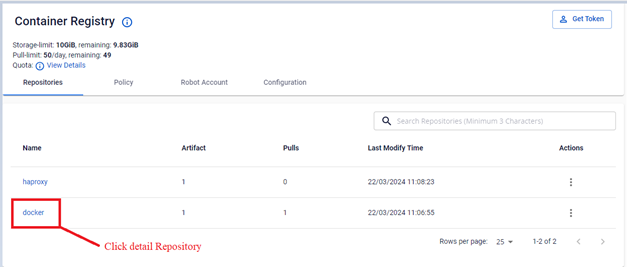
Open Detail Repository to view the Artifact list.
-
In the Action section of the Artifact, select Delete.
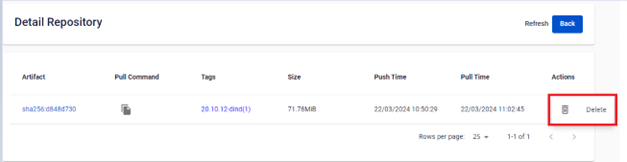
-
Click Delete in the confirmation dialog.
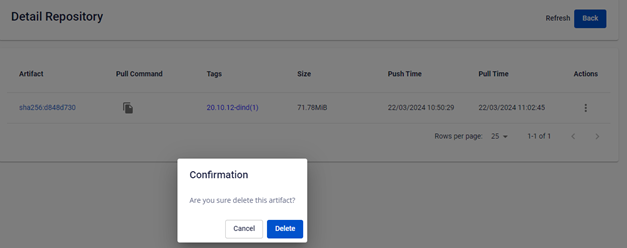


Delete a tag
-
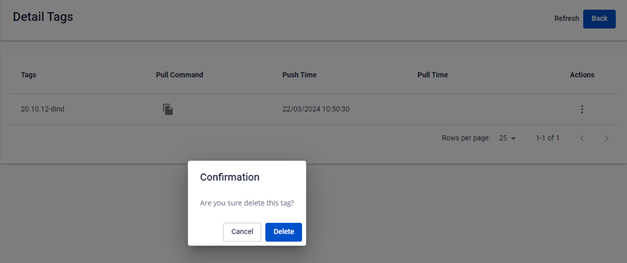
Open Detail Tag to view the Tag information.
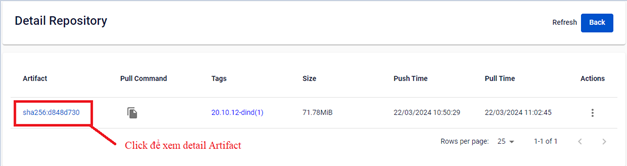
-
In the Action section of the Tag, select Delete.
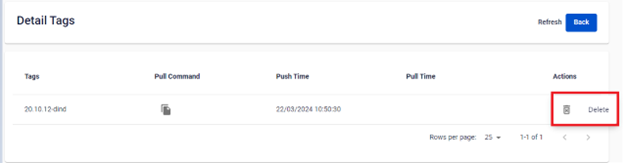
-
Click Delete in the confirmation dialog.


Next steps
- Add a retention rule — automate cleanup with a Retention Rule instead of deleting images manually.