Manage retention runs
A retention run is the execution history of retention rules. FPT Cloud allows you to run rules manually, perform a dry run to verify before applying, abort an in-progress run, and view detailed logs.
Run manually (Run now)
-
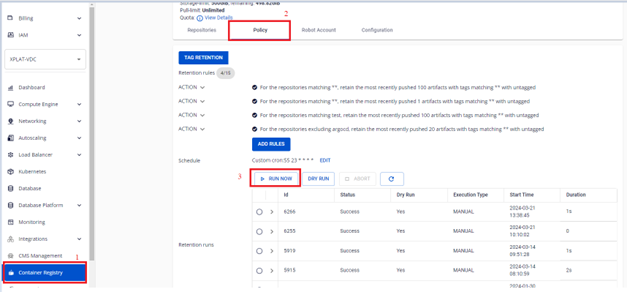
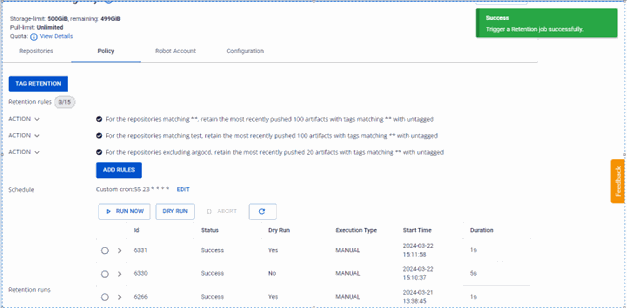
On the FPT Portal menu, select Container Registry > Policy > RUN NOW.
-
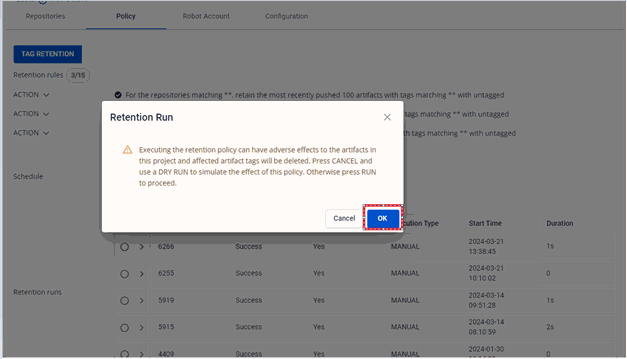
Click OK to confirm running the retention.
-
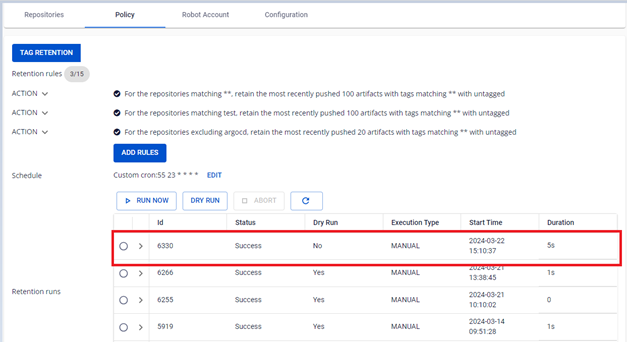
Verify the result after running.


Dry run
A dry run checks the rules without actually deleting any images, letting you verify your configuration before applying.
-
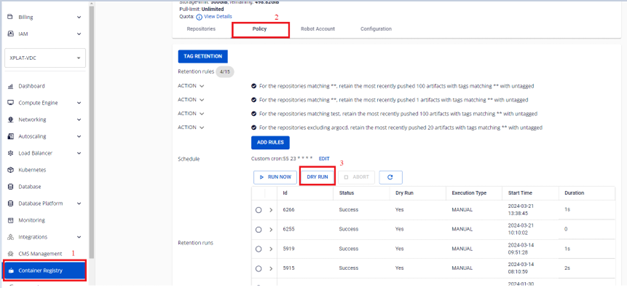
On the FPT Portal menu, select Container Registry > Policy > DRY RUN.
-
Verify the dry run result. No images are actually deleted.


Abort an in-progress retention run
-
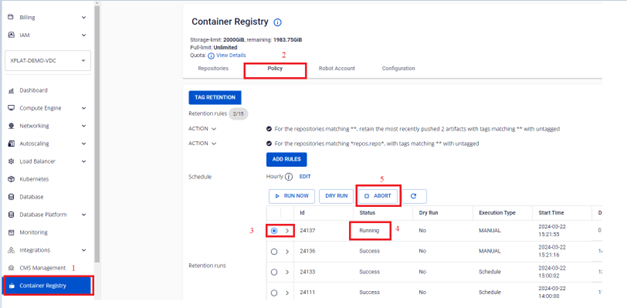
On the FPT Portal menu, select Container Registry > Policy > select the Running retention run > ABORT.
-
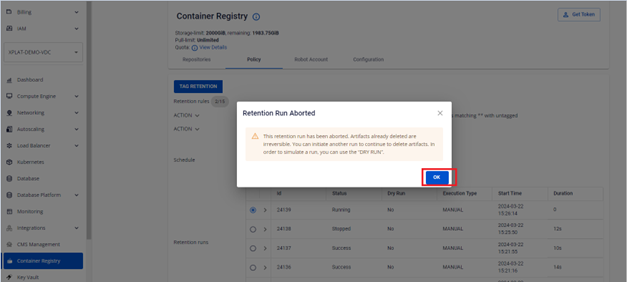
Click OK to confirm the abort.
-
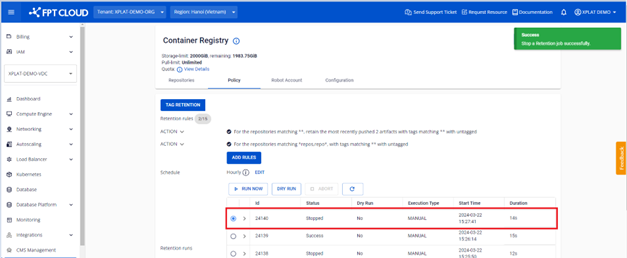
Verify the result after aborting.


View the retention run list
On the FPT Portal menu, select Container Registry > Policy to view the list of all runs.

View the log of a retention run
-
On the FPT Portal menu, select Container Registry > Policy > click a retention run to view its details.
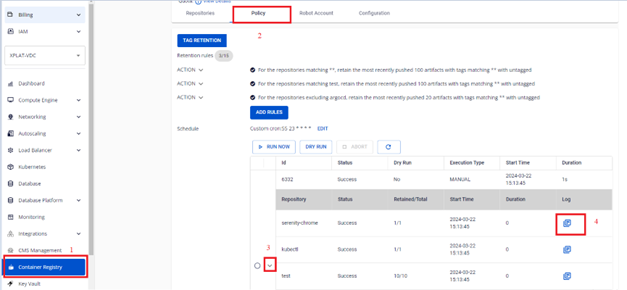
-
Review the log for each repository in that run.


