Manage retention rules & runs
After creating a tag retention rule, you can edit, temporarily disable, or delete it as your requirements change. FPT Cloud supports all management operations through the Portal interface.
Update a tag retention rule
-
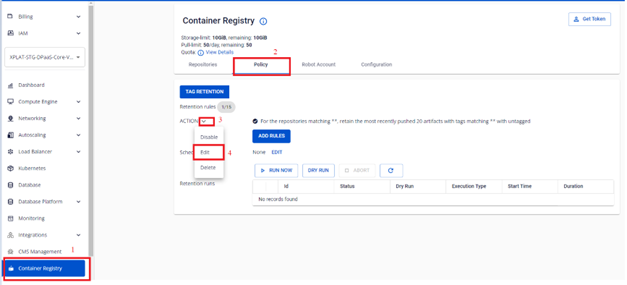
On the FPT Portal menu, select Container Registry > Policy > select the tag retention rule to update > Actions > Edit.
-
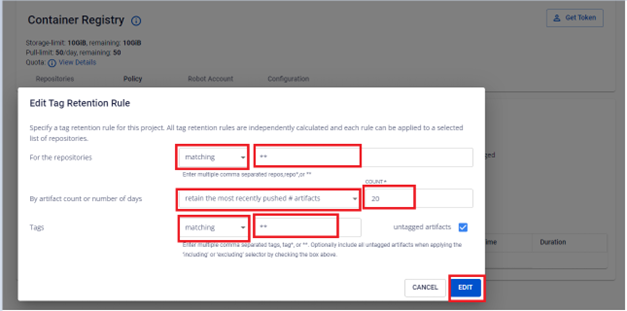
Update the retention rule configuration.
-
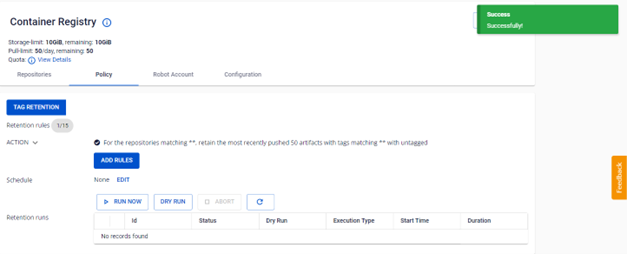
Verify the result after updating.
Disable a tag retention rule
-
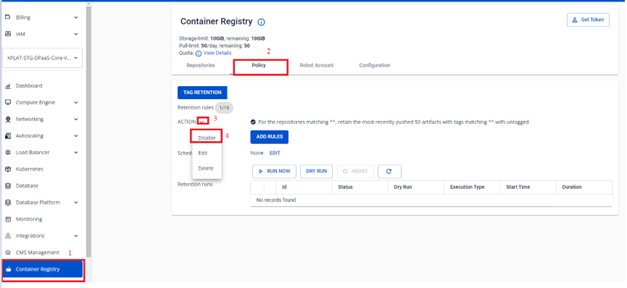
On the FPT Portal menu, select Container Registry > Policy > select the tag retention rule to disable > Actions > Disable.
-
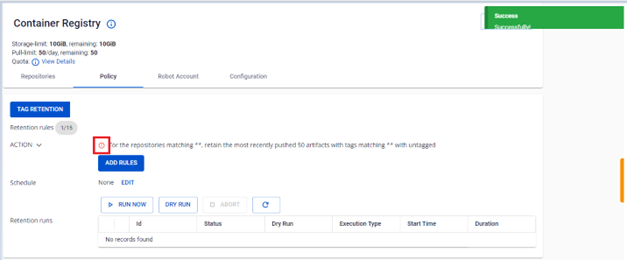
Verify the status after disabling.
Enable a tag retention rule
-
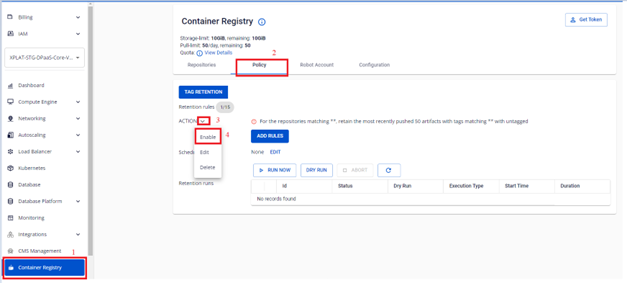
On the FPT Portal menu, select Container Registry > Policy > select the tag retention rule to enable > Actions > Enable.
-
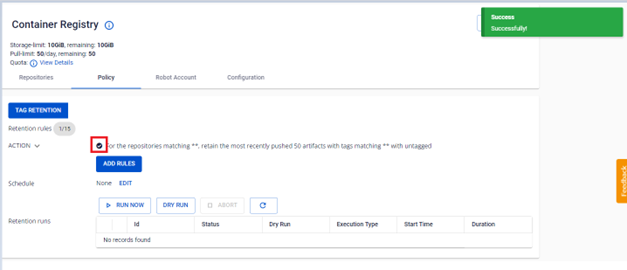
Verify the status after enabling.
Delete a tag retention rule
Deleting a tag retention rule cannot be undone. Deleted rules will no longer be applied to subsequent runs.
-
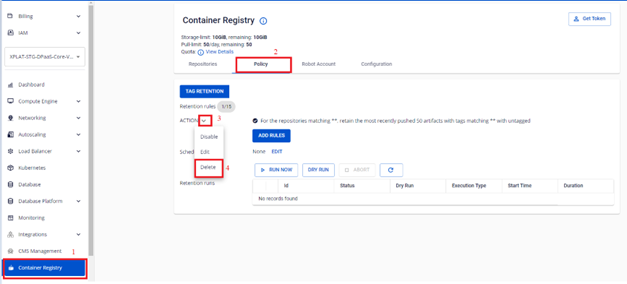
On the FPT Portal menu, select Container Registry > Policy > select the tag retention rule to delete > Actions > Delete.
-
Verify the result after deleting.
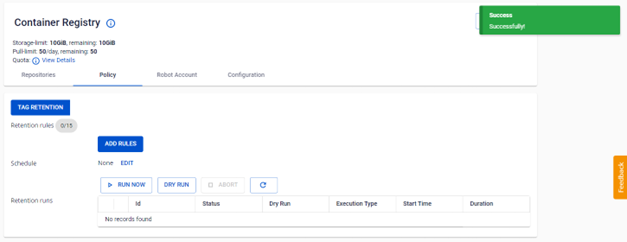
Schedule a retention rule to run automatically
Instead of running retention rules manually, you can set a schedule so the system executes them automatically on a recurring basis, keeping storage usage consistently optimized.
-
On the FPT Portal menu, select Container Registry > Policy > Schedule > Edit.
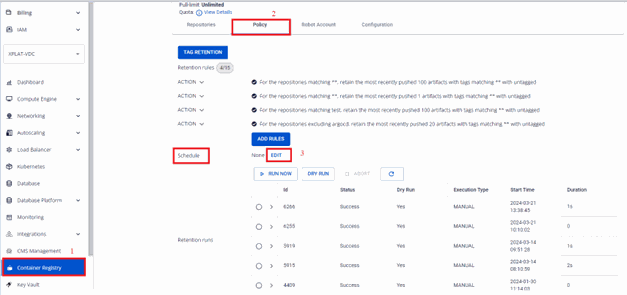
-
Select the execution frequency for the retention rule.
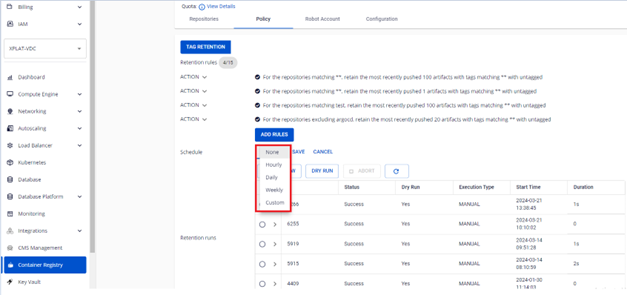
See Retention rule reference for the full list of frequency options.
warningIf you define multiple rules, the schedule applies to all rules. You cannot set different schedules for individual rules.
Custom schedule configuration example:
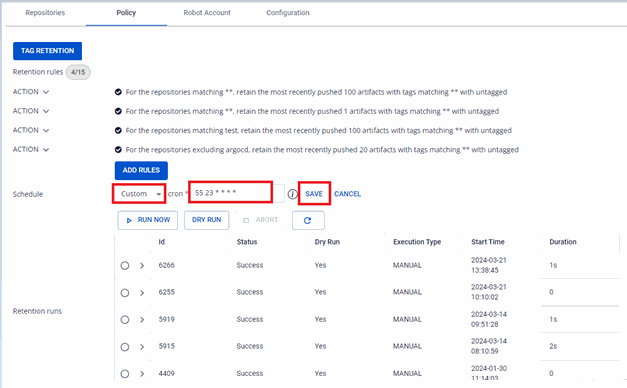
-
Click Save > OK to save the schedule.
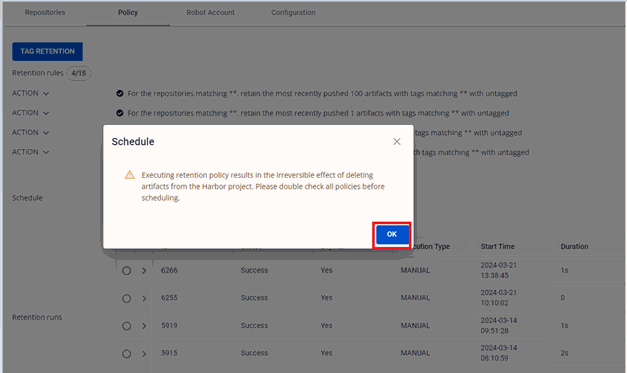
-
Verify the result after configuring the schedule.
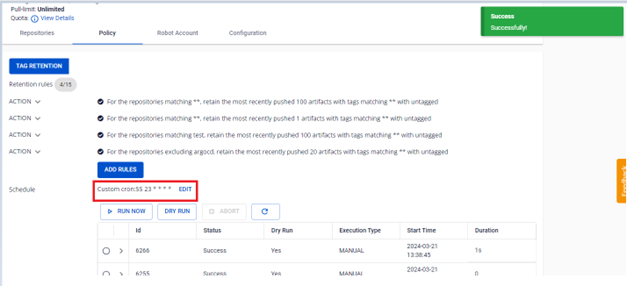
Manage retention runs
A retention run is the execution history of retention rules. FPT Cloud allows you to run rules manually, perform a dry run to verify before applying, abort an in-progress run, and view detailed logs.
Run a retention rule manually (Run now)
-
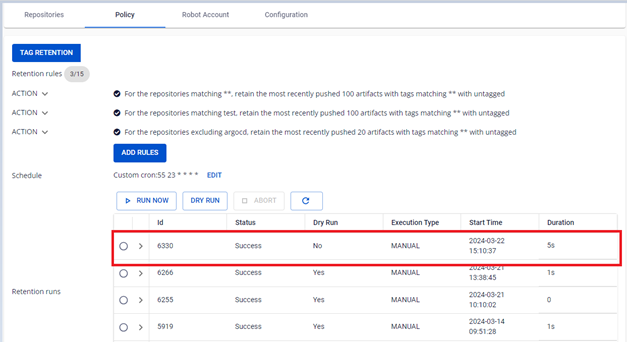
On the FPT Portal menu, select Container Registry > Policy > RUN NOW.
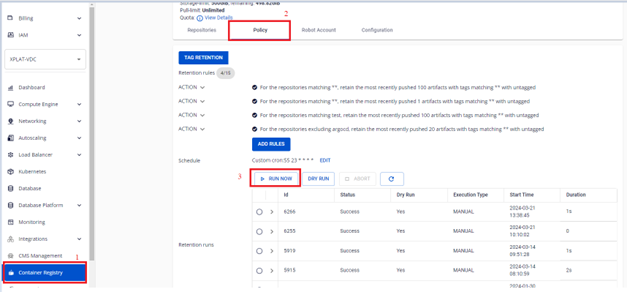
-
Click OK to confirm running the retention.
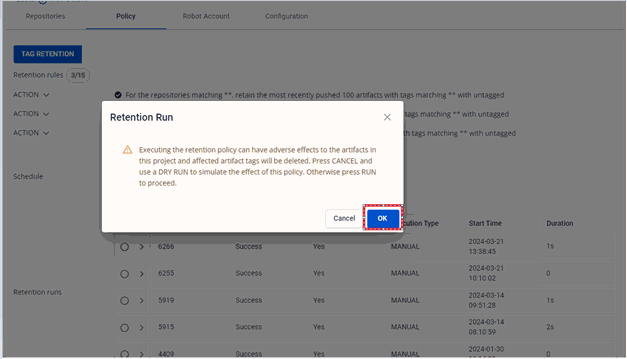
-
Verify the result after running.
Perform a dry run
A dry run checks the rules without actually deleting any images, letting you verify your configuration before applying.
-
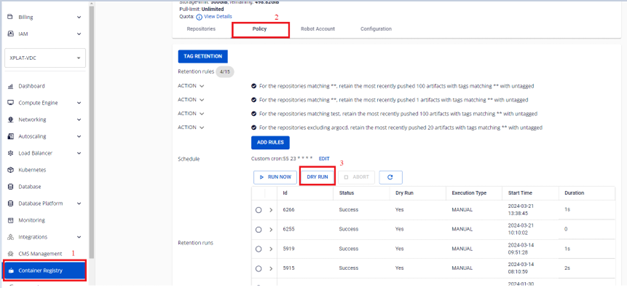
On the FPT Portal menu, select Container Registry > Policy > DRY RUN.
-
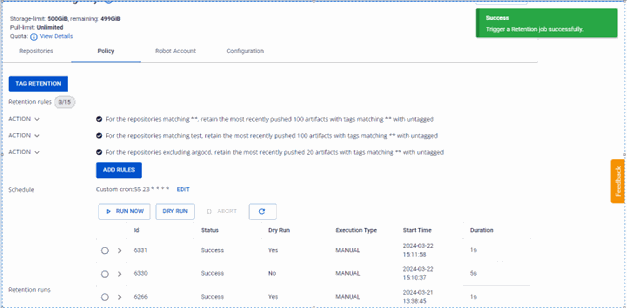
Verify the dry run result. No images are actually deleted.
Abort an in-progress retention run
-
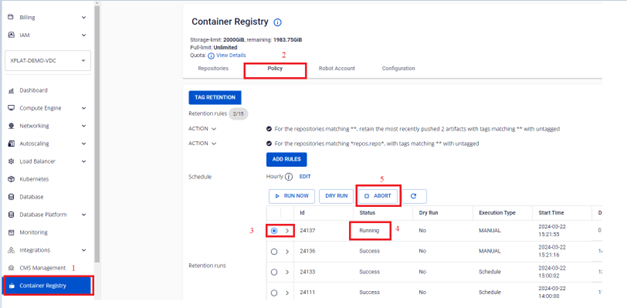
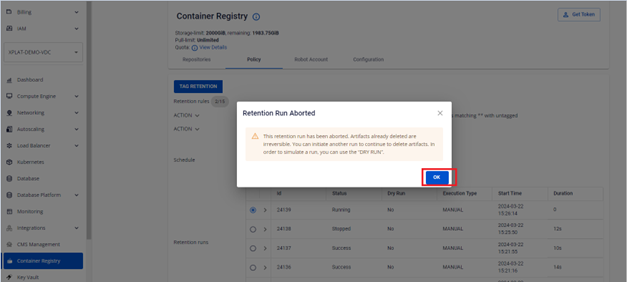
On the FPT Portal menu, select Container Registry > Policy > select the Running retention run > ABORT.
-
Click OK to confirm the abort.
-
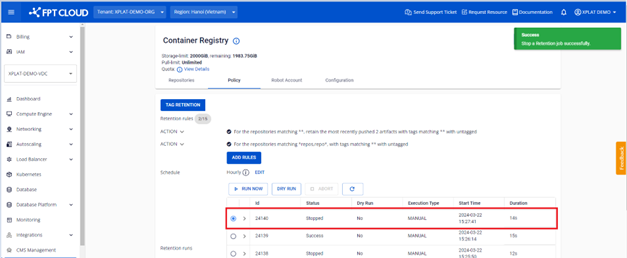
Verify the result after aborting.
View the retention run list
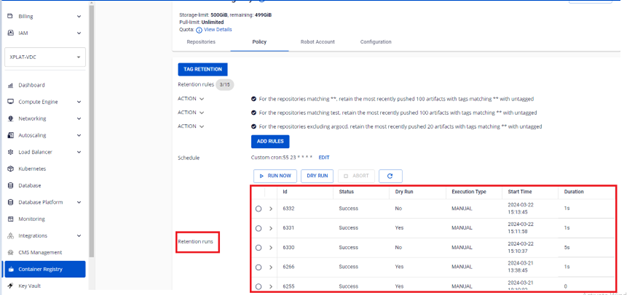
On the FPT Portal menu, select Container Registry > Policy to view the list of all runs.
View the log of a retention run
-
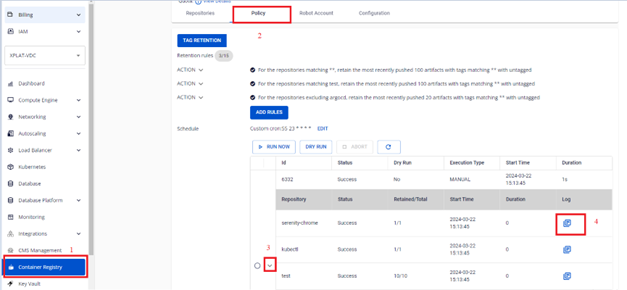
On the FPT Portal menu, select Container Registry > Policy > click a retention run to view its details.
-
Review the log for each repository in that run.

Next steps
- Retention rule reference — count/days and schedule frequency field reference.