Manage service package & quota
FPT Container Registry offers multiple Service Plans with different storage and Pull-limit tiers. Monitor your Quota regularly so you can upgrade before you hit a limit, instead of after.
View your quota
On the FPT Portal menu, select Container Registry > Quota > View Details.
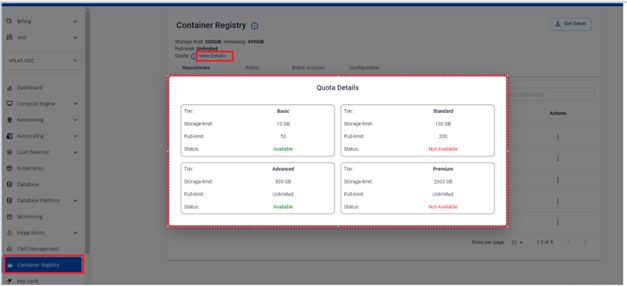
See Service plan & quota reference for the full list of fields shown on this screen.
Service plan information has been updated. Please refer to the latest pricing on the FPT Cloud Portal.
Upgrade your service plan
When your storage needs or pull count exceed the limits of your current plan, you can upgrade to a higher tier directly from the Portal. Upgrades only — downgrading to a lower Service Plan is not supported.
-
On the FPT Portal menu, select Container Registry > Configuration > Update Type.
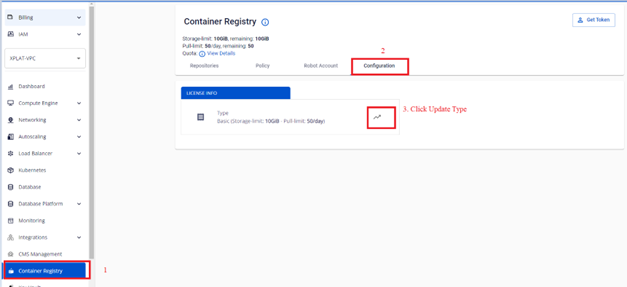
-
Select the Service Plan you want to upgrade to.
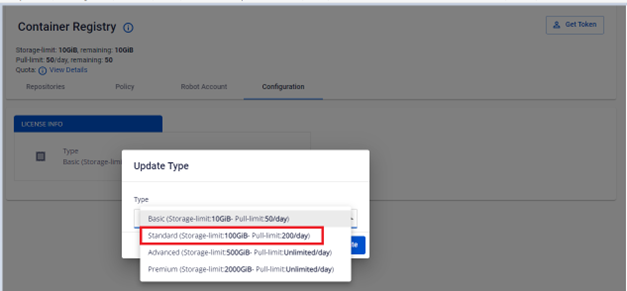
-
Click Update to confirm the upgrade.
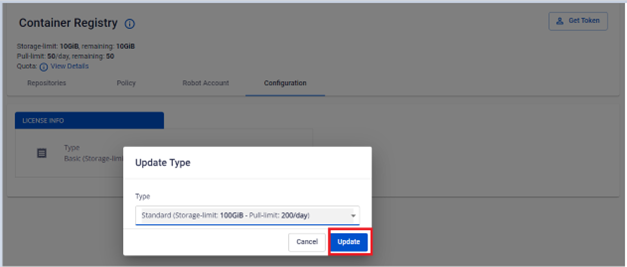
-
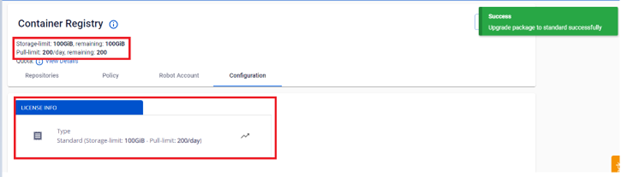
Verify the Service Plan information after upgrading.
Next steps
- Service plan & quota reference — the full Quota field list, and how to contact Sales for a higher plan.