Run a scan
FPT Container Registry integrates a vulnerability scanning feature for container images directly on the Portal. Scanning identifies CVEs (Common Vulnerabilities and Exposures) in an image, so you can detect them early and deploy more securely.
Scan an artifact
-
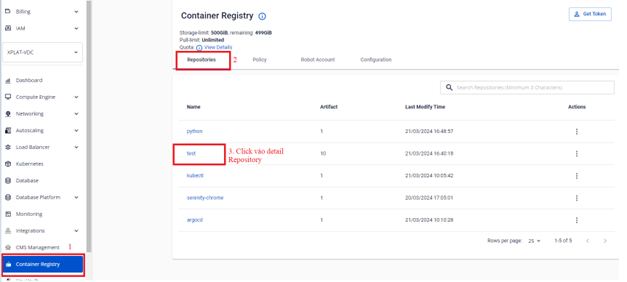
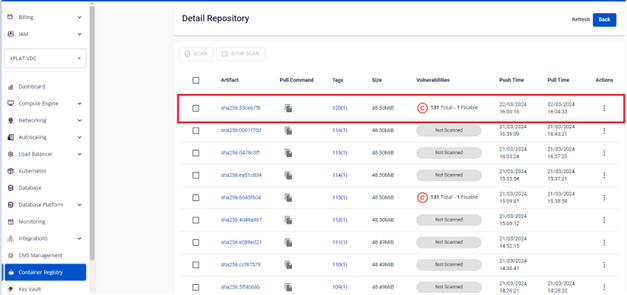
In the sidebar menu, select Container Registry > Repository > Detail Repository.
-
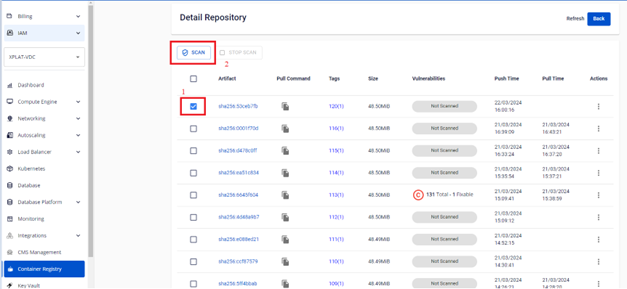
Select the Artifact you want to scan to display the SCAN button.
-
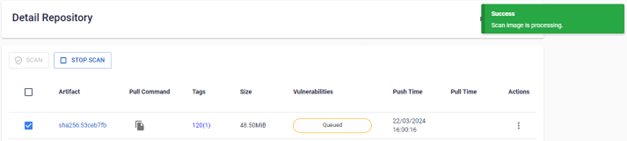
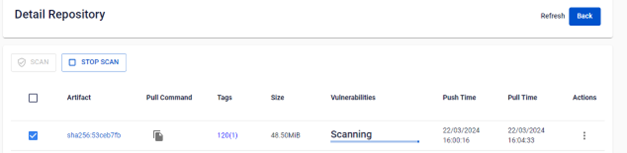
Click SCAN to start the scan.
-
After the scan completes, verify the result.
Next steps
- Review scan results — see the vulnerability count and the detail for each one.
- Stop a scan — cancel a scan that's still in progress.