Stop a scan
If you need to cancel a scan in progress, you can stop it directly from the Portal.
Stop an in-progress scan
-
On the FPT Portal menu, select Container Registry > Repository > Detail Repository.
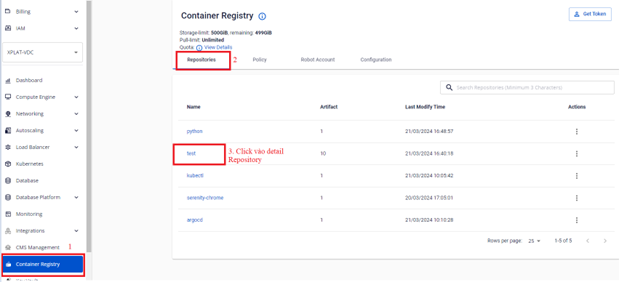
-
Select the Artifact in Scanning state to display the STOP SCAN button.
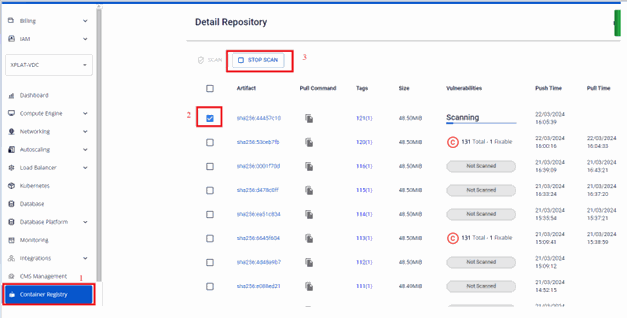
-
Click STOP SCAN to stop the scan.
-
Verify the status after stopping the scan.
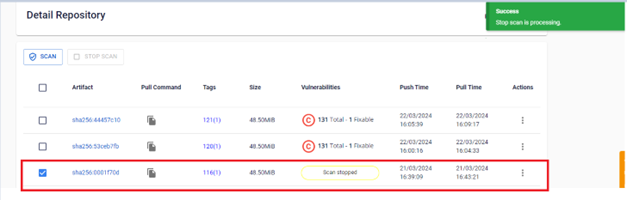
Next steps
- Run a scan — start a new scan on this or another Artifact.
- Review scan results — review results from a scan that completed.