Backup and Restore Snapshot
This page documents the legacy Backup and Restore Snapshot feature. Use the updated guide instead: Backup and Restore PVC.
M-FKE's Backup & Restore feature (v1.0.0) creates snapshots of PVCs for data protection and recovery. It applies to the Cinder driver (pre-created by FPT Cloud).
Backup Plan:
- View, create, edit, enable/disable, and delete Backup Plans.
- Configure multiple schedules on a single Backup Plan, applying to one or more PVCs at once.
- Set a Retention period in minutes, hours, or days.
PVC Snapshot:
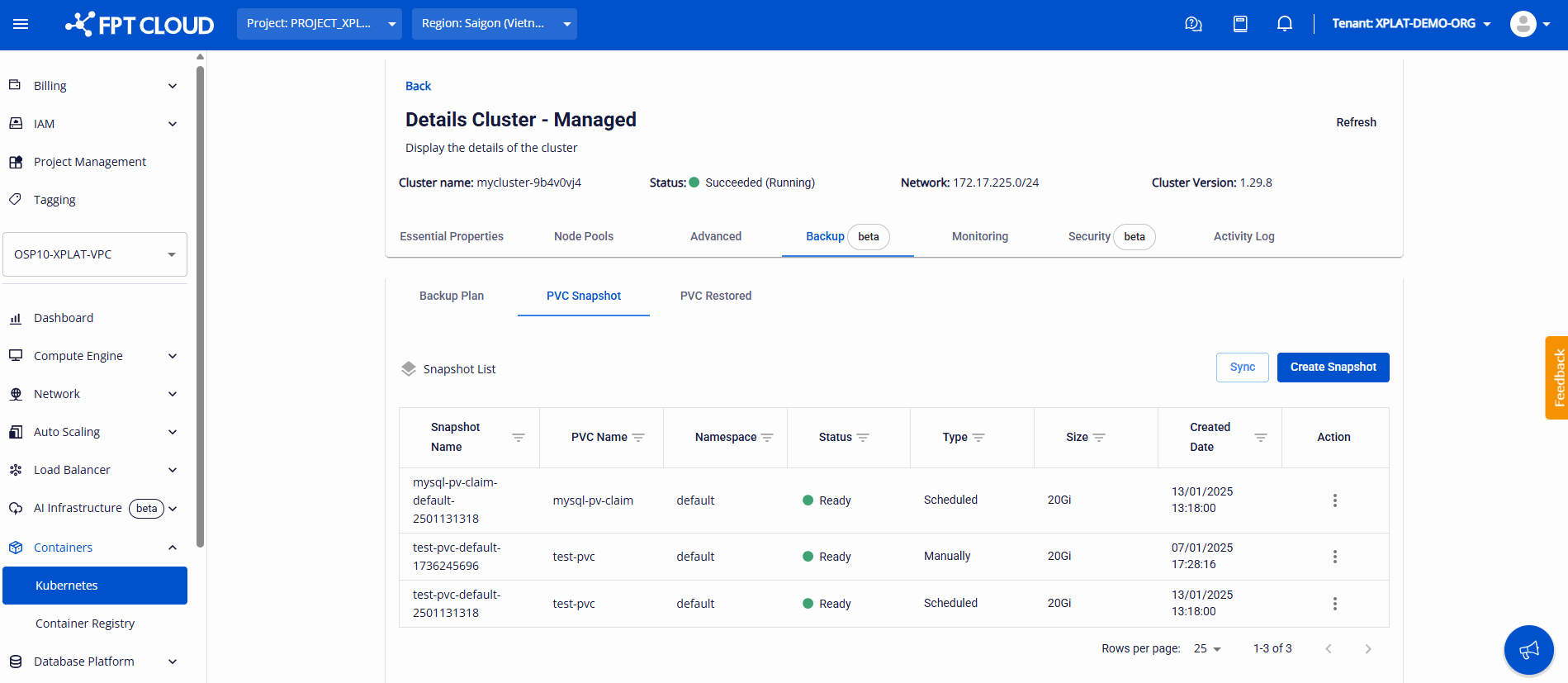
- View the snapshot list, showing creation method (Manually or Scheduled).
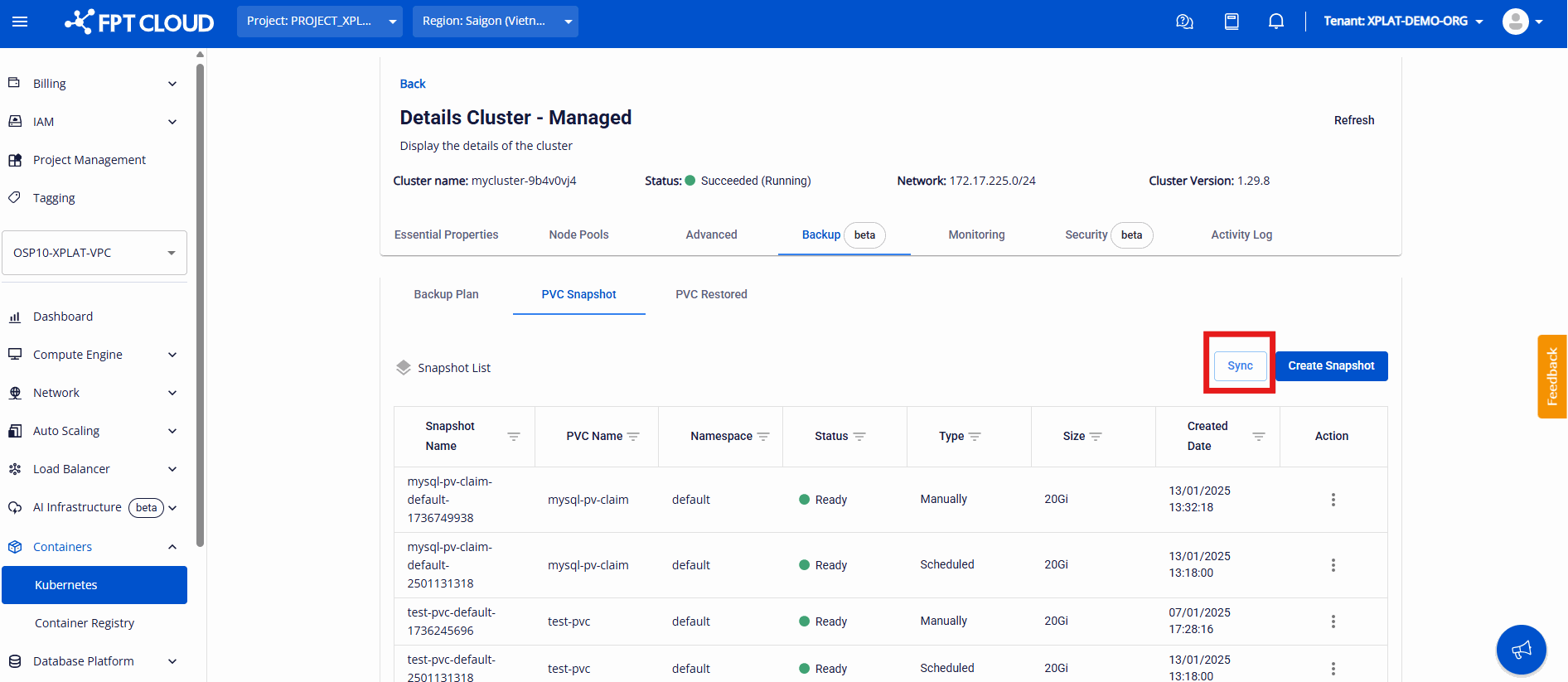
- Sync the snapshot list from the cluster to FPT Cloud Portal.
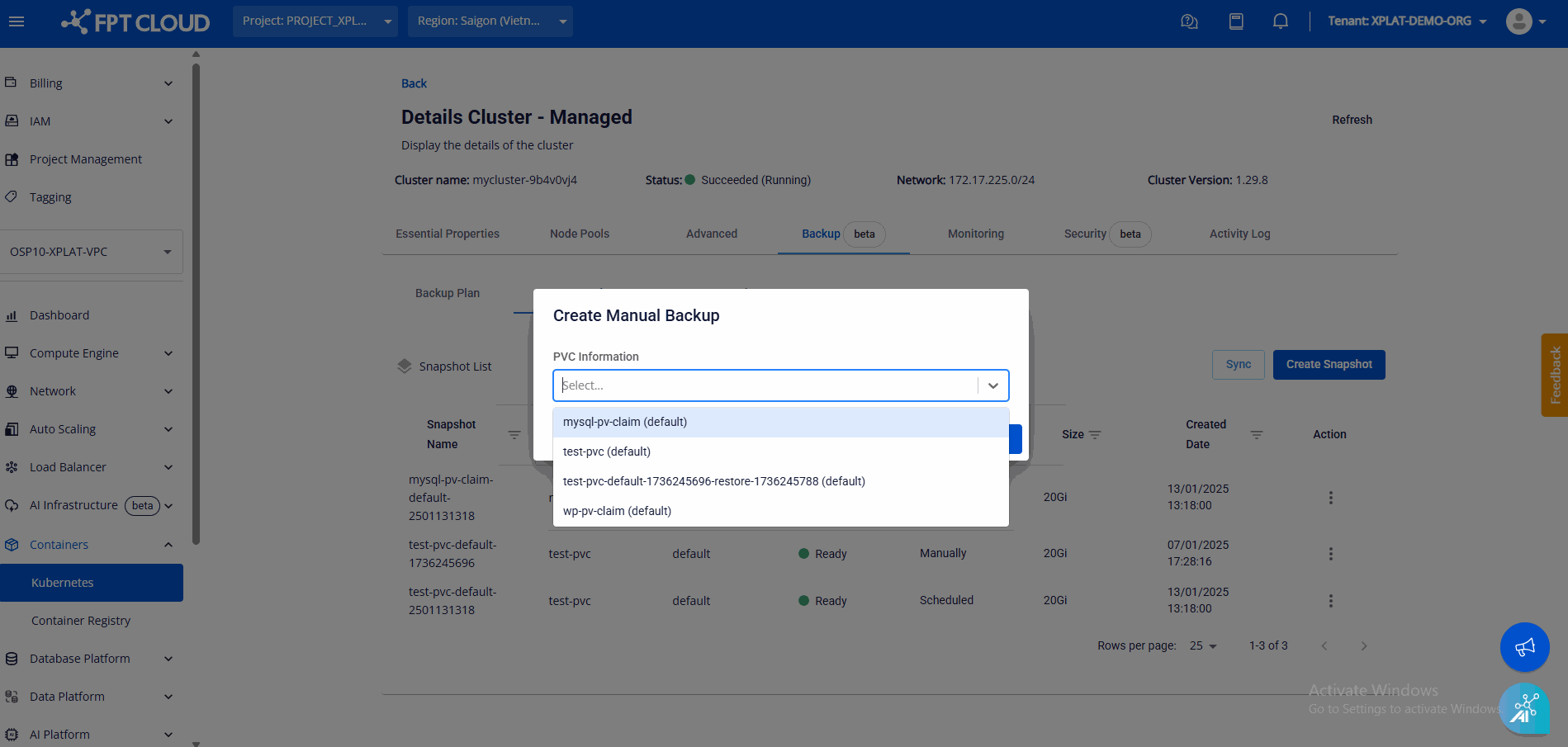
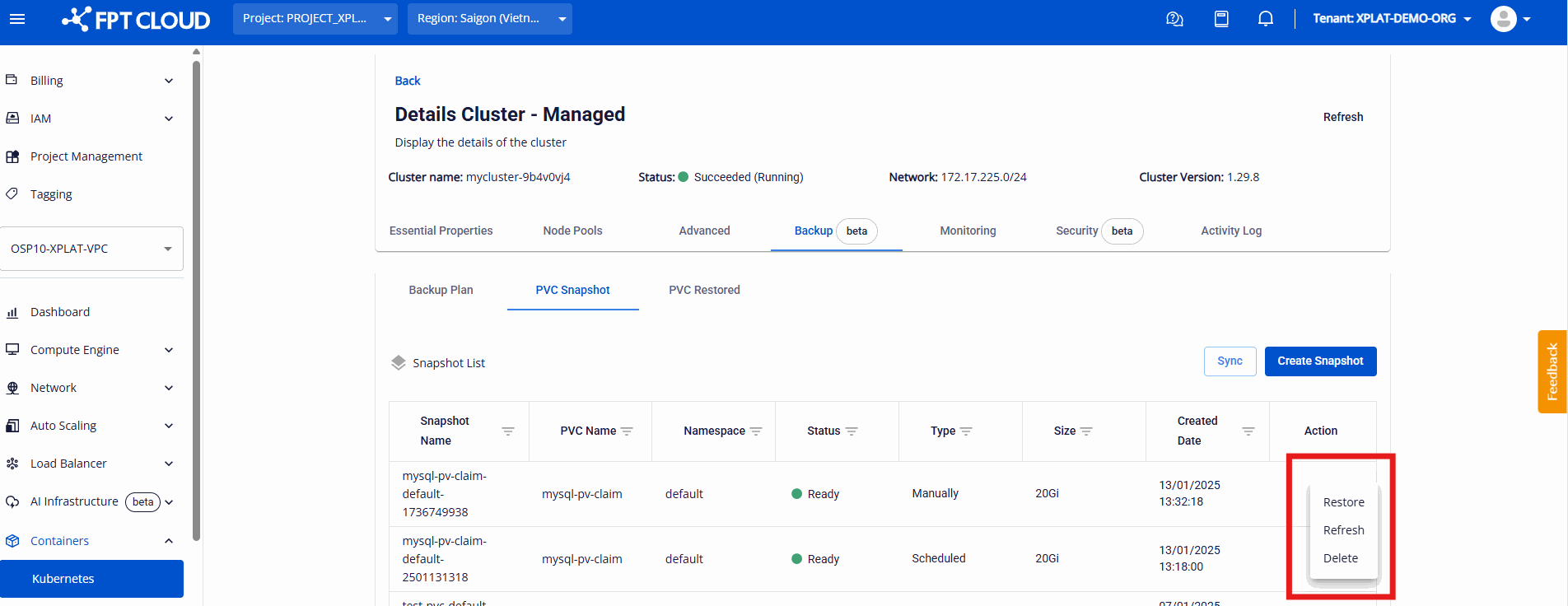
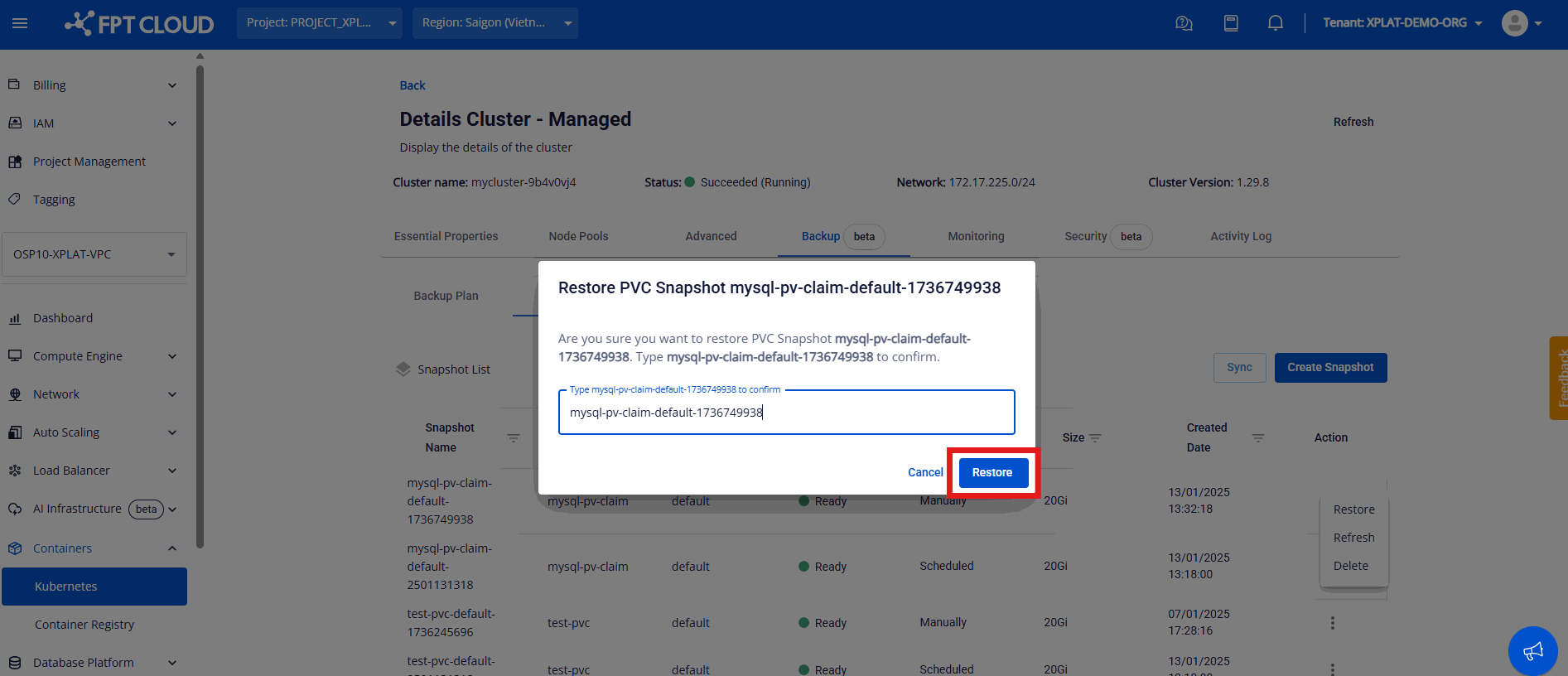
- Create, delete, or restore a PVC Snapshot.
PVC Restored:
- View the list of restored PVCs.
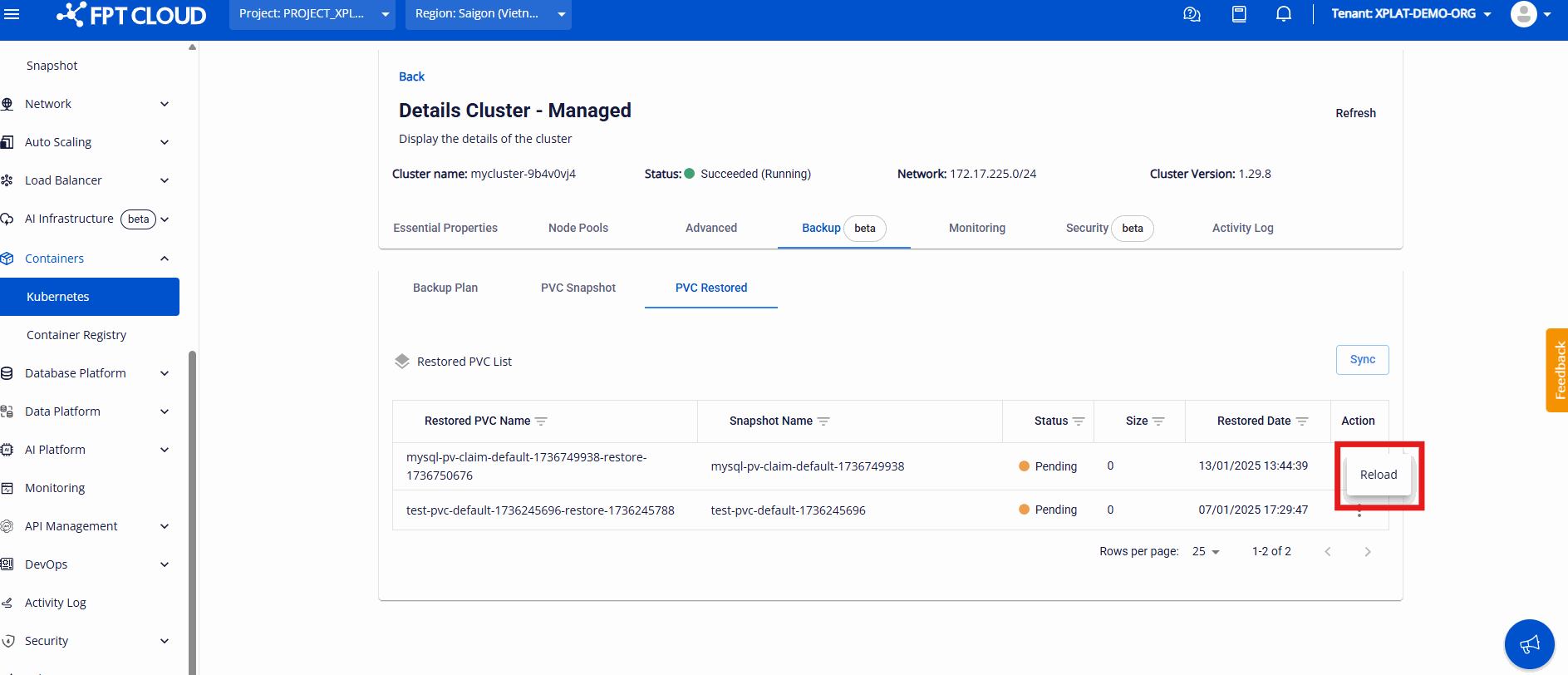
- Reload to update status.
Create a Backup Plan
-
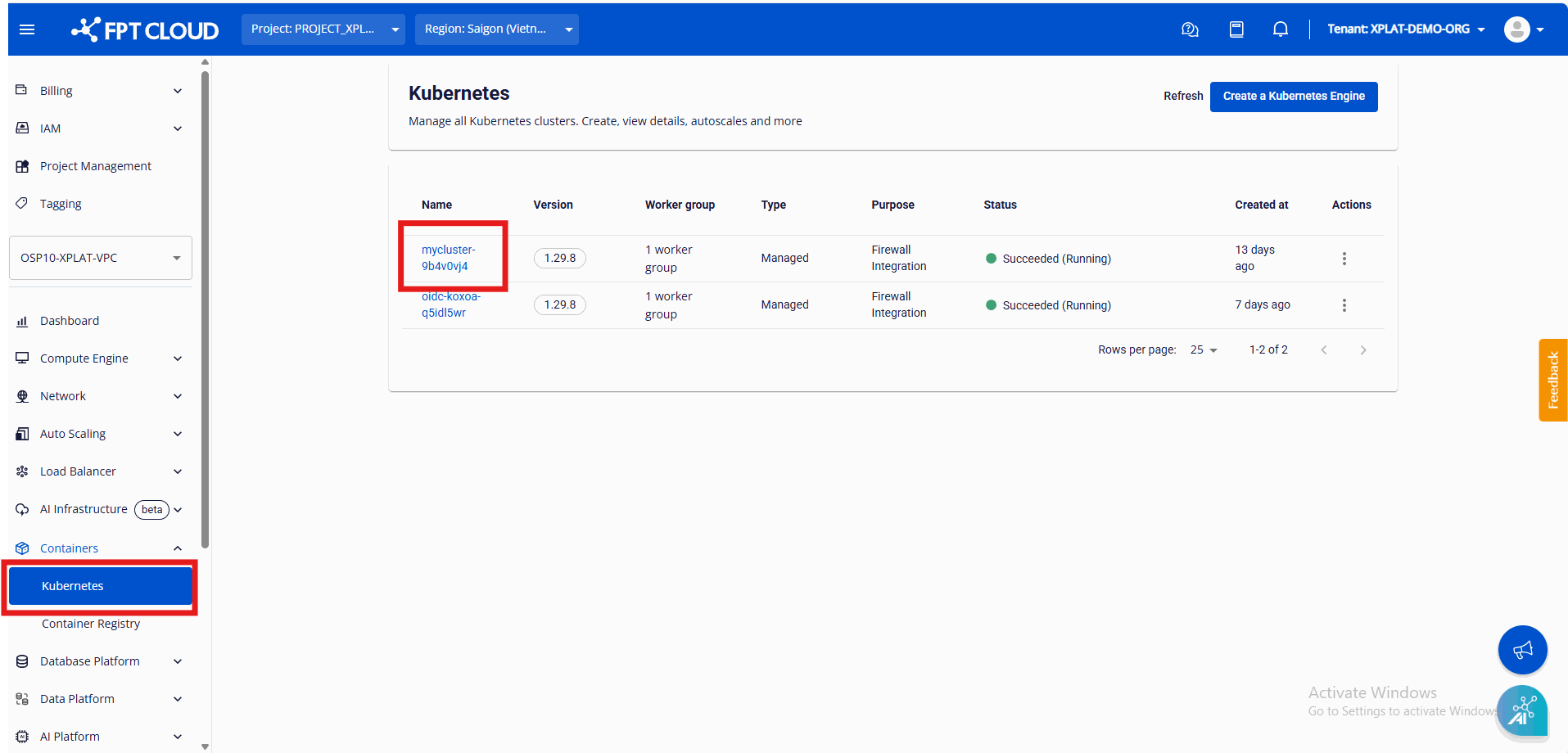
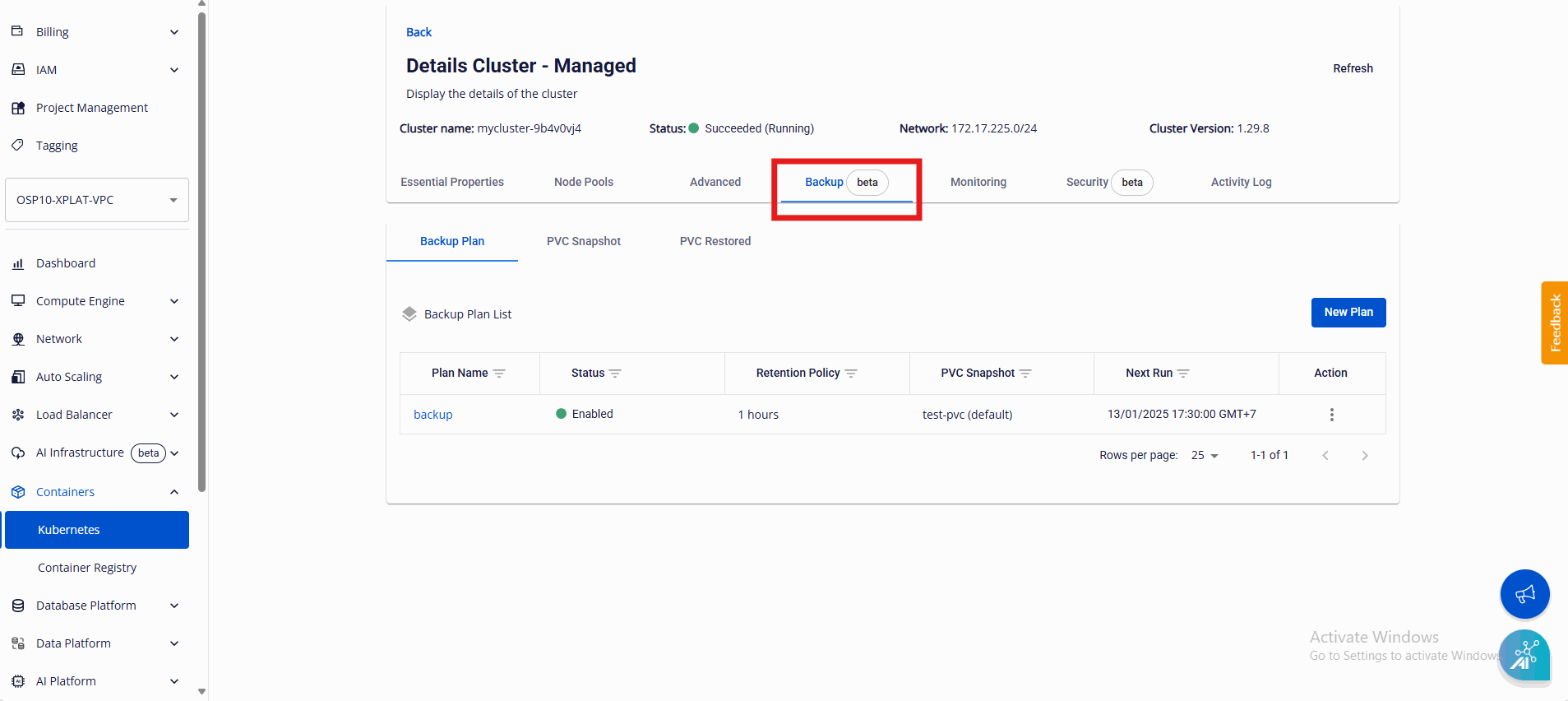
Go to Portal → Containers → Kubernetes → cluster details → the Backup tab.
-
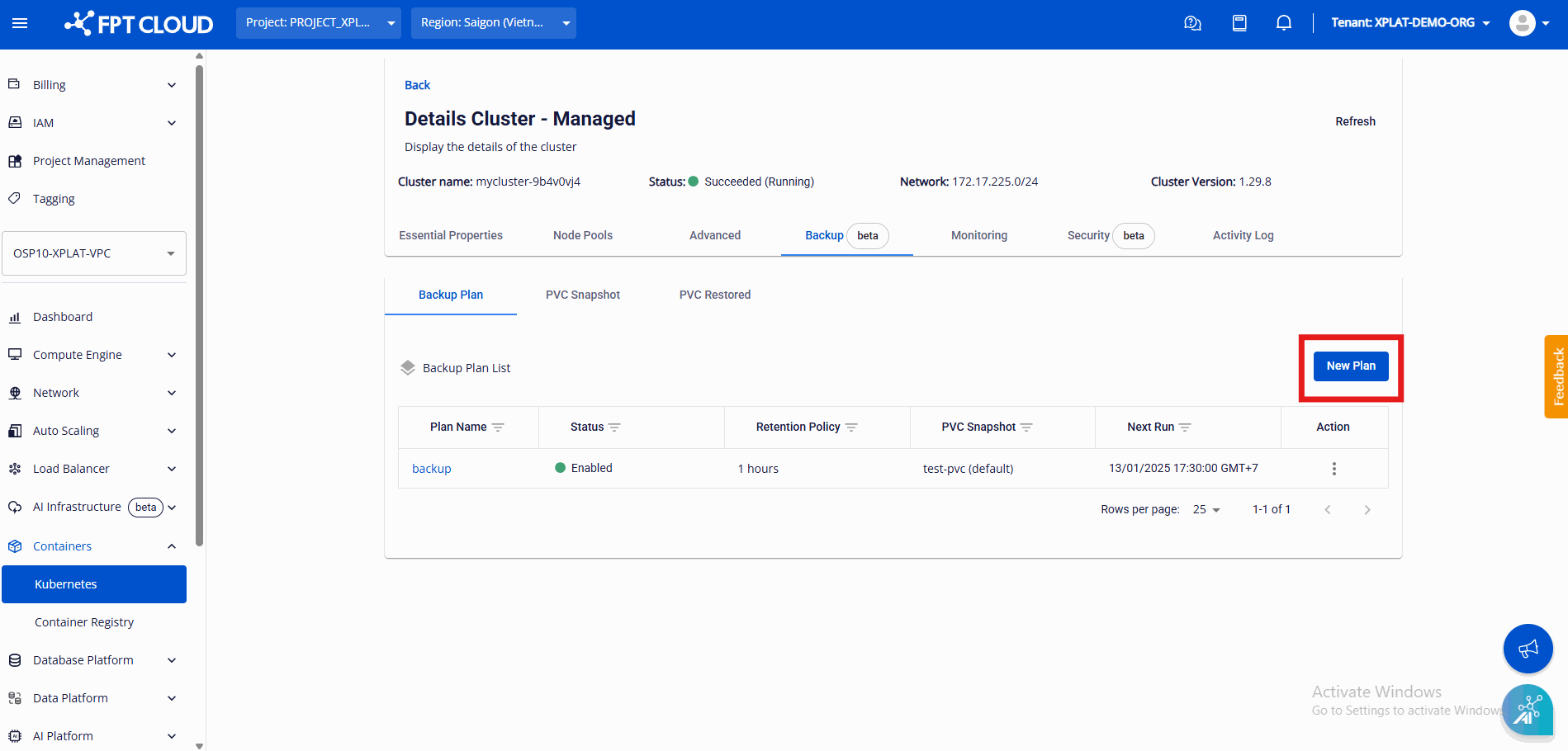
Select New Plan.
-
Fill in the Backup Plan details:
- Essential Information: Plan Name, and Retention (how long each snapshot is kept before it's permanently deleted).
- Schedule Scope: the PVC Backup List — PVCs in the cluster.
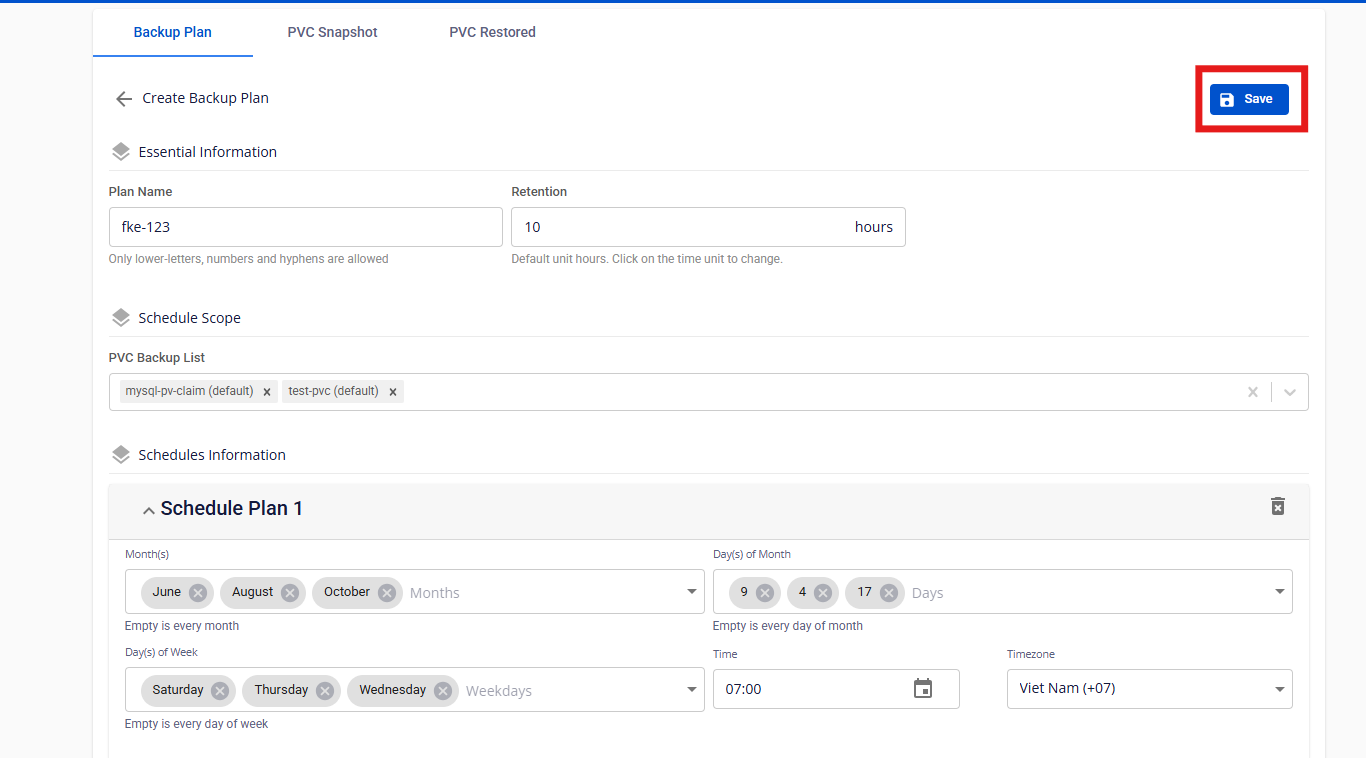
- Schedules Information: specific month/day/year for scheduled backups. You can create multiple Backup Plans.
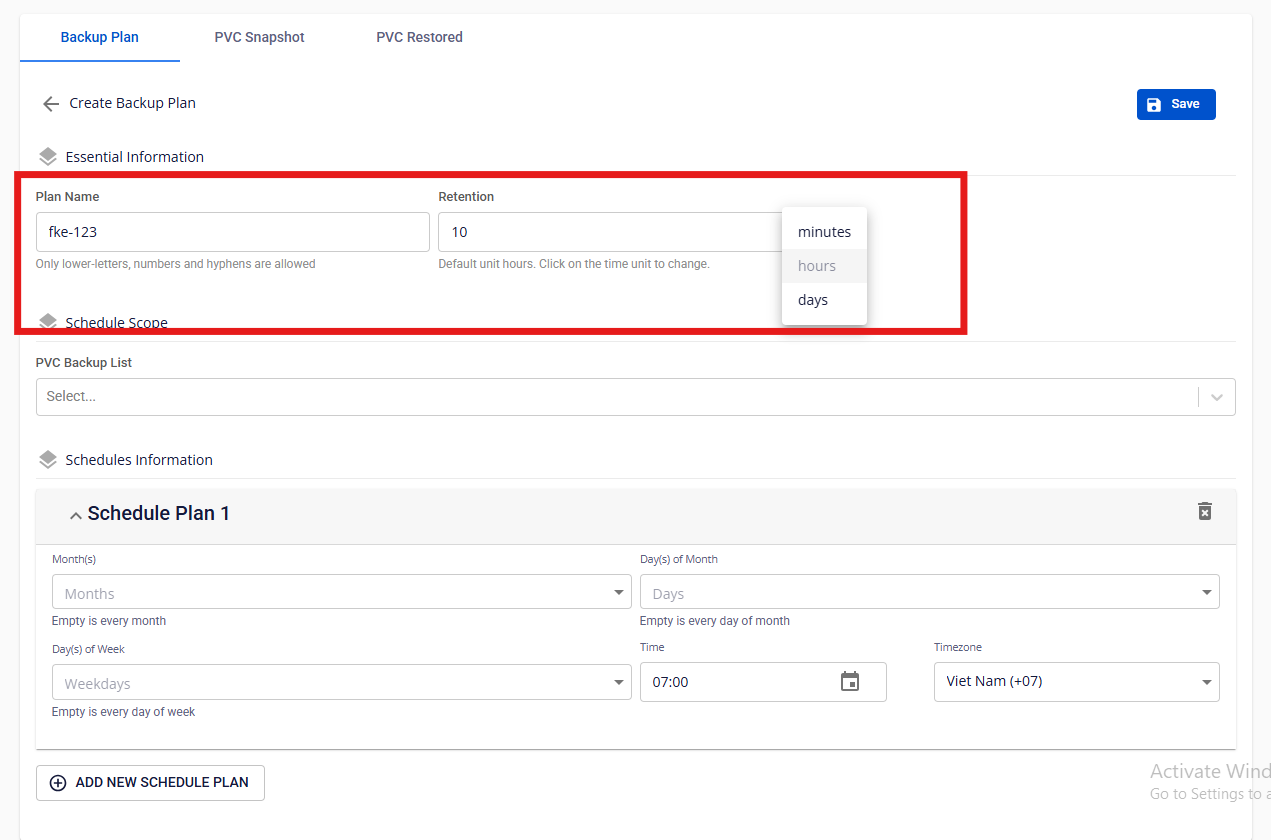
Retention applies to the PVC snapshots selected in the Plan.
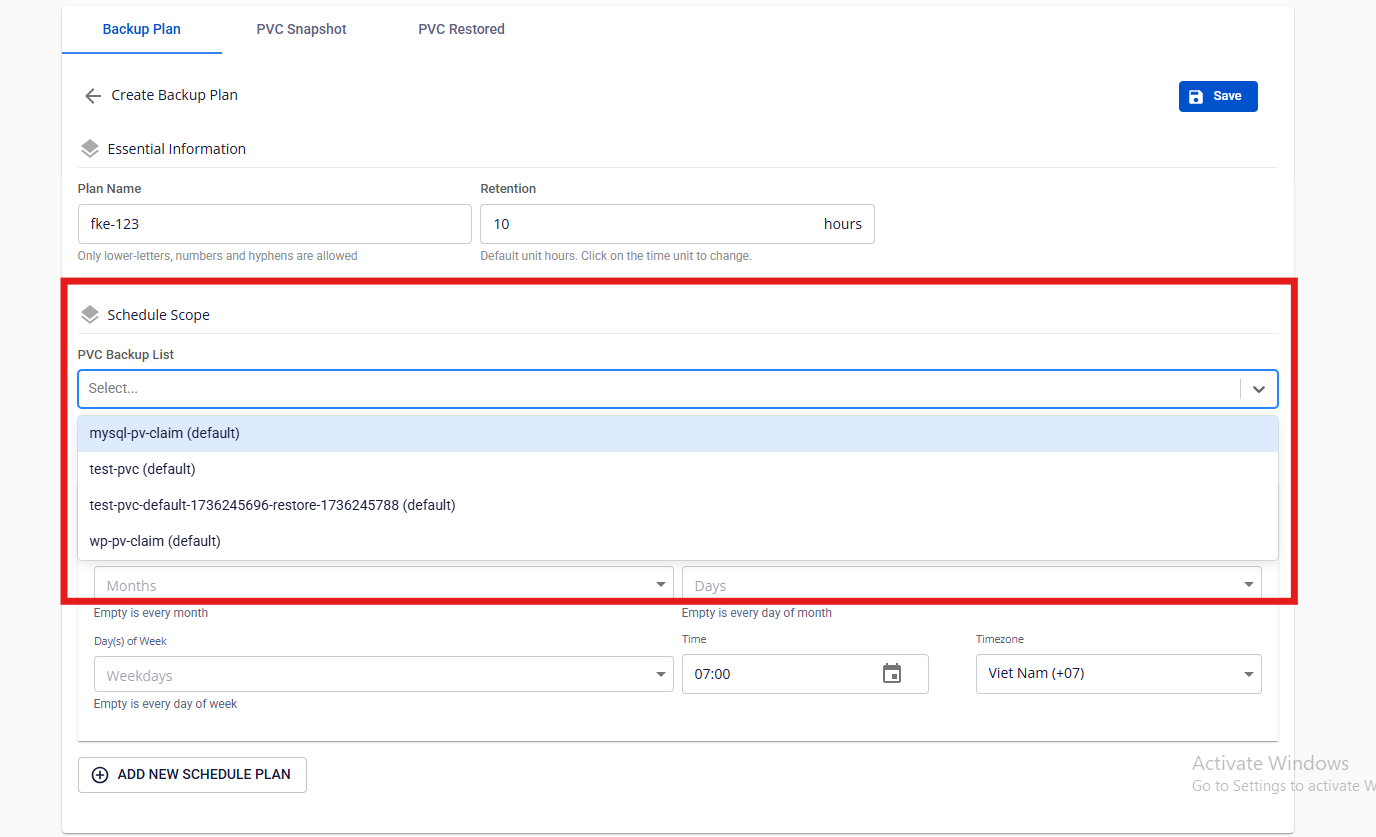
The list displays as
pvc_name(pvc_namespace).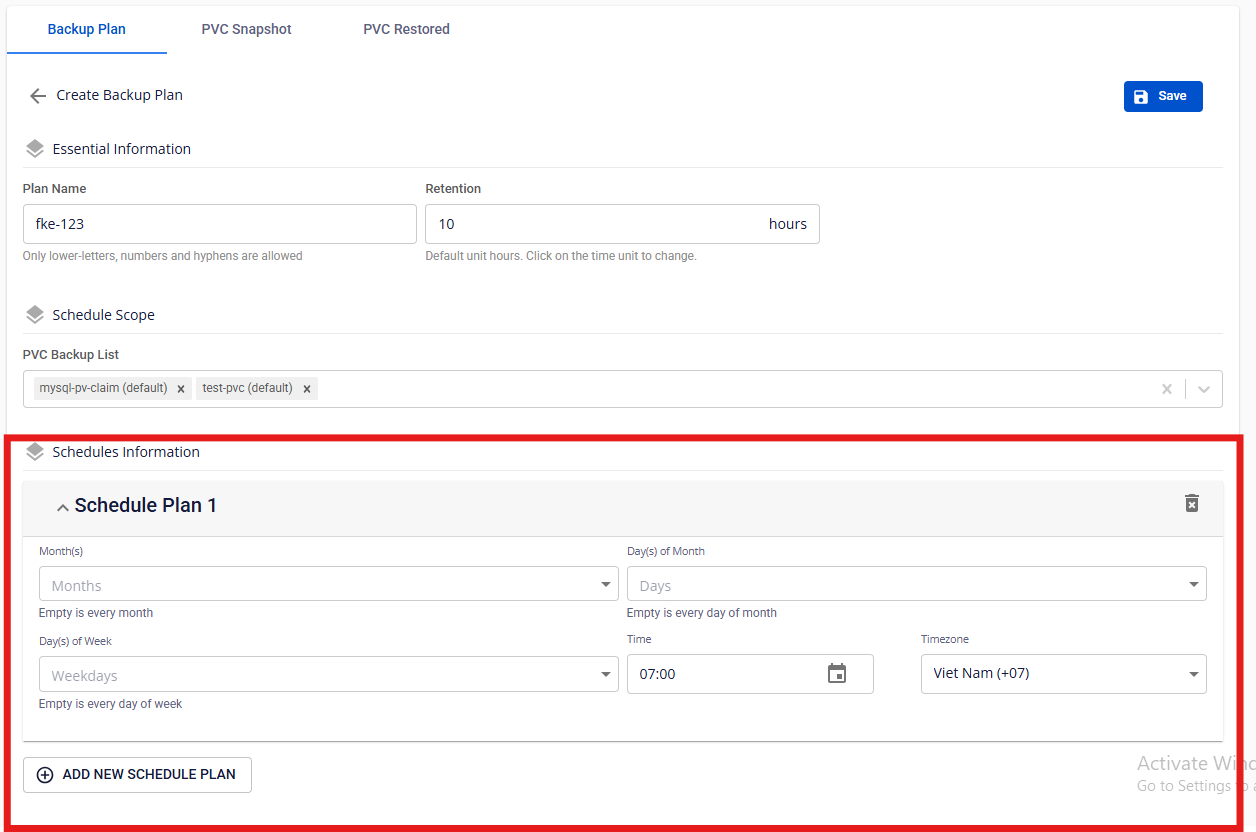
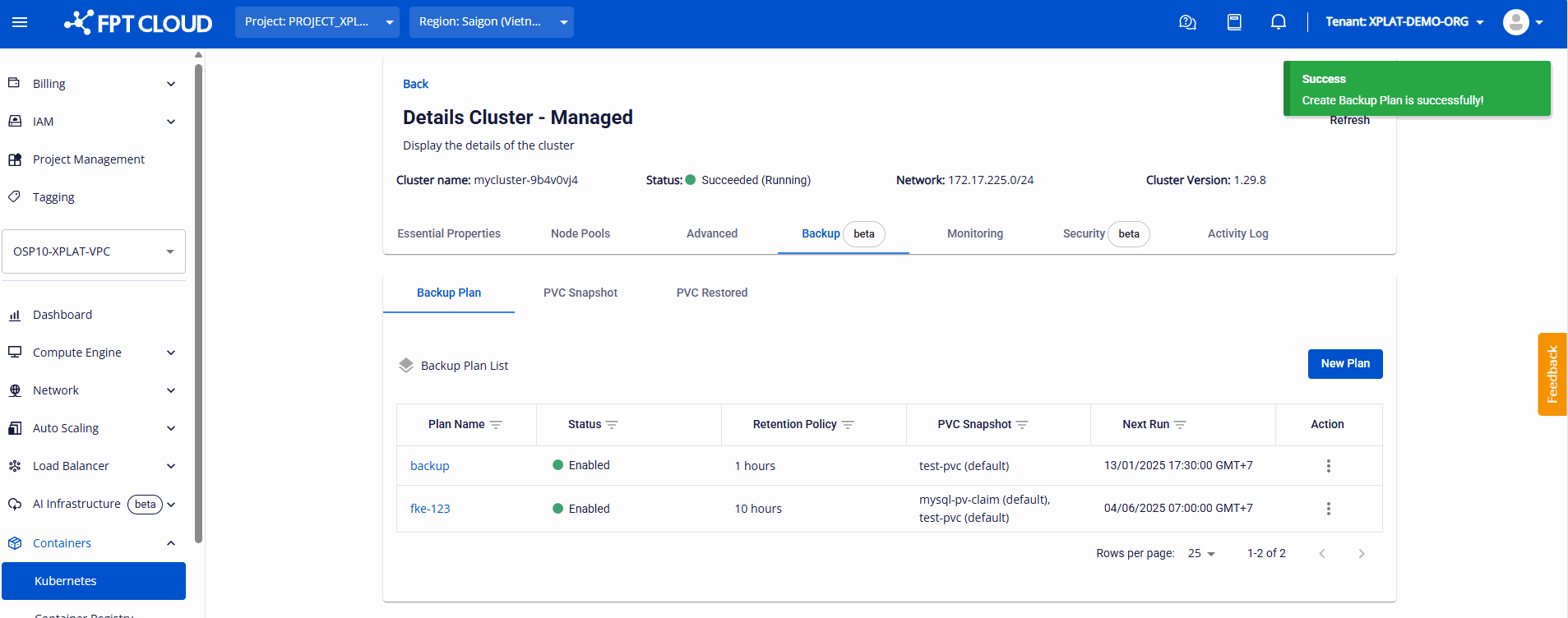
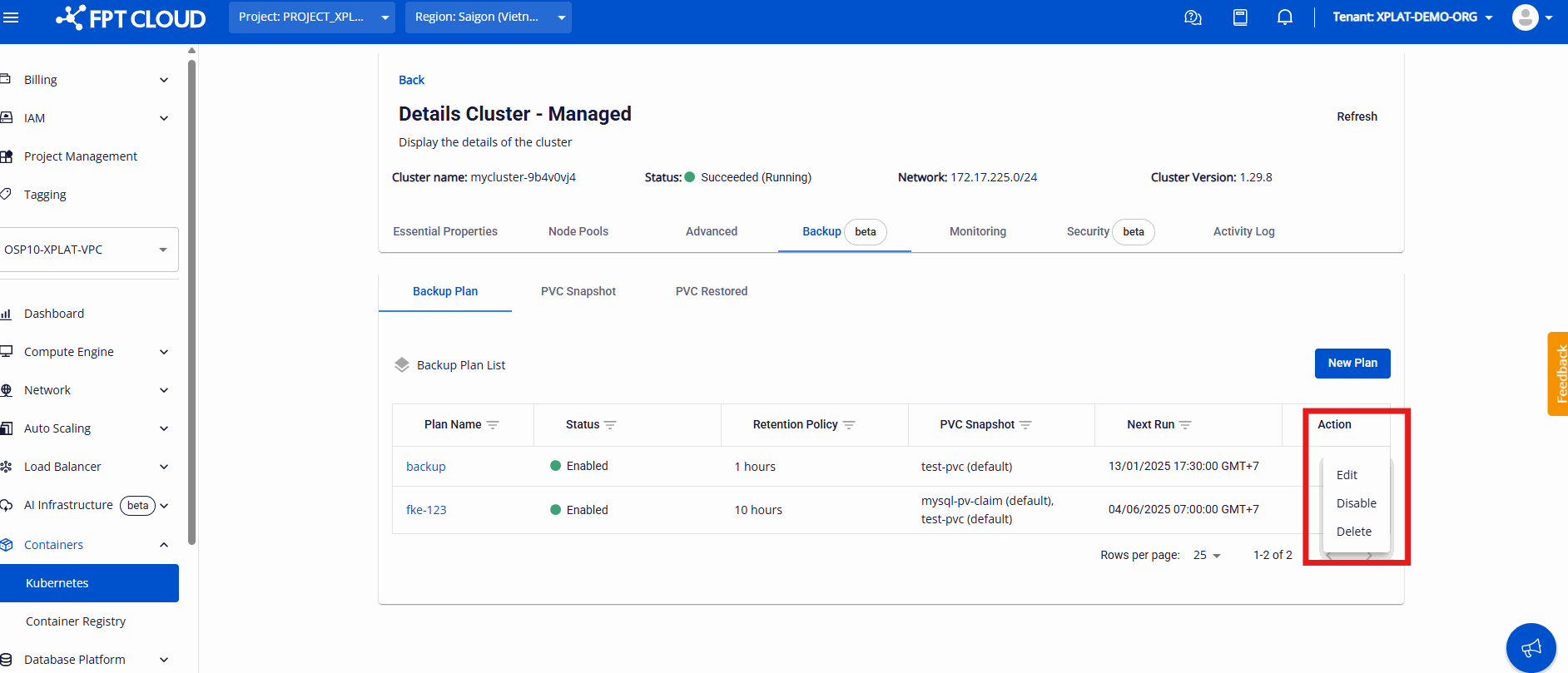
Snapshots created by a Backup Plan schedule appear in the Snapshot List with Type = "Scheduled".
Use the PVC Snapshot tab
This tab lists all created snapshots, both manual (Type = "Manually") and scheduled (Type = "Scheduled").
Use the PVC Restored tab
Restoring a snapshot from the PVC Snapshot tab adds the restored PVC to the PVC Restored tab.
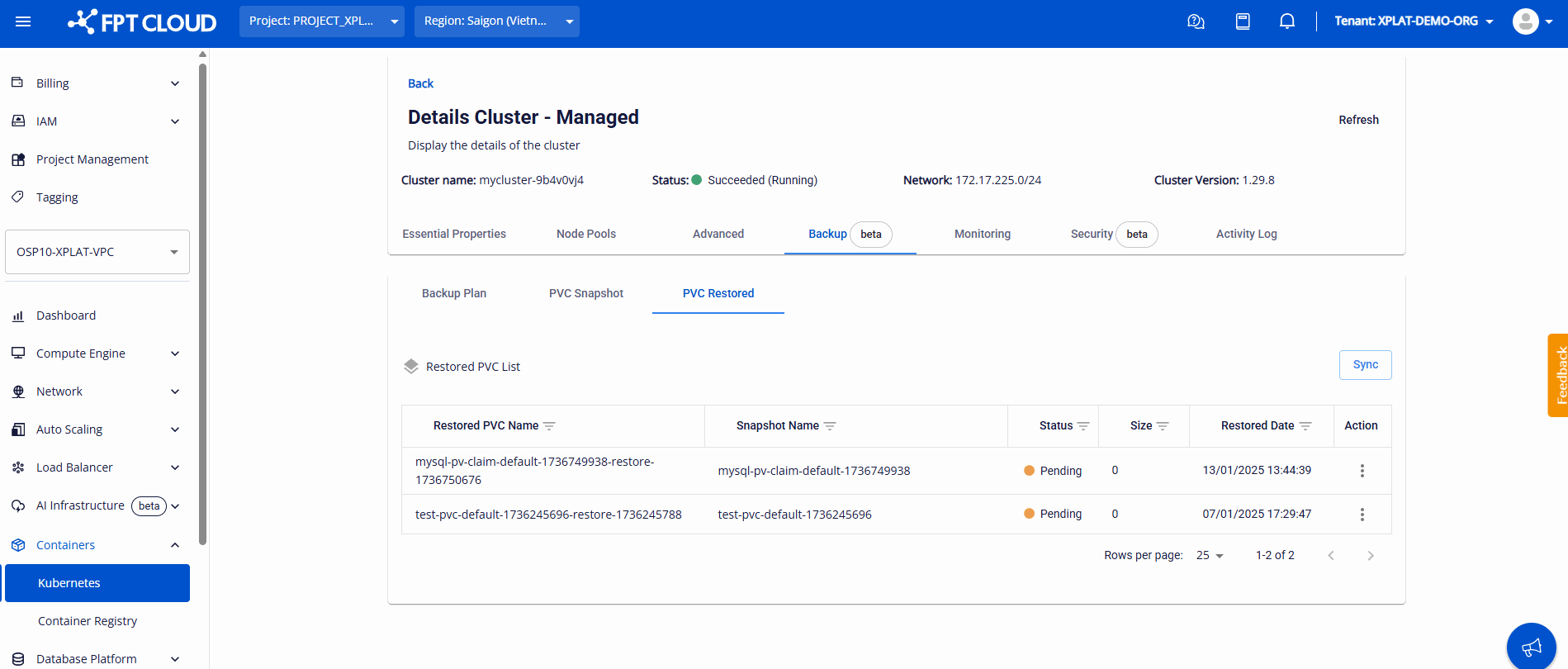
Configure the deployment for the Pod mapped to the restored PVC in your cluster — the PVC status then updates.
- Each VPC is limited to 10 snapshots. Contact FPT Cloud Support to increase this limit.
- Create Backup Plans carefully — accumulating snapshots without deleting them can hit the infrastructure threshold and block new snapshots.
If a snapshot shows Failed status, investigate from your cluster:
kubectl describe volumesnapshots.snapshot.storage.k8s.io <snapshot-name> -n <namespace>