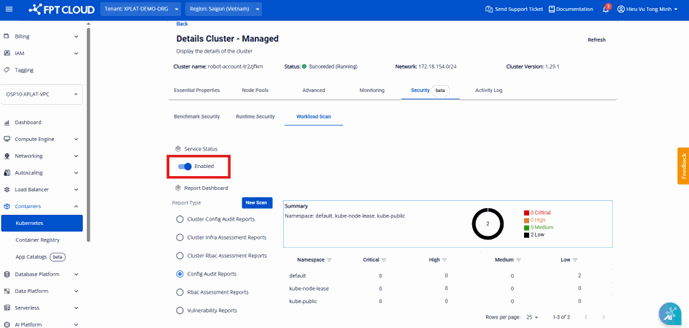
Workload Scan feature
Workload Scan continuously evaluates your workloads, tools, and infrastructure against configuration-hardening standards, so your DevOps and platform team can catch and remediate violations before they become risks.
Deploying containerized workloads in Kubernetes involves many configuration choices (images, containers, control plane, data plane), and an incorrect choice creates a potential security risk. Workload Scan produces 5 report types:
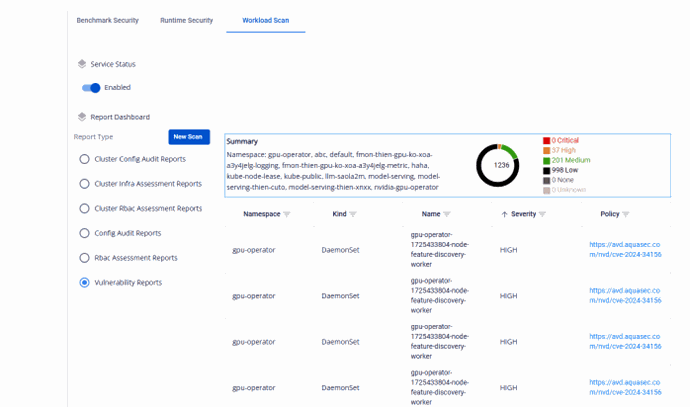
Vulnerability Report
Lists the latest vulnerabilities found in a workload's container images: OS package and application vulnerabilities, summarized by severity. Each namespace has its own Vulnerability Report, storing scan results for that namespace's workload images.
Report fields:
- namespace: the namespace being scanned.
- summary:
criticalCount,highCount,lowCount,unknownCount— vulnerability counts by severity. - vulnerabilities: per-vulnerability detail —
ID,Severity(Critical/High/Low/Unknown),Title,PrimaryLink,Namespace, andScore(the CVE score, which maps to Severity: 0 → Unknown, 0.1–3.9 → Low, 4.0–6.9 → Medium, 7.0–8.9 → High, 9.0–10.0 → Critical).
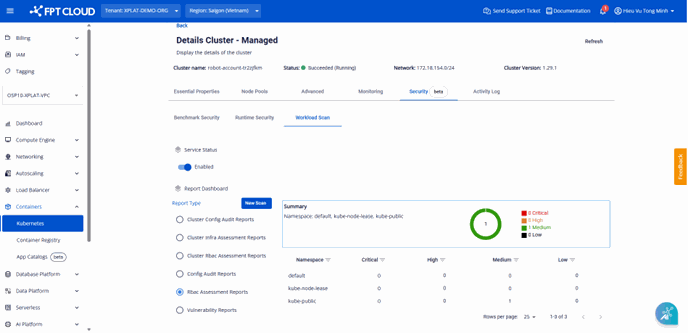
RBAC Assessment Report
Represents checks that configuration auditing tools like Trivy run against Kubernetes RBAC — for example, confirming a Role doesn't grant secret access to all groups. Each report is owned by its underlying Kubernetes object and stored in the same namespace.
Report fields:
- namespace: the namespace being scanned for roles.
- summary:
criticalCount,highCount,mediumCount,lowCount.
Cluster RBAC Assessment Report
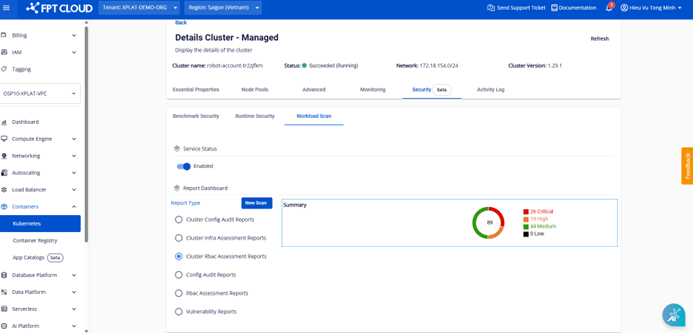
Aggregates every namespace's RBAC Assessment Report into a cluster-wide view of Role permissions.
Config Audit Report
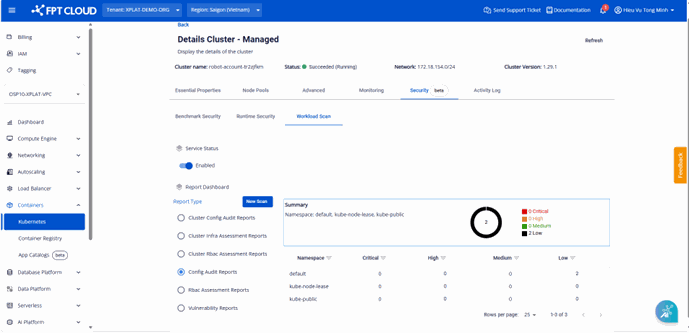
Represents Trivy's checks against each Kubernetes object's configuration — for example, whether a container runs as non-root, or has resource requests and limits set. Checks can cover workloads and other namespace resources such as services, configmaps, roles, and rolebindings.
Report fields:
- namespace: the namespace being scanned.
- summary:
criticalCount,highCount,mediumCount,lowCount.
Cluster Config Audit Report
Aggregates every namespace's Config Audit Report into a cluster-wide configuration view.
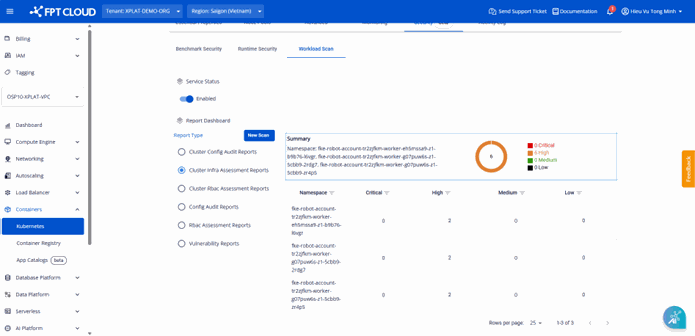
Cluster Infra Assessment Report
Checks critical configuration in the cluster's administrative components — etcd, apiserver, scheduler, controller-manager, and so on.
Security enhancement features are available only after the cluster is successfully created (status: Succeeded/Running).
Enable Workload Scan
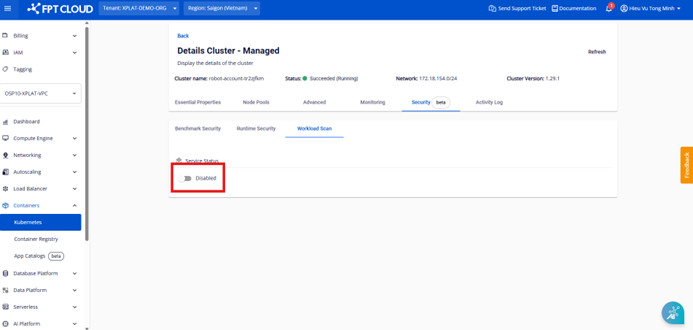
Go to console.fptcloud.com, select Kubernetes, select your cluster, open the Security tab, select Workload Security, then enable it.
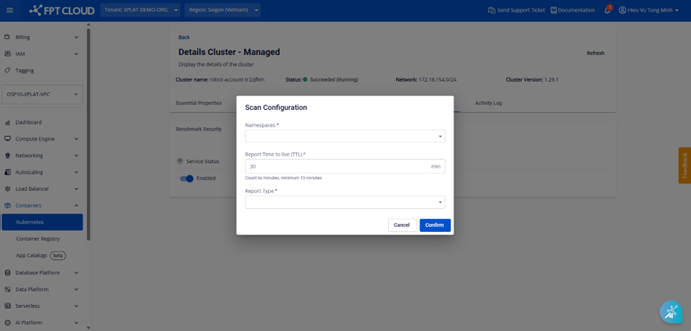
A form appears for you to choose: namespaces to scan, report TTL (time-to-live), and which scan types to export as reports on the portal.
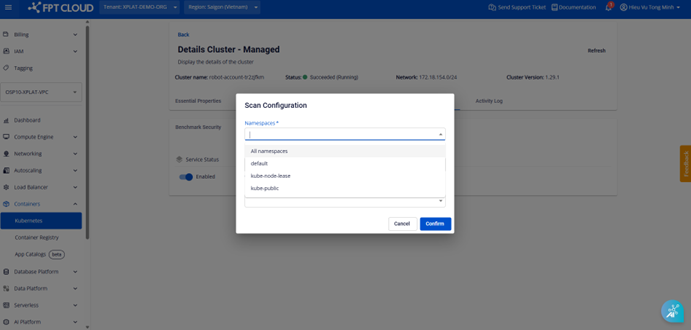
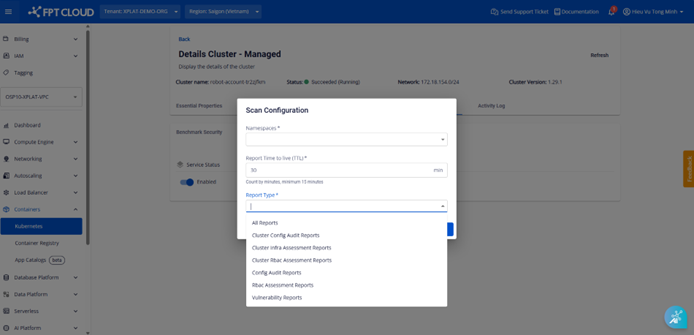
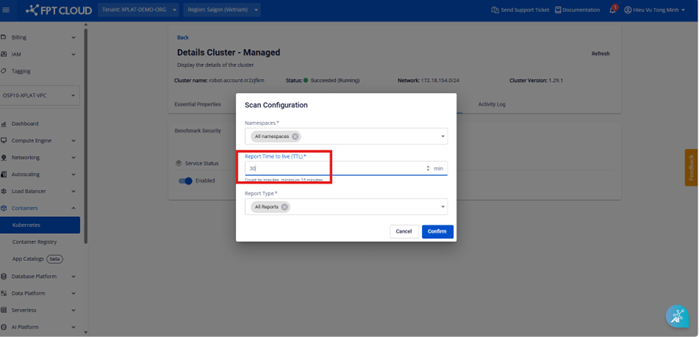
After the Workload Scan job runs successfully, detailed results appear. Re-run the scan for the latest results.
Disable Workload Scan
Go to console.fptcloud.com, select Kubernetes, select your cluster, open the Security tab, select Workload Security, then confirm to disable it.