Change the internal subnet Load Balancer configuration
FPT Cloud lets you change the Subnet used by the internal Load Balancer directly from the Portal.
-
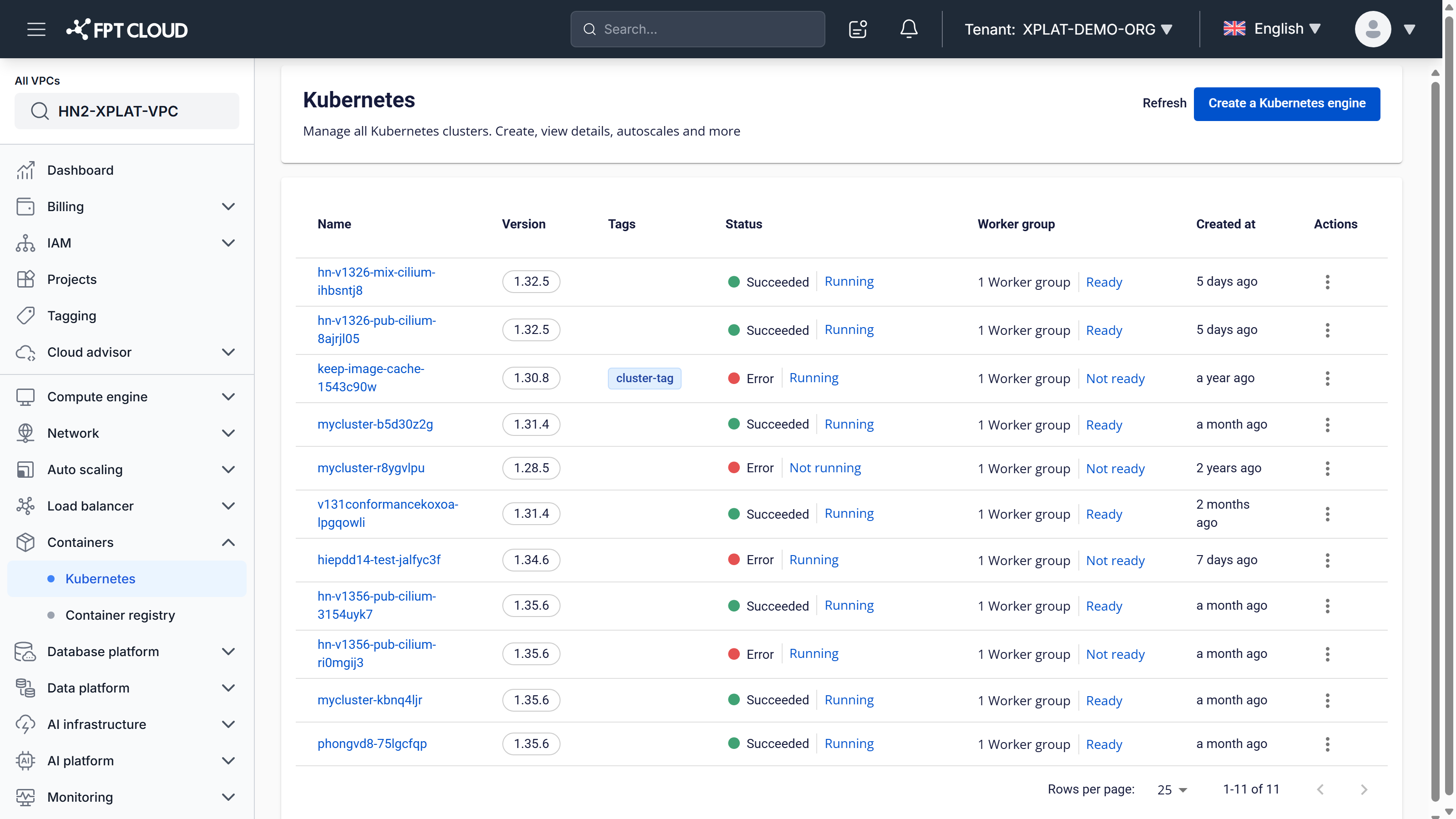
Select the cluster you want to change from the Kubernetes cluster list.
-
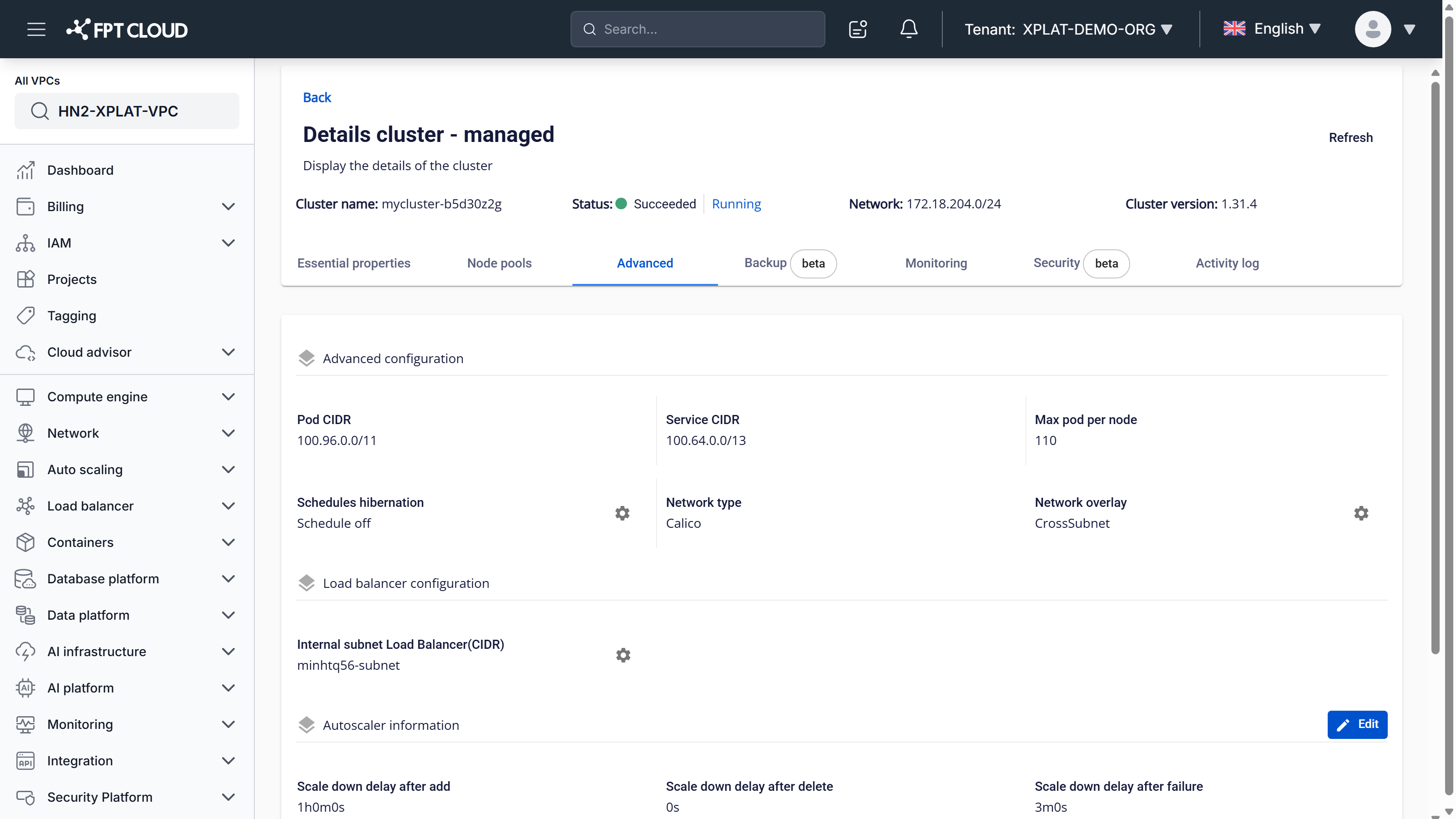
Select the Advanced tab, then under Load balancer configuration, select the settings icon next to Internal subnet Load Balancer (CIDR).
-
In the Config Internal subnet Load Balancer dialog, select the Subnet to use, then select Confirm.
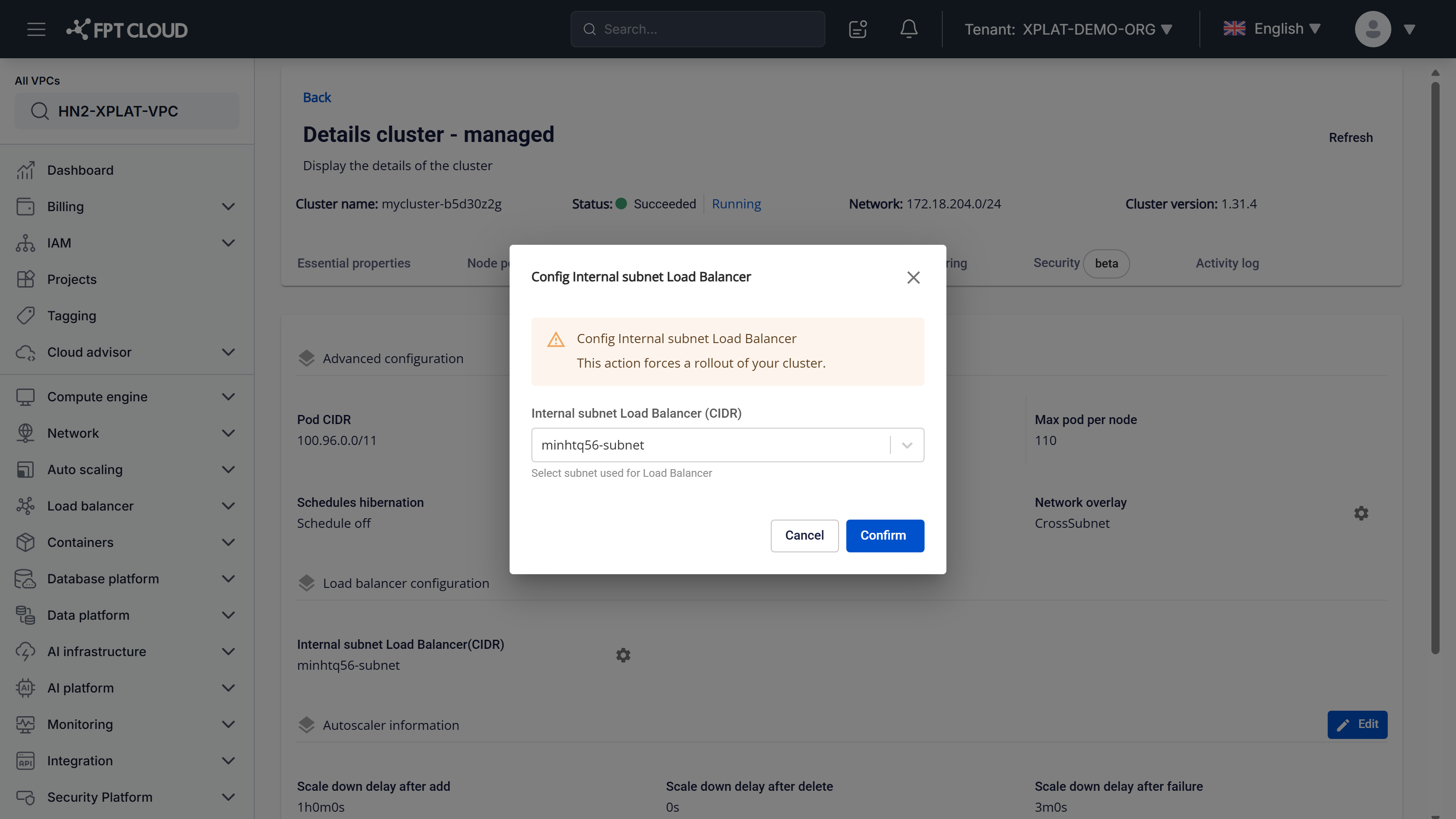
warning
This action forces a rollout of your cluster.
The update takes a few minutes. The cluster status shows Processing during this time, and the cluster keeps operating normally while the new internal subnet Load Balancer configuration is applied.