Change the base Worker Group
Changing the base Worker Group redeploys system components (CoreDNS, metrics-server, the CNI controller, and so on) onto the Worker Nodes of the new base Worker Group. This is useful when you want to scale the flavor of Worker Nodes in the base Worker Group up or down: create a new Worker Group with the configuration you want, set it as the base, then delete the old base Worker Group.
-
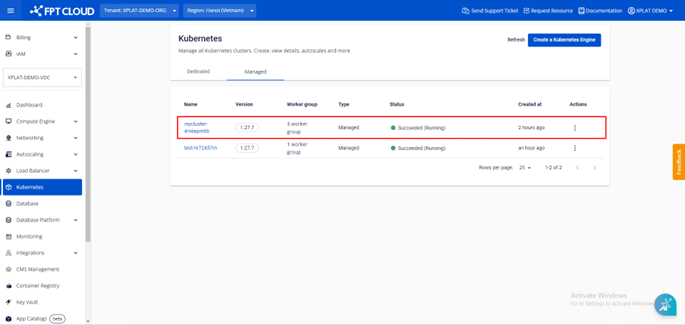
From the menu, select Kubernetes to open Kubernetes Management, then select the cluster you want to change.
-
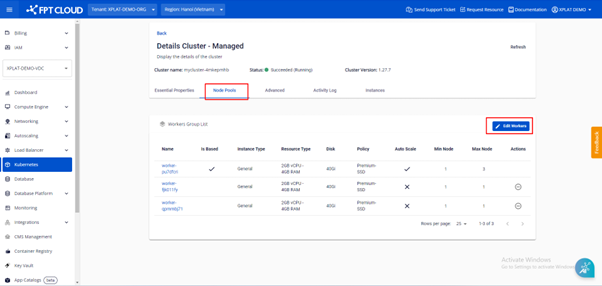
Select Node Pools → Edit Workers.
-
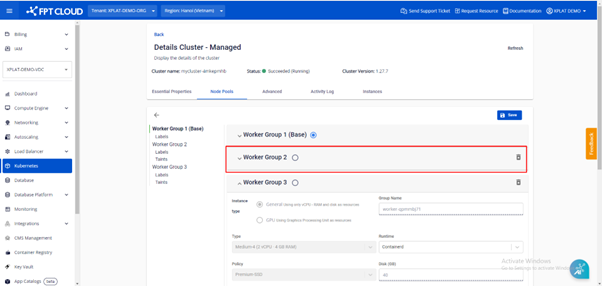
Select the Worker Group you want to change.
-
Review the information, then select Save to apply the changes.
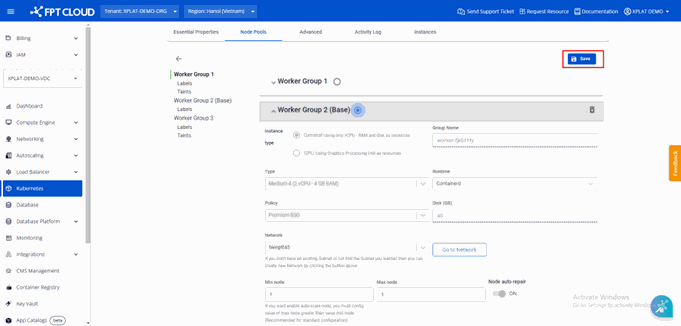
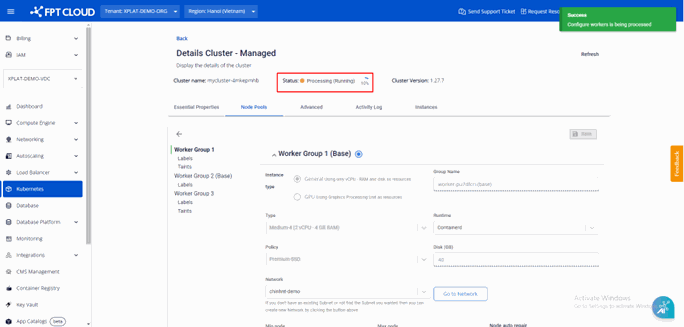
Changing the base Worker Group takes a few minutes. You can't make other changes to the cluster until the process completes.
The system creates the new Worker Nodes first. Once they're up, it removes the old Worker Nodes and migrates their Pods to the new ones.