Upgrade the Kubernetes version
Upgrade your cluster's Kubernetes version to pick up new features, bug fixes, and security patches from the Kubernetes community.
-
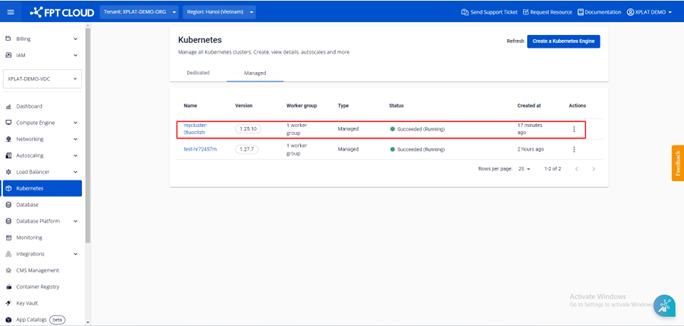
From the menu, select Kubernetes to open Kubernetes Management, then select the cluster you want to upgrade.
-
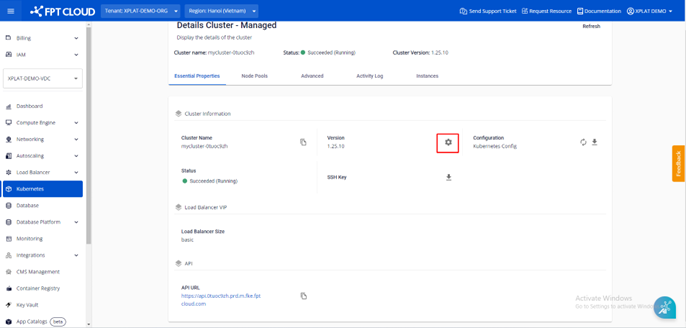
Under Cluster Information → Version, select the Setting icon.
-
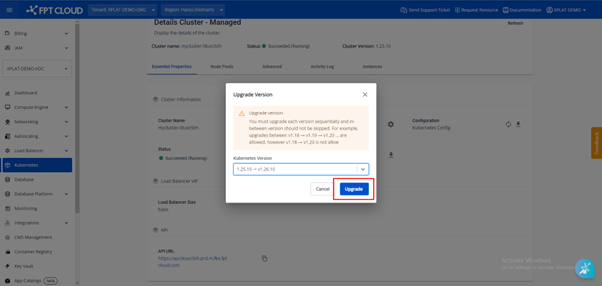
Select the version to upgrade to, then select Upgrade.
note
You can only upgrade to a higher version — downgrading is not supported. Upgrade versions sequentially, one at a time, to avoid issues.