Scale in specific nodes
Control which nodes a manual scale-down removes first by setting node priority.
Nodes have a priority from 1 (lowest) to 3 (highest); all nodes default to priority 3. When you scale down (via MachineDeployment or MachineSet), the Machine Controller Manager (MCM) deletes the lowest-priority worker nodes first. Lower a specific node's priority to 1 to make it the preferred target for future scale-downs.
Set node priority and scale down
-
Annotate the node you want removed first:
kubectl annotate no <node-name> worker.fptcloud.com/nodepriority=1
-
On the portal, manually scale down the Worker Group by adjusting its min/max node count.
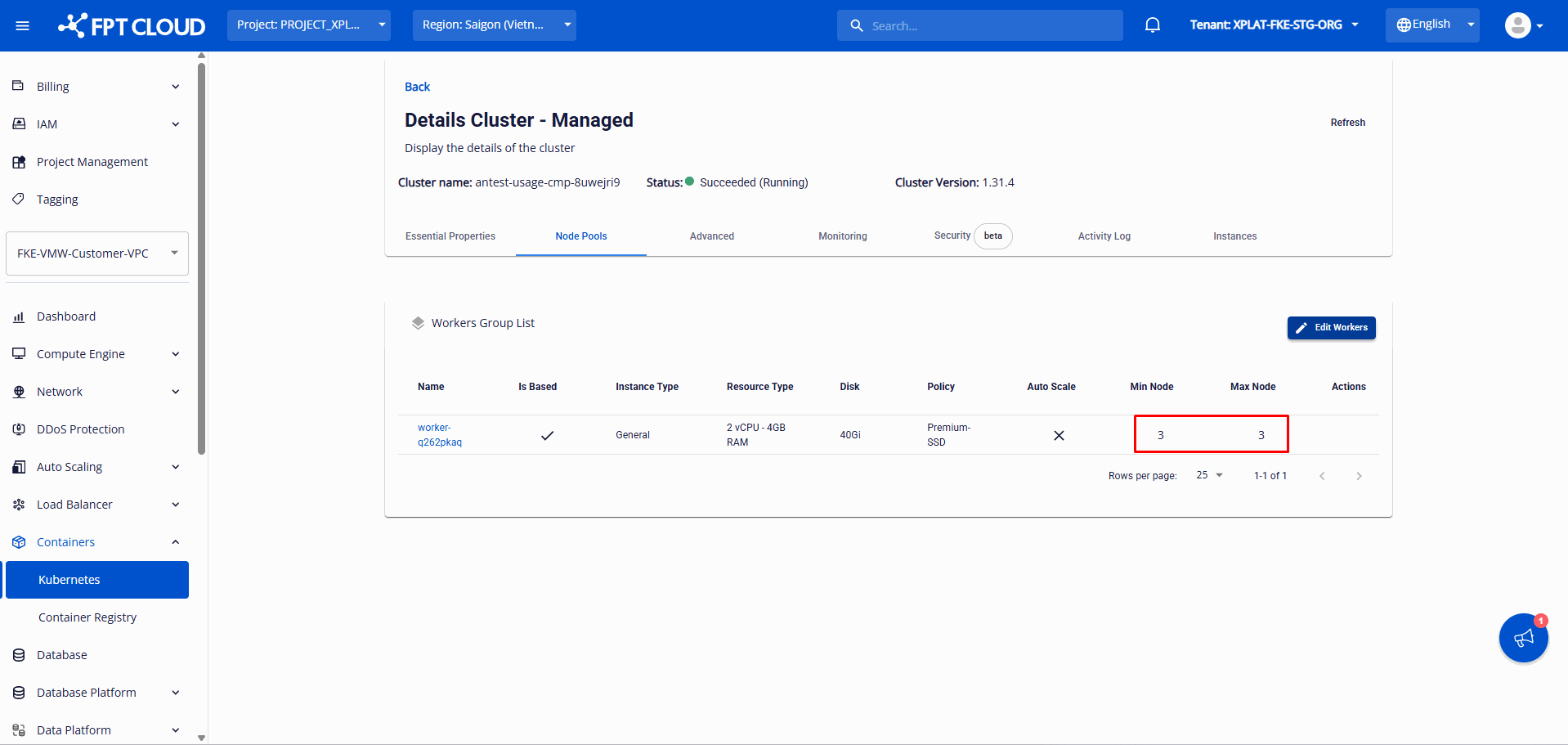
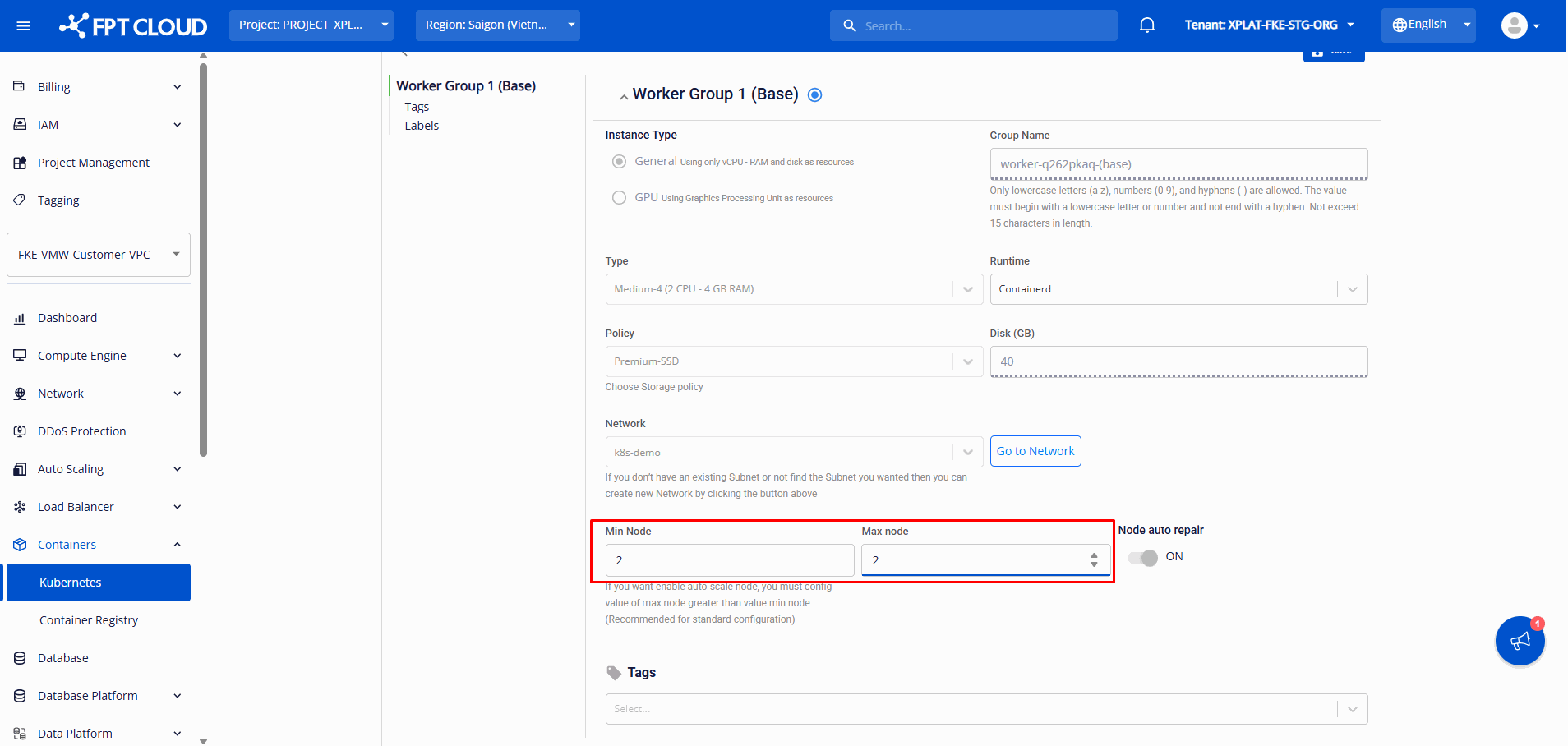
The system scales in exactly the designated node over a few minutes; the cluster status shows Processing and continues operating normally.
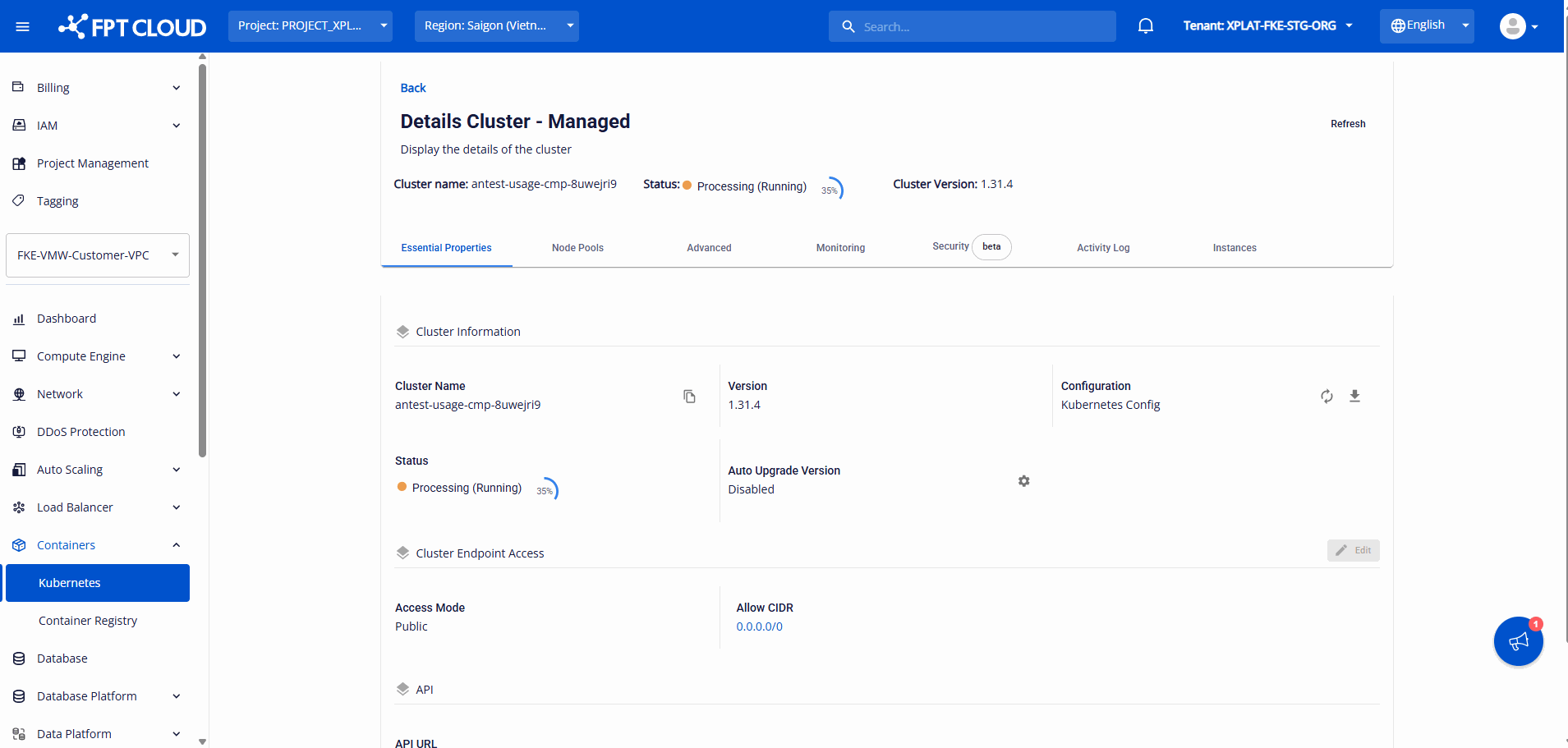

Annotate multiple nodes with worker.fptcloud.com/nodepriority=1 to target several specific nodes at once.
This feature doesn't apply when the cluster autoscaler scales in worker nodes.