Schedule Hibernate and Wake-up
Building on the manual Hibernate and Wake-up actions, Schedule Hibernate and Wake-up automates the process — create, edit, or delete one or more schedules at once.
-
From the menu, select Kubernetes to open Kubernetes Management.

-
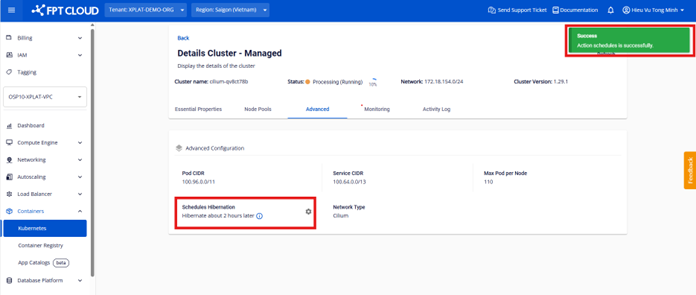
Open the cluster details page and select Schedule Hibernation under Advanced.

-
Configure the schedule settings.

-
Set the Wake-up and Hibernate times (timezone UTC+7) — select the calendar icon on each field, or enter the time directly as text.


-
Add or remove schedules as needed.


-
Save the schedule after creating or editing it.

The system returns a Success status once the schedule is saved, and shows the time remaining until the next Hibernate or Wake-up event.
You can create or delete multiple schedules at once across multiple days and times. The interval between a Hibernate and Wake-up time must be at least 15 minutes.