Hibernate and Wake-up
Production clusters typically run 24/7, but dev, test, staging, and demo clusters don't need to. Scaling those down when idle saves cost — the Hibernate feature automates that scale-down instead of doing it manually.
When you hibernate a cluster:
- Worker Nodes (instances) are deleted.
- Pods move to Pending status.
- Services are preserved.
- Stateful storage (PVCs, etc.) and etcd state are preserved.
Wake-up reverses Hibernate, restoring the cluster to its pre-hibernation state.
Hibernate a cluster
-
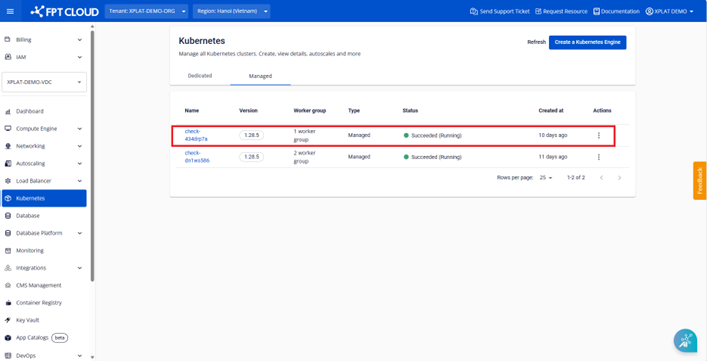
From the menu, select Kubernetes to open Kubernetes Management.

-
Select Hibernate to start the process.

-
Enter the cluster name to confirm.

The cluster status changes to Hibernating (Running) while the process runs.

Once complete, the status changes to Succeeded (Hibernated).

Wake up a cluster
For a cluster showing Succeeded (Hibernated), use Wake-up to restore it.
-
From the menu, select Kubernetes to open Kubernetes Management.

-
Select Wakeup to start the process.

-
Enter the cluster name to confirm.

The cluster status changes to Processing (Running) while the process runs.

Once complete, the status changes to Succeeded (Running).
Before hibernating, make sure every Pod is Running and other resources are healthy (LoadBalancer Services, ingress, Persistent Volumes, secrets, ConfigMaps, and so on). Deployments applied to a hibernated cluster stay Pending until you wake it up.