View CDC Service details
Use the service details page to check the status, nodes, and Kafka connection of your CDC Service, to change its name or nodes, and to reach its connectors and Kafka MM2 sources.
Open the service details
- Select Data platform → Workspace management, then select your workspace.
- On the Overview tab, under Services, select the CDC card.
The details page opens with the service name as its title, for example CDC Service: cdc, the Status and Created at of the service, and three tabs: Essential Information, Connectors, and Kafka MM2. The Actions menu has one item, Delete. See Delete a CDC Service.
You can create connectors when Status is Healthy. While the service is Processing, selecting its card shows "Service is installing, please wait a moment" and the details page does not open.
Essential Information tab
The Essential Information tab shows the settings of the service in three sections.
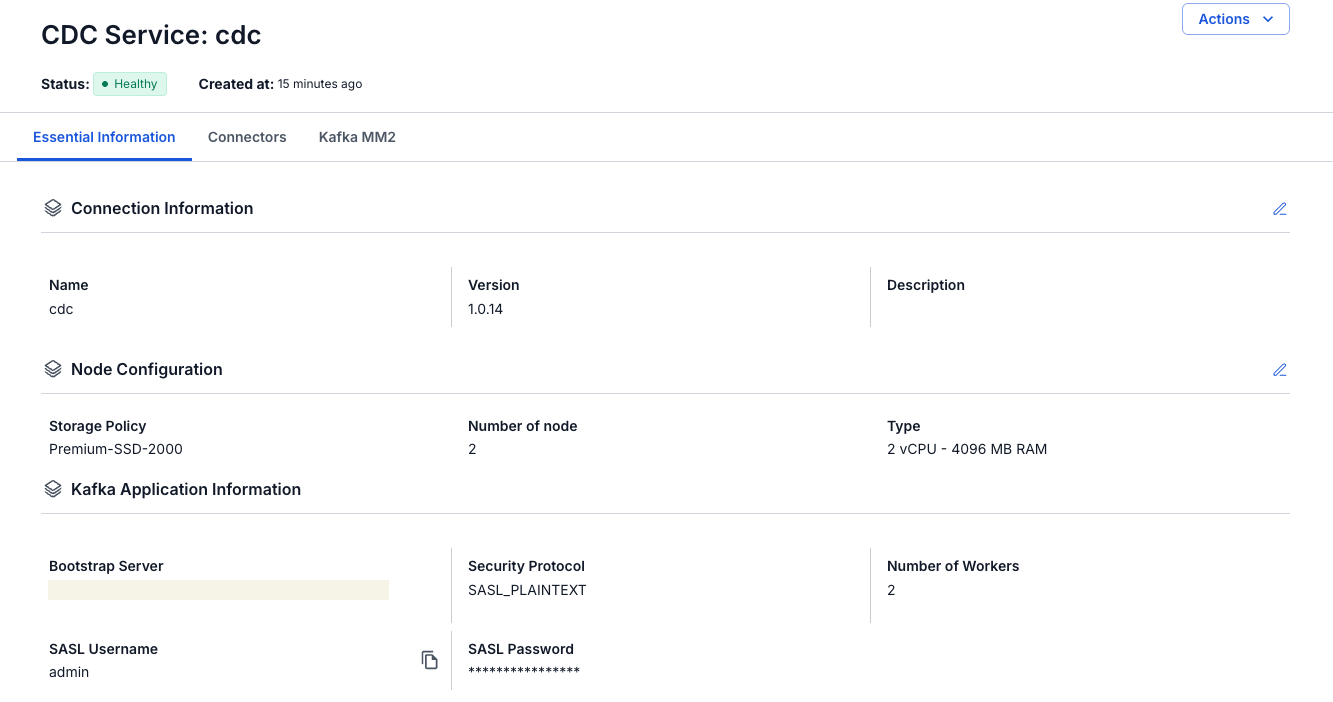
| Section | Fields |
|---|---|
| Connection Information | Name, Version, and Description of the service. |
| Node Configuration | Storage Policy, Number of node, and Type, for example 2 vCPU - 4096 MB RAM. |
| Kafka Application Information | Bootstrap Server, Security Protocol, Number of Workers, SASL Username, and SASL Password of the Kafka connection. Select the copy icon next to SASL Username to copy it. |
The edit icons on Connection Information and Node Configuration let you change those settings. See Edit a CDC Service.
Connectors tab
The Connectors tab lists the connectors that capture data from a source or write data to a sink, with their Type, Database, Status, Snapshot Status, and Tasks. Select Create Connector to add one. A service with no connectors shows No connector yet.
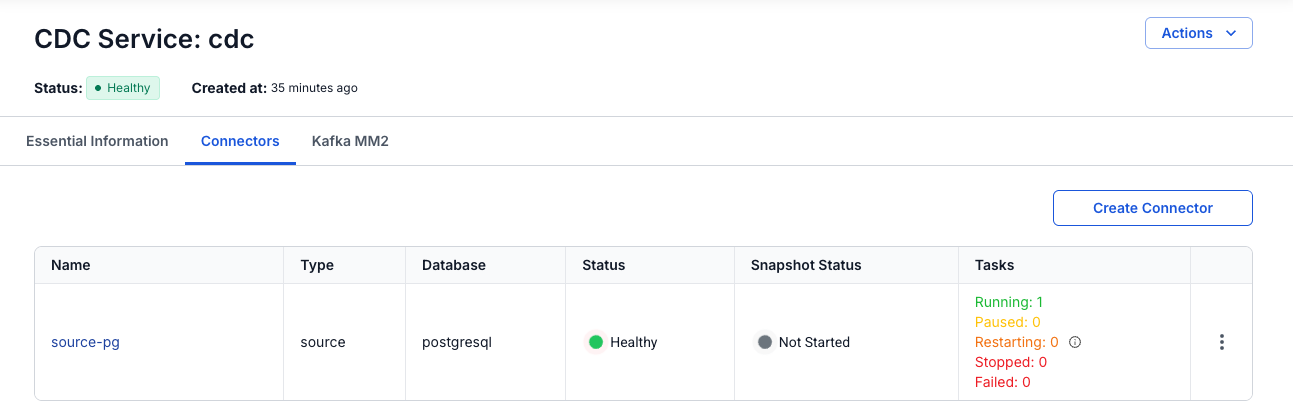
For a description of each column, see View connector details.
Kafka MM2 tab
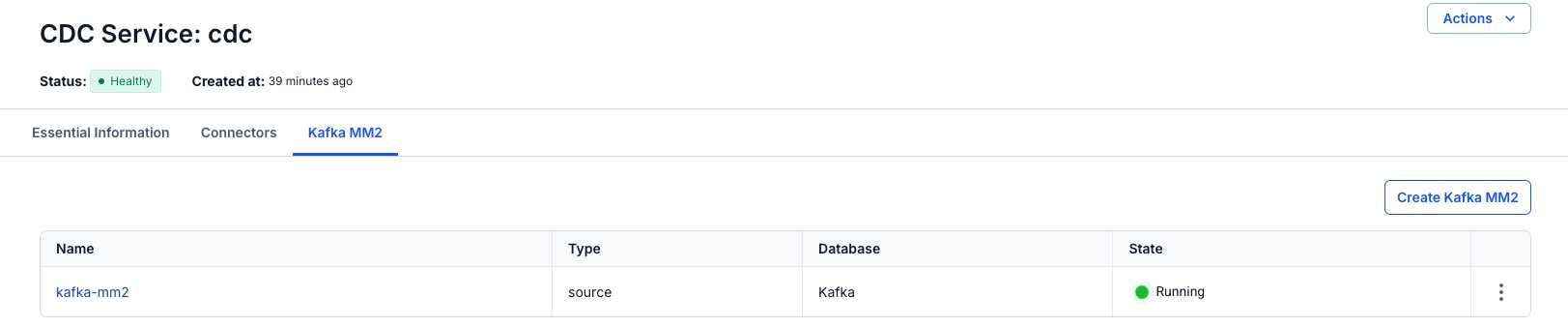
The Kafka MM2 tab lists the Kafka MM2 (MirrorMaker 2) sources that copy topics from other Kafka clusters into the Kafka cluster of the service, with their Name, Type, Database, and State. Select Create Kafka MM2 to add one.
Edit a CDC Service
You can change the name, the description, and the nodes of the service. Kafka Application Information has no edit icon.
- Open the service details, as described in Open the service details.
- On the Essential Information tab, select the edit icon of Connection Information or Node Configuration.
- In the panel that opens, change the fields.
- Select Save.
| Panel | Fields you can change |
|---|---|
| Update Basic Info | Name and Description. The Name accepts lowercase letters, numbers, and hyphens (-) only. |
| Update Node Configuration | Storage Policy, Type, and Number of nodes. See Configure nodes. |
To close a panel without saving, select Cancel.