Manage connector states
Pause, resume, restart, or stop a connector to control when it processes data, for example during maintenance or after an error. The actions you can take depend on the current state of the connector.
Connector states
| State | Description |
|---|---|
| Running | The connector is running and processing data. |
| Paused | The connector has been paused. It does not process data but keeps its state and configuration. |
| Stopped | The connector and its tasks have been shut down. The connector keeps its configuration and its saved offsets. |
| Failed | The connector hit an error and cannot continue processing data. |
The Status column of the Connectors tab and the connector details page show the state. The Tasks column counts the tasks of the connector in each state, including Restarting. Healthy is the status of the CDC Service, not of a connector.
Actions for each state
| State | Actions you can take |
|---|---|
| Running | Pause, Restart, Stop |
| Paused | Resume, Stop |
| Failed | Restart, Stop |
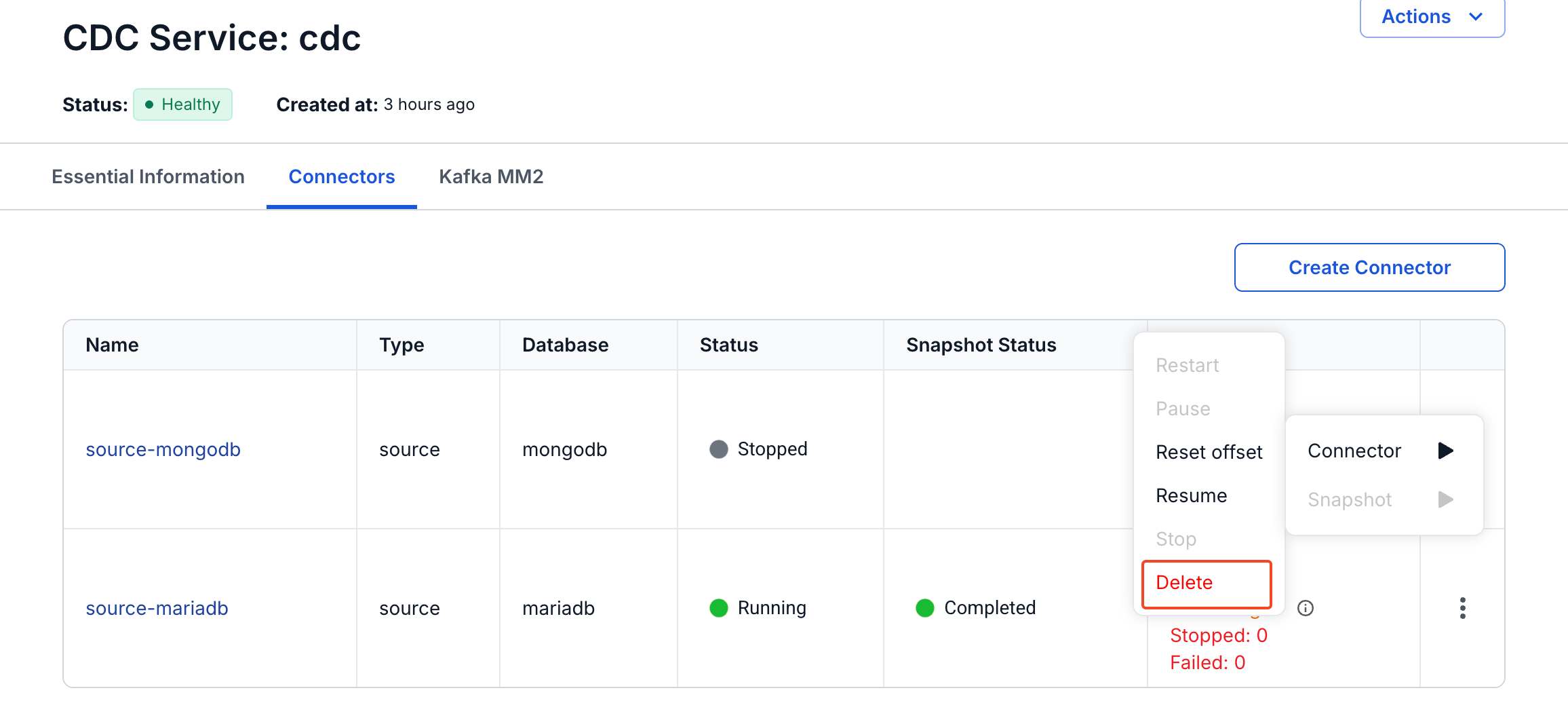
| Stopped | Resume, Reset offset, Delete |
The menu greys out the actions that the current state does not allow. Reset offset and Delete are available only while the connector is Stopped.
| Action | What it does |
|---|---|
| Restart | Restarts the connector. |
| Pause | Pauses the connector and its tasks. They stop processing messages until you resume the connector. The connector stays in the system, and its offsets (the positions it has read up to) are kept. Use it to stop processing for a while without stopping the connector, for example during maintenance or troubleshooting. |
| Resume | Resumes a paused connector. On a stopped connector, it starts the connector and its tasks again from the saved offsets. |
| Stop | Shuts down the connector and all its tasks, and frees the resources of the tasks. The connector keeps its configuration and its saved offsets, and stays in the list with the Stopped state, so you can resume it, reset its offsets, or delete it. Every Tasks counter then shows 0, Stopped included. Use it when you no longer need the connector, or to free resources before you replace it. |
| Reset offset | Clears the saved offsets of a stopped connector, so that it starts over when you resume it. A source connector starts like a new connector, with the snapshot that its Mode sets. A sink connector reads its topics again from the first message. |
| Delete | Deletes the connector. See Delete a connector. |
Reset offset clears the saved offsets, so the connector no longer knows where it stopped. Use it only when you want the connector to start over.
Pause and Resume run asynchronously. The tasks change state shortly after the connector, not at the same moment, so check the Tasks column.
Change the state of a connector
- Select Data platform → Workspace management, then select your workspace.
- On the Overview tab, under Services, select the CDC card.
- Select the Connectors tab.
- In the row of the connector, select the more icon (⋮), then select Connector.
- Select the action, for example Pause. In the confirmation dialog, for example Pause Connector, select Confirm, which is red for Stop.
A message such as "Pause connector successfully" appears. The Status column shows the new state 10 to 20 seconds later.
The connector details page offers the same actions under Actions → Connector.