Delete a connector
Delete a connector when you no longer need it in your CDC Service.
Prerequisites
- The connector is in the Stopped state. Delete is greyed out in any other state. To stop the connector, see Change the state of a connector.
Delete the connector
-
Select Data platform → Workspace management, then select your workspace.
-
On the Overview tab, under Services, select the CDC card.
-
Select the Connectors tab.
-
In the row of the connector, select the more icon (⋮), then select Connector → Delete.
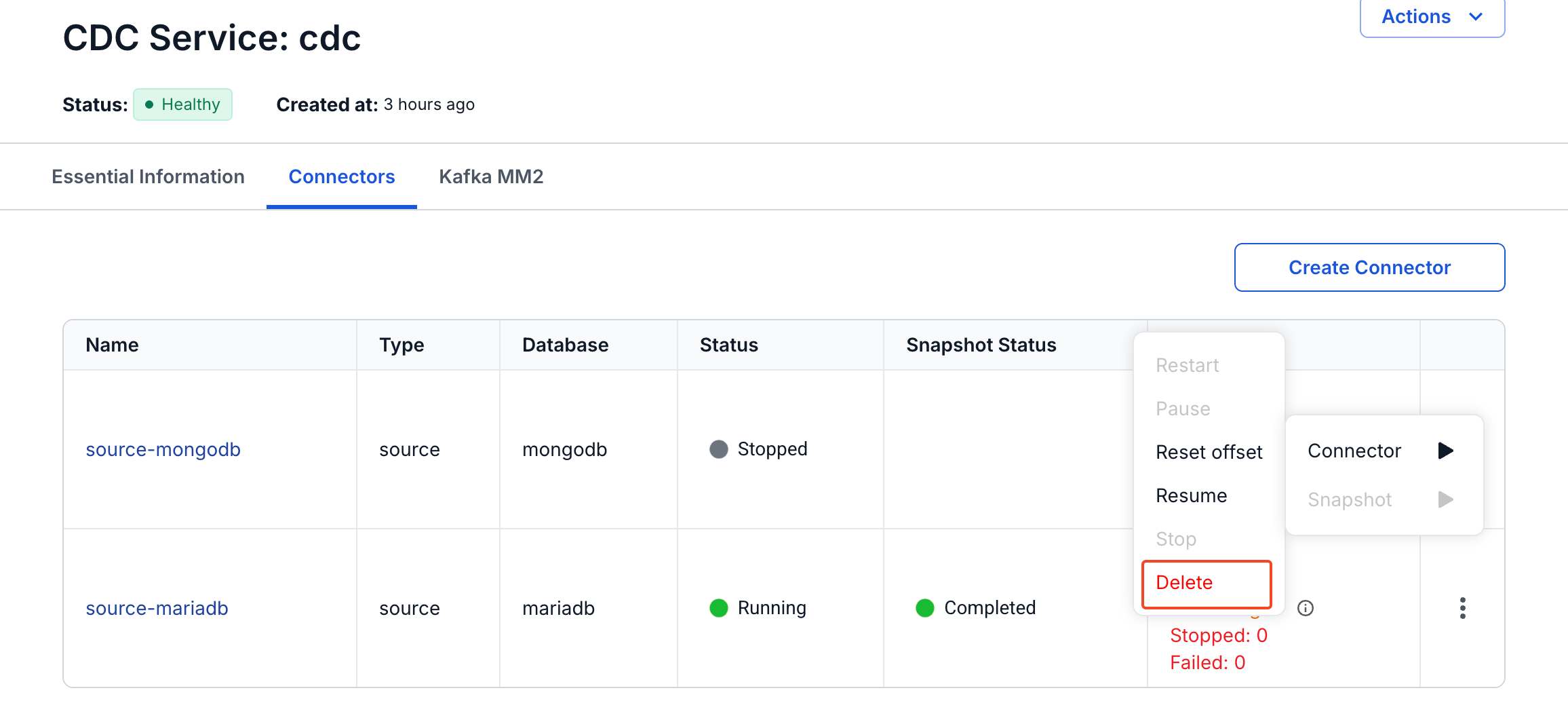
You can also open the connector details and select Actions → Connector → Delete.
-
In the Delete Connector dialog, enter
delete, then select Confirm.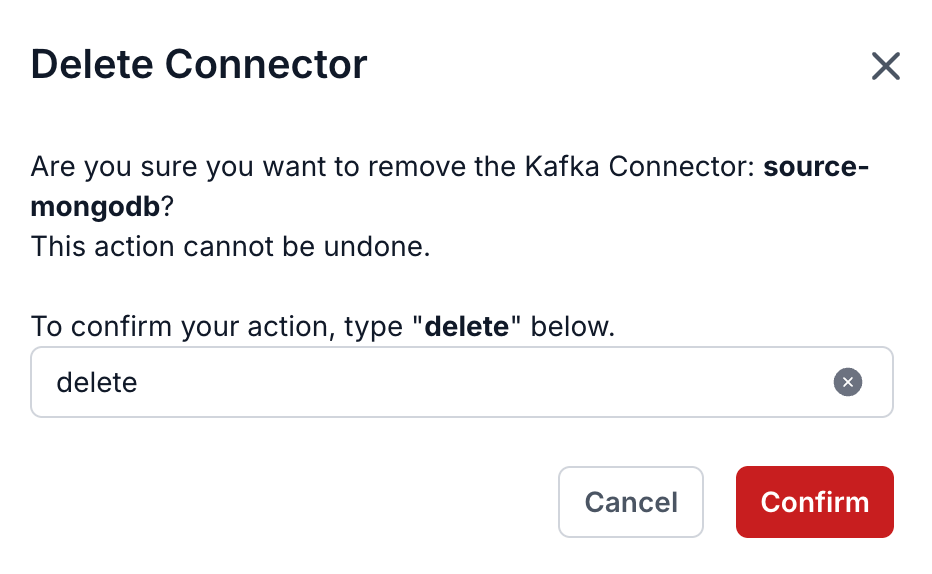
Deleting a connector cannot be undone.
Deleting a connector removes the connector and its configuration only. These stay:
- The Kafka topics that the connector wrote to or read from, with their messages.
- The data that the connector already wrote to the target.
- The offsets that the connector saved.
- The objects in the source database, such as the replication slot and the publication of a PostgreSQL source, and the
cdc_signaltable of an incremental snapshot.
Clean up a PostgreSQL source
After you delete a PostgreSQL source connector, remove its replication slot and its publication from the source database. Use the Slot name and the Publication name that you entered when you created the connector.
PostgreSQL keeps the WAL for a replication slot that no connector reads, so the disk of the source database keeps filling up until you remove the slot.
-
Remove the replication slot.
SELECT pg_drop_replication_slot('REPLICATION_SLOT_NAME'); -
Remove the publication.
DROP PUBLICATION PUBLICATION_NAME;
See Create a PostgreSQL source connector.