2.10 OpenSearch Sink Connector
Create a connector where Type is sink and Database is OpenSearch
Steps to create a connector:
Step 1: In the menu bar, select Data Platform > select Workspace Management > select Workspace name
Step 2: In the My services section, select CDC service
Step 3: On the CDC service detail screen > select the Connectors tab > click Create a connector
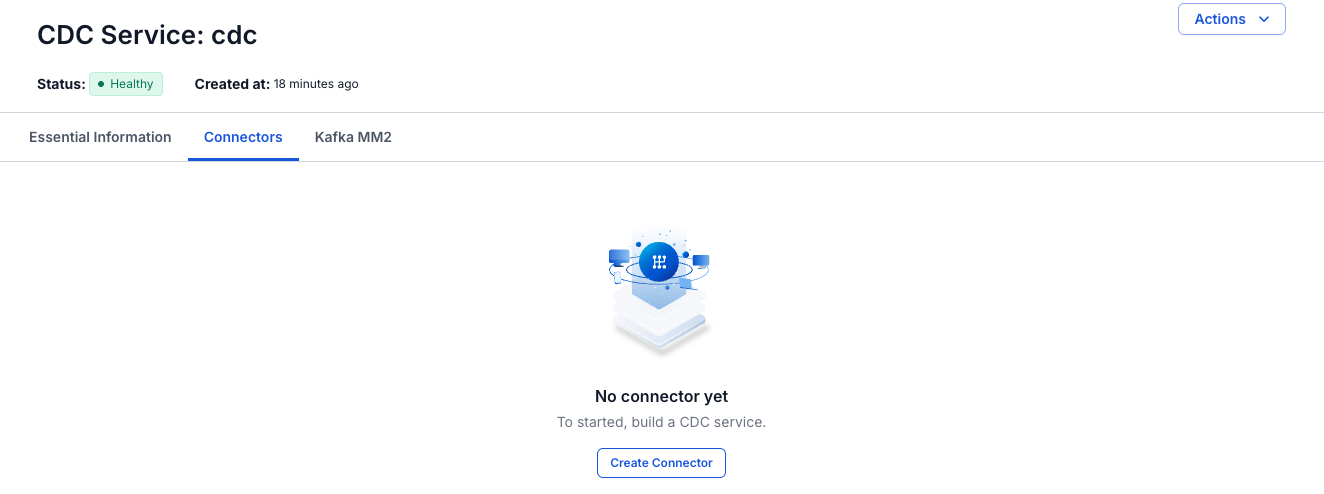
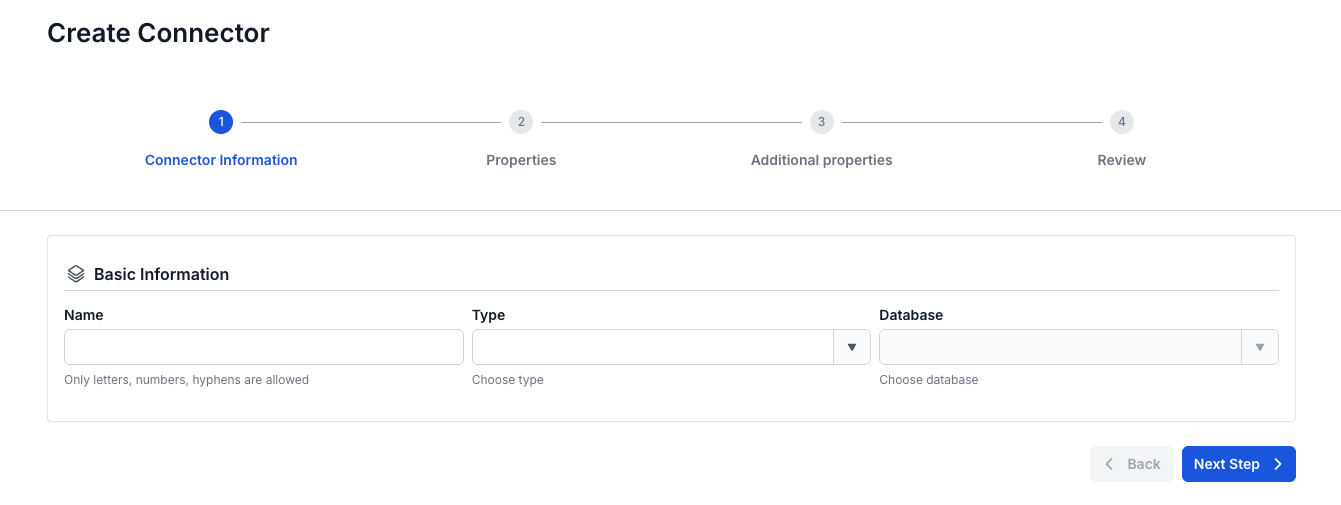
Step 4: Enter the information on the Connector Information screen:
- Name (required): connector name
Note: The connector name can contain lowercase letters a-z or digits 0-9. In particular, spaces are not allowed — you can replace spaces with "-".
- Type (required): select sink
- Database (required): select OpenSearch
Step 5. Click Next to proceed to the Properties screen - Enter the following information:
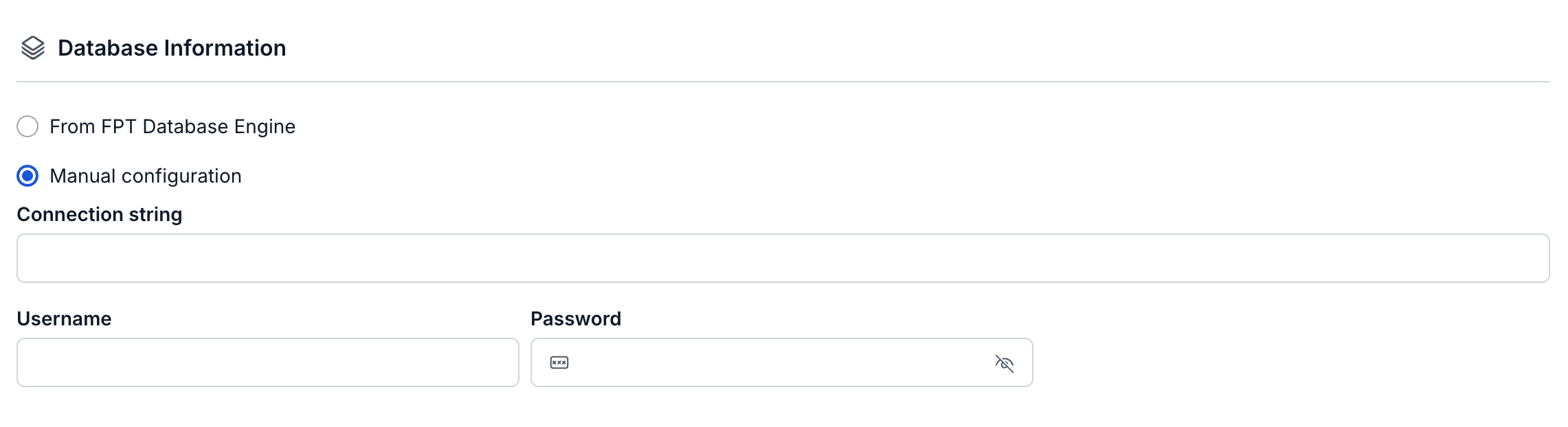
- If you select Manual configuration - fill in the following information:
- Connection string (required): OpenSearch host/hostname
- Password (required): Password to connect to OpenSearch
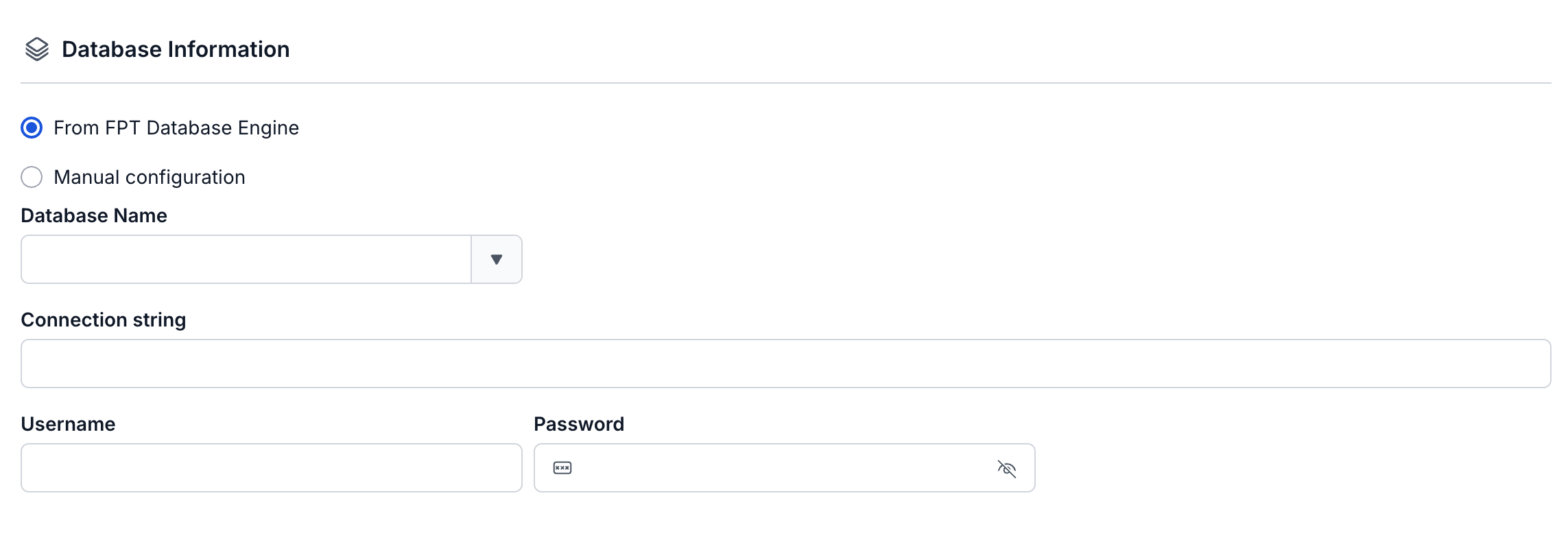
- If you select From FPT Database Engine - fill in the following information:
- Connection string (required): OpenSearch connection uri
- Username (required): Username to connect to OpenSearch
- Password (required): Password to connect to OpenSearch
Click Test connection to verify the connection from the Workspace to the entered Database
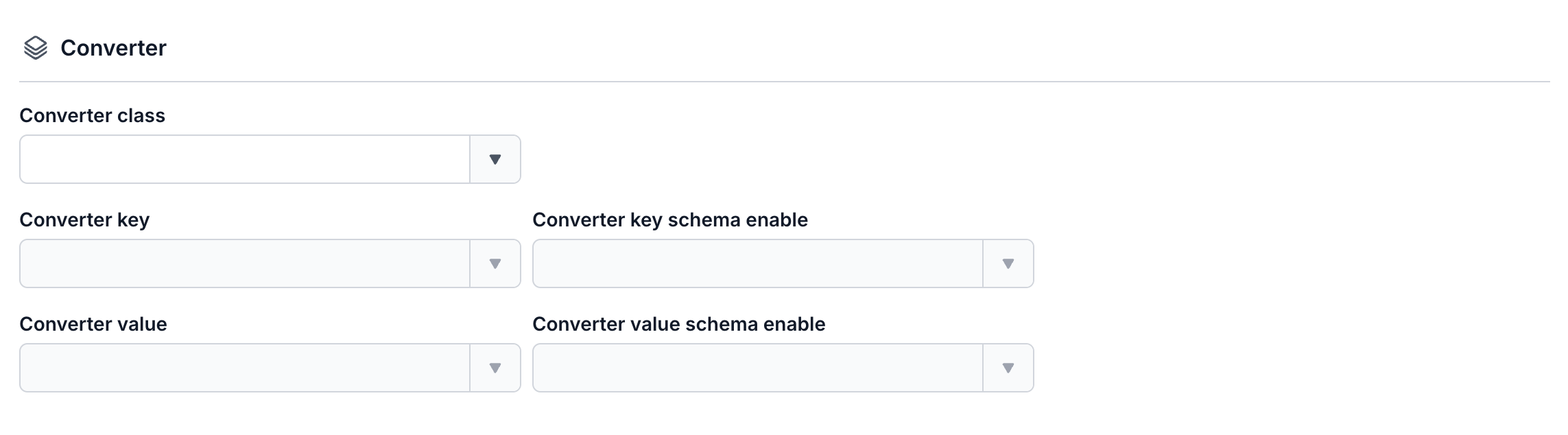
- Converter
- Converter key: select the key value for the converter
- Converter key schema enable: select whether or not to use a schema in the Converter key
- Converter value: select the value for the converter
- Converter value schema enable: select whether or not to use a schema in the Converter value
- Topics (required): The list of topics the Connector will consume and sink data into OpenSearch, separated by ","

Step 6: Click Next to proceed to the Additional Properties screen
Enter the following information:
- Data streams enable: disabled by default
- Task max: The number of tasks the connector can run concurrently, if the topics have more than 1 partition. When task max > 1, messages may be consumed out of order (you need to make sure the message key works correctly, in which case messages with the same key will be pushed to the same partition).

- Topic 1: The topic name the Connector will consume and sink data into OpenSearch
- Table 1: The table name to listen for data changes from PostgreSQL
Note: if you want to create a new table, enable the create new table toggle

- Mode (required): The Connector's behavior when a message cannot be processed
- None: The Connector will skip messages that cannot be sinked into the database
- All: Failed messages will be sent to the specified topic

Step 7: Click Next to proceed to the Review screen
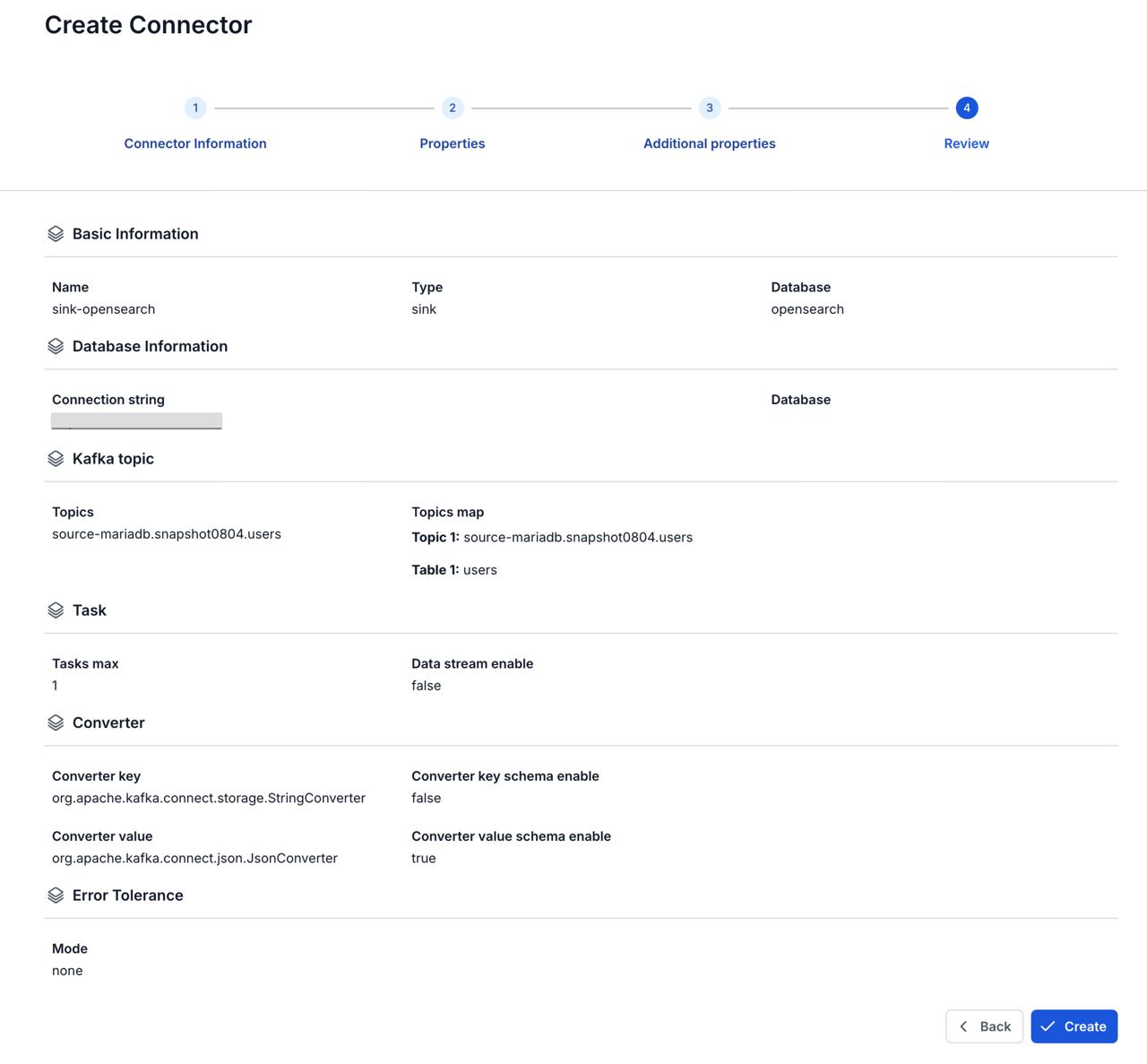
Step 8: Review the information, then click Create to finish creating the connector