CDC Service overview
CDC Service keeps your target databases, search engines, and storage in sync with your source databases by streaming each change through Kafka in real time. You decide what to capture and where to deliver it with connectors.
What change data capture is
Change data capture (CDC) tracks the rows that are inserted, updated, or deleted in a database and turns each change into a change event. A CDC connector reads these changes from the log that the database already keeps.
| Database | Where the connector reads changes |
|---|---|
| PostgreSQL | The write-ahead log (WAL), through a replication slot and a publication. |
| MySQL, MariaDB | The binary log (binlog). |
| SQL Server | The change data capture feature of SQL Server 2016 and later, Standard or Enterprise edition. |
| Oracle | The redo logs, through Oracle LogMiner. |
| MongoDB | The oplog. |
How a CDC Service works
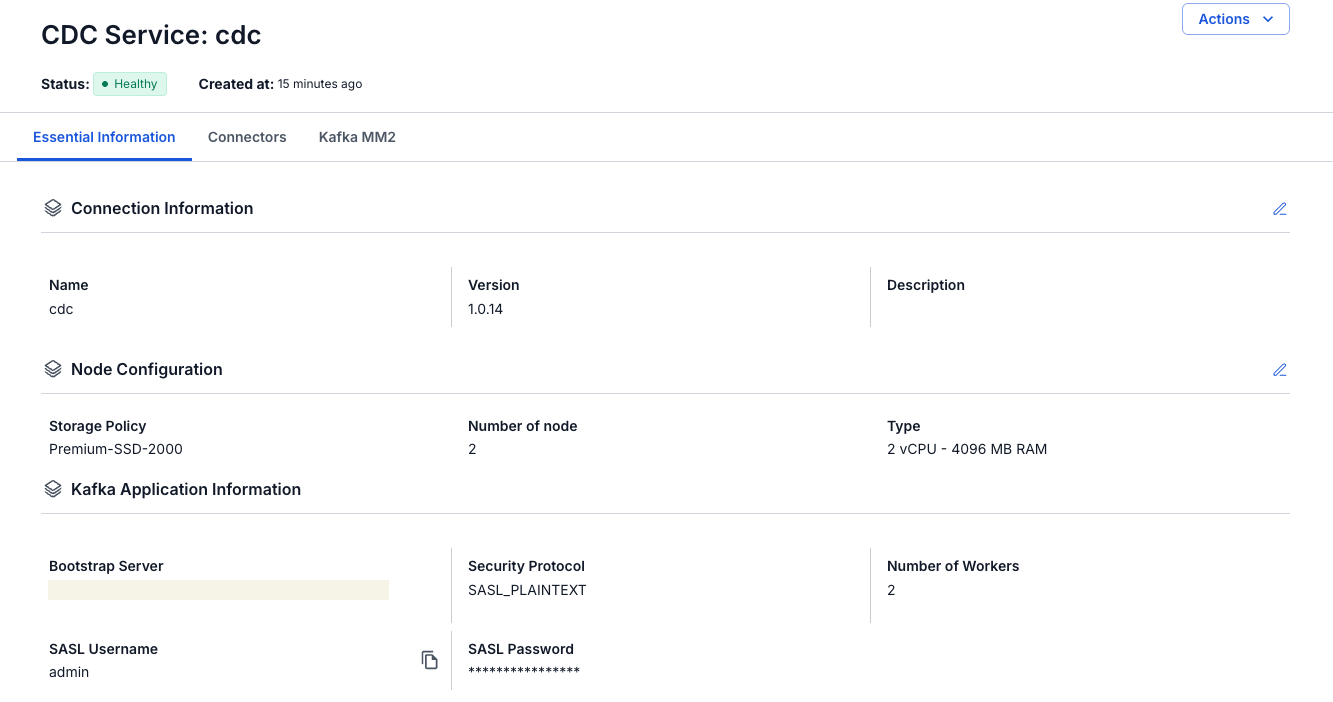
A CDC Service is a service in your Data Platform workspace, and each workspace can have one CDC Service. It runs your connectors on its own nodes and uses a Kafka cluster that you connect when you create the service, either a cluster from FPT Database Engine or one you configure by its bootstrap server endpoint.
Source system → source connector → Kafka topics → sink connector → target system
Source and sink connectors
Every connector has a Type and a Database:
- A source connector captures changes from a source system and writes them as change events to Kafka topics.
- A sink connector reads Kafka topics and writes the records to a target system, for example a database, a search engine, or S3 storage.
A connector runs one or more tasks that process data in parallel. On sink connectors, the Kafka source connector, and Kafka MM2, you set the maximum number of tasks when you create them.
Topics and topic prefix
A source connector writes the changes of each table to its own Kafka topic. The topic name is the Topic prefix you set on the connector, followed by the schema or the database, and the table. With the prefix syncdata, the schema inventory, and the tables customer and order, a PostgreSQL connector writes to syncdata.inventory.customer and syncdata.inventory.order. For MongoDB, the database and the collection take the place of the schema and the table.
A sink connector reads the topics you select and maps each topic to a table, an index, or a collection in the target. See Topic prefix, Topics, and Map table.
Snapshots
Change events cover only the changes made while the connector runs. To also copy the data that already exists, a source connector takes a snapshot.
- Initial snapshot. When you create the connector, Mode decides whether it first snapshots the existing data and then captures changes (initial), only snapshots the data (initial_only), or skips the snapshot (no_data). MongoDB uses latest and copy existing instead. MySQL and MariaDB purge old binlogs after a while, so their connectors start with a consistent snapshot before they read the binlog. See Snapshot mode.
- Incremental snapshot. For MySQL, MariaDB, and PostgreSQL source connectors created with Enable incremental snapshot, you run a snapshot later from the Snapshot menu of the connector while it keeps streaming changes. See Run an incremental snapshot.
Kafka MM2
Kafka MM2 (MirrorMaker 2) copies topics from another Kafka cluster into the Kafka cluster of your CDC Service. It also copies the offsets of the consumer groups you pick in Kafka Group, so that these consumers can move to the CDC Service cluster and continue where they left off. You create it with Create Kafka MM2 on the Kafka MM2 tab of the service. See Manage Kafka MM2 sources.
The Kafka source connector also copies topics from another Kafka cluster into the CDC Service cluster, but it copies the topic data only. Use it when you only need the data, and use Kafka MM2 to move topics together with their consumers.
Both name the copied topics CLUSTER_ALIAS.TOPIC with Default Replication Policy, or keep the original topic names with Identity Replication Policy.
Connector states
- Running: the connector is running and processing data.
- Paused: the connector does not process data but keeps its state and configuration. You can resume it.
- Stopped: the connector and its tasks are shut down. The connector keeps its configuration and offsets, so you can resume it.
- Failed: the connector hit an error and cannot continue processing data.
These are connector states. Healthy is the status of the CDC Service itself.
To change a state, see Manage connector states.
Supported connectors
| System | Source connector | Sink connector |
|---|---|---|
| PostgreSQL | PostgreSQL source | PostgreSQL sink |
| MySQL | MySQL source | MySQL sink |
| MariaDB | MariaDB source | MariaDB sink |
| SQL Server | SQL Server source | SQL Server sink |
| Oracle | Oracle source | – |
| MongoDB | MongoDB source | MongoDB sink |
| Kafka | Kafka source | – |
| S3 | S3 source | S3 sink |
| ClickHouse | – | ClickHouse (logs) sink adds every change as a new row in a table you create first. ClickHouse (Replication) sink keeps the current state of each row, also in a table you create first. |
| Iceberg | – | Iceberg sink applies the updates and deletes of a source database. Iceberg (logs) sink appends every record. |
| OpenSearch | – | OpenSearch sink |
| Elasticsearch | – | Elasticsearch sink |
| Redis | – | Redis sink |
The Kafka source connector copies topics from another Kafka cluster into the CDC Service cluster. The S3 source connector reads files such as CSV, TSV, Avro, and XML from Amazon S3 or S3-compatible storage, for example FPT Object Storage.
Typical workflow
- Create a CDC Service in your workspace and connect it to a Kafka cluster.
- Prepare your source database and create a source connector, for example a PostgreSQL source connector.
- Create a sink connector that reads the topics of the source connector, for example a PostgreSQL sink connector.
- Check the Status and Snapshot Status of your connectors on the Connectors tab. See View connector details and Run an incremental snapshot.