1. Create CDC Service
CDC Service is a large-scale data transfer tool that is low-latency, flexible, and reliable between Apache Kafka and other data systems. Users can easily define connections (Connector) to integrate data into/out of Kafka from/to various databases.
To create a CDC Service, follow these steps:
Step 1: In the menu bar, select Data Platform > select Workspace Management > select Workspace name
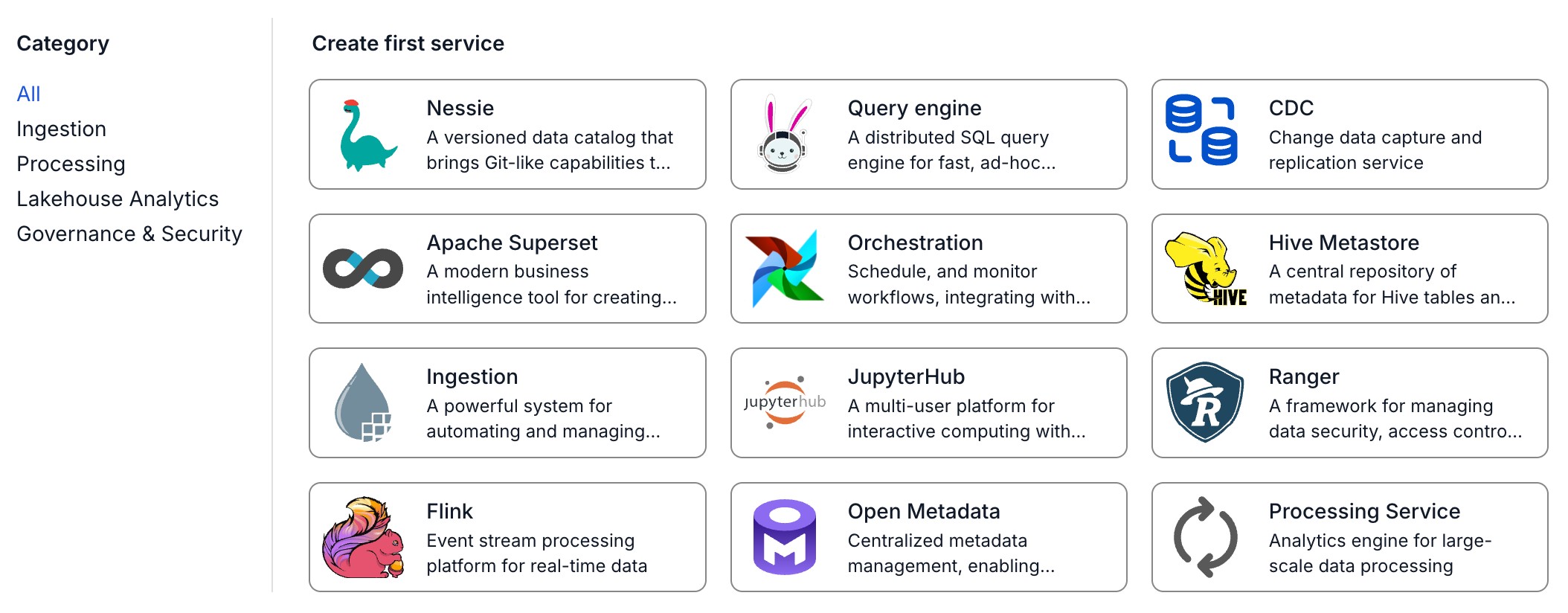
Step 2: In the My services section, click Create > the New service popup appears > select CDC service > Create Services
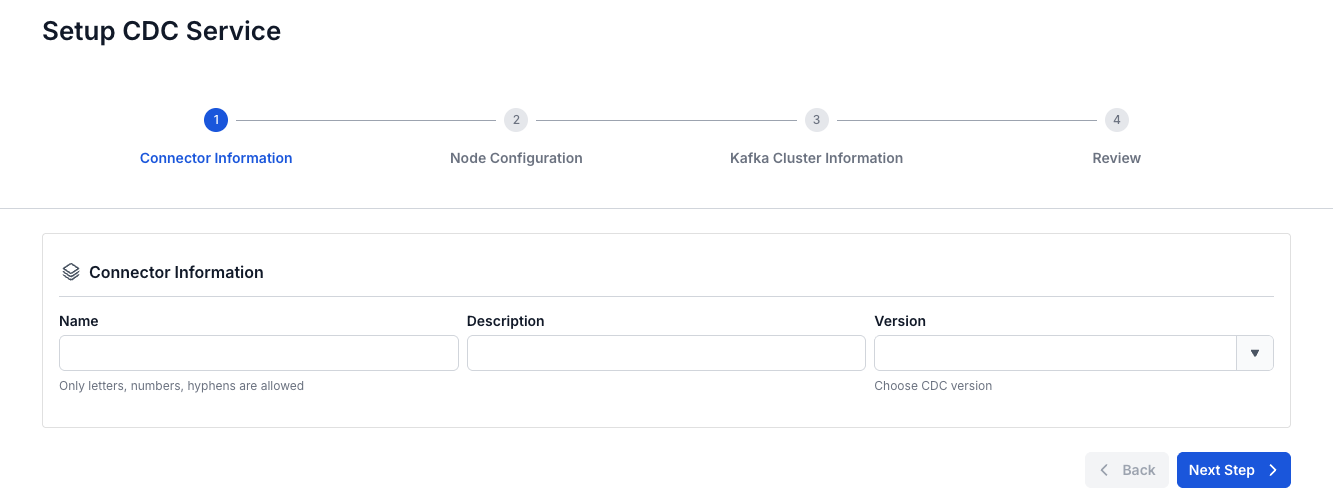
Step 3. In the CDC Service creation form, enter the information in the Connetor Information section
- Name (required): CDC Service name
The CDC Service name must be between 1 and 30 characters. It can contain lowercase letters a-z, uppercase letters A-Z, or digits 0-9. Do not enter duplicate Kafka connect names. In particular, spaces are not allowed — you can replace spaces with "-" or "_"
- Description (optional): CDC Service description
- Version (required): Version for the CDC Service
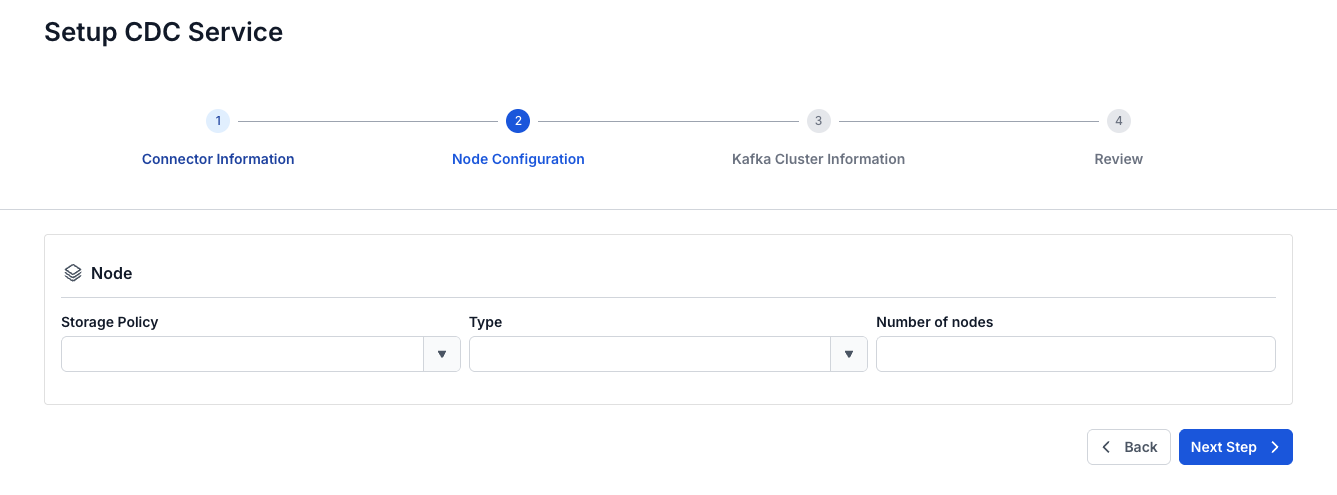
Step 4. Click Next Step to move to Node Configuration
Select the following information:
- Storage Policy (required): select the storage policy
- Type (required): select the configuration type
- Number of nodes: enter the number of nodes
The number of nodes must be greater than or equal to 2 and less than or equal to 10
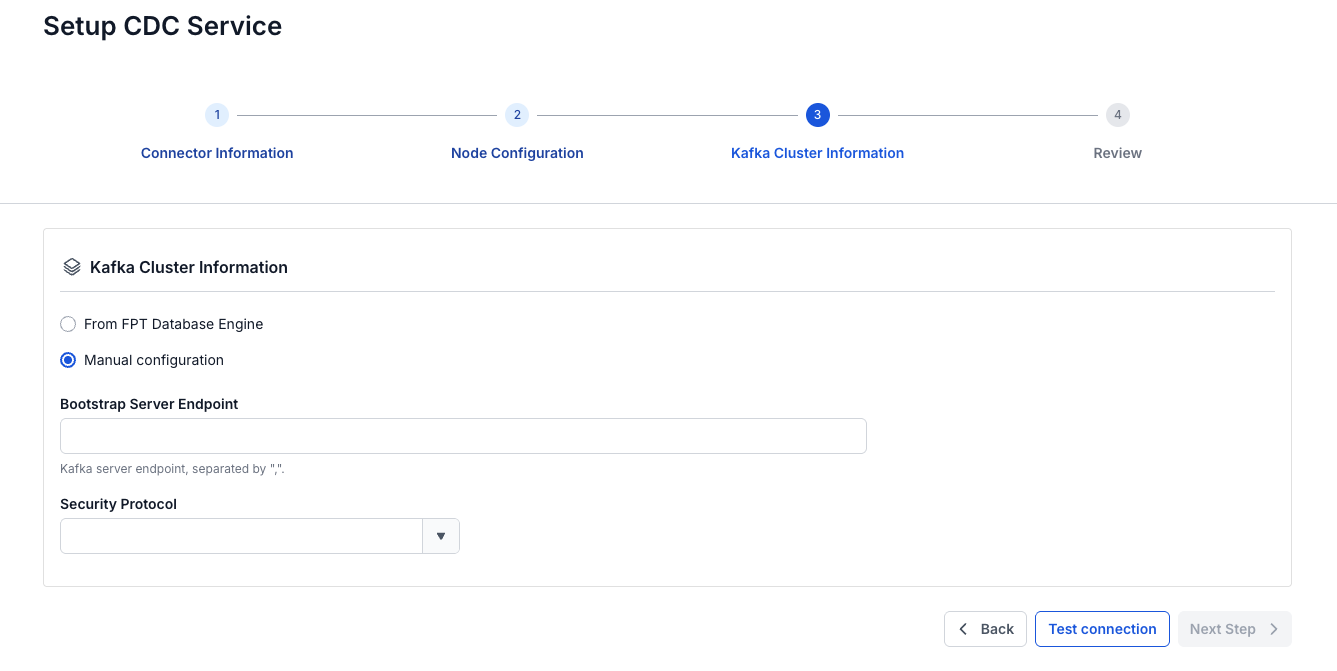
Step 5: Click Next to move to the Kafka Cluster Information screen
There are two options:
- From FPT Database Engine
- Manual configuration
If you select Manual Configuration:
Enter and select the following information:
- Bootstrap Server Endpoint: enter the Bootstrap server endpoint address
- Security Protocol: select one of the following security protocols:
- SASL_PLAINTEXT: a simple authentication mechanism using a Username and password
- SASL Mechanism
- SASL Username
- SASL Password
- SASL_SSL: provides a comprehensive security layer for authentication and data encryption using a Username and password
- SASL Mechanism
- SASL Username
- SASL Password
- PLAINTEXT: data is transmitted over the network without encryption, not recommended
- SSL: a network security protocol used to protect data as it is transmitted over the Internet
- SASL_PLAINTEXT: a simple authentication mechanism using a Username and password
If you select From FPT Database Engine:
Enter and select the following information:
- Database Name (required): select the Database
- Bootstrap server endpoint: enter the Bootstrap server endpoint address
- Security protocol: select one of the following security protocols:
- SASL_PLAINTEXT: a simple authentication mechanism using a Username and password
- SASL Mechanism
- SASL Username
- SASL Password
- SASL_SSL: provides a comprehensive security layer for authentication and data encryption using a Username and password
- SASL Mechanism
- SASL Username
- SASL Password
- PLAINTEXT: data is transmitted over the network without encryption, not recommended
- SSL: a network security protocol used to protect data as it is transmitted over the Internet
- SASL_PLAINTEXT: a simple authentication mechanism using a Username and password
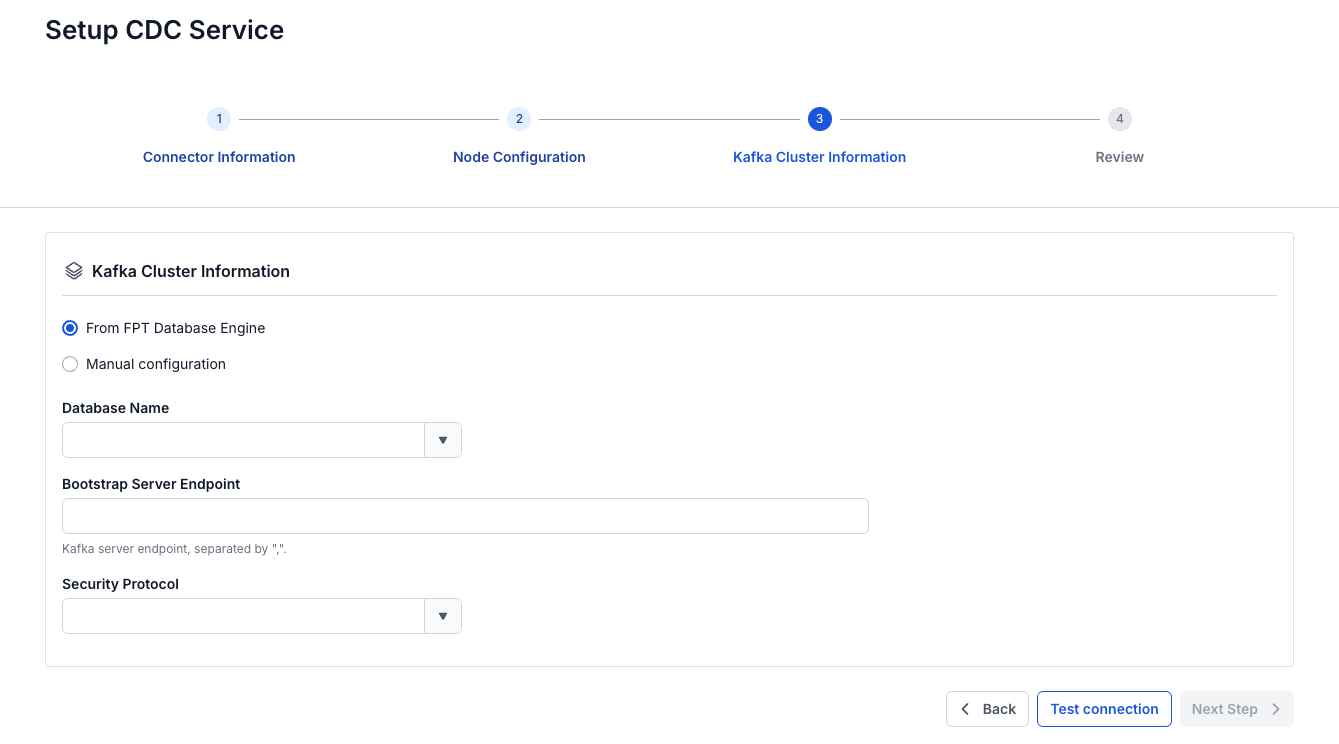
Step 6. Click the Test connection button to check the connection, then click Next Step to move to the review screen
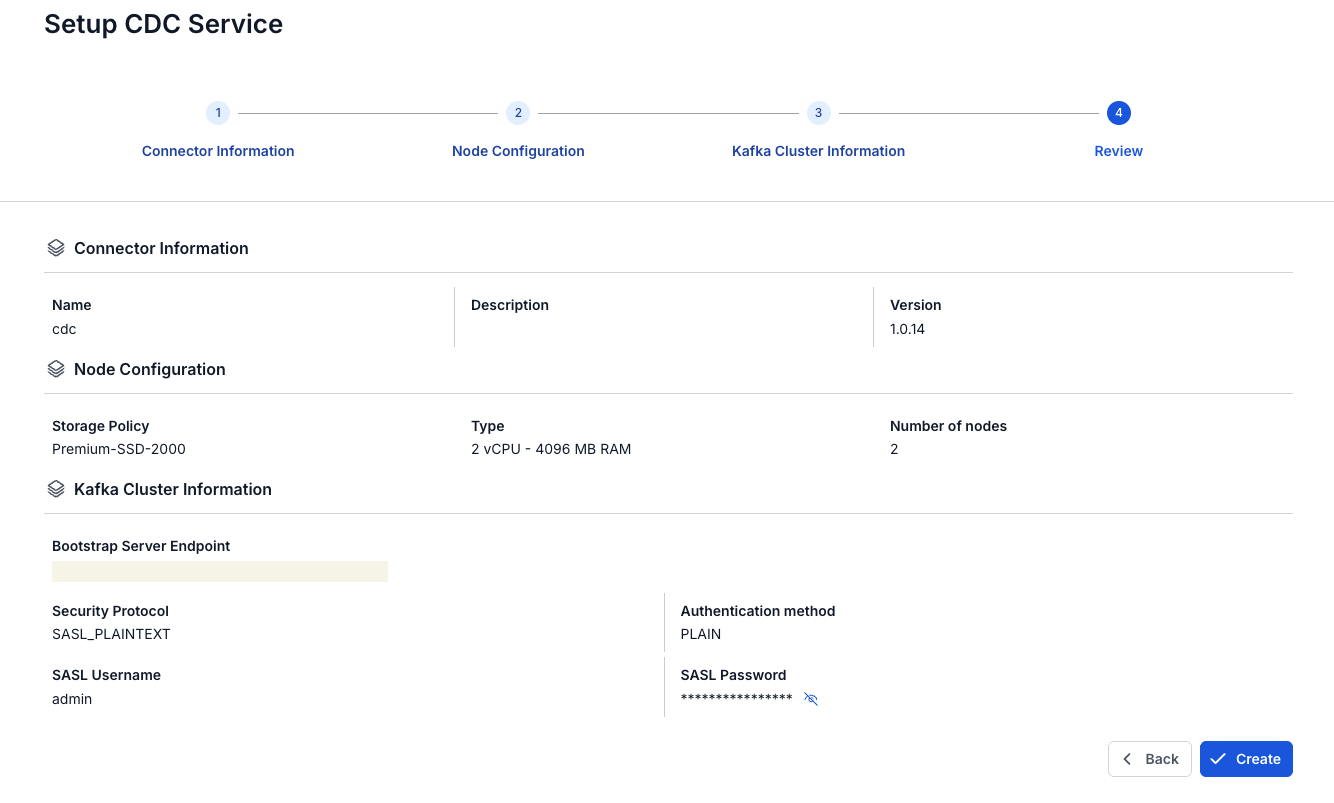
Step 7. Review the information you entered and click Create to finish.