Create a Hive Metastore service
Create a Hive Metastore service to give the services in your workspace one shared store for table metadata. The Setup Hive Metastore form has four screens: Basic Information, Nodes Configuration, Additional properties, and Review & Create.
Prerequisites
- A workspace whose Status is Connected. See Create a workspace.
- A PostgreSQL database that the workspace can reach. You can use a database you created in FPT Database Engine or your own database.
- An object storage bucket, with its endpoint, access key, and secret key.
Open the create form
- Select Data platform → Workspace management, then select your workspace.
- On the Overview tab, select Create.
- In the Create service dialog, select Hive Metastore, then select Create service.
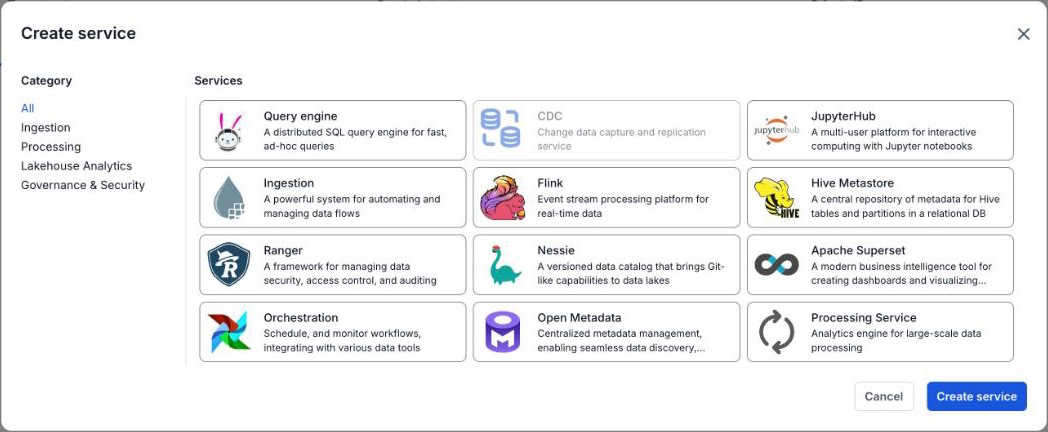
In a workspace with no services yet, the Overview tab shows Create first service instead. Select the Hive Metastore card there to open the form directly.
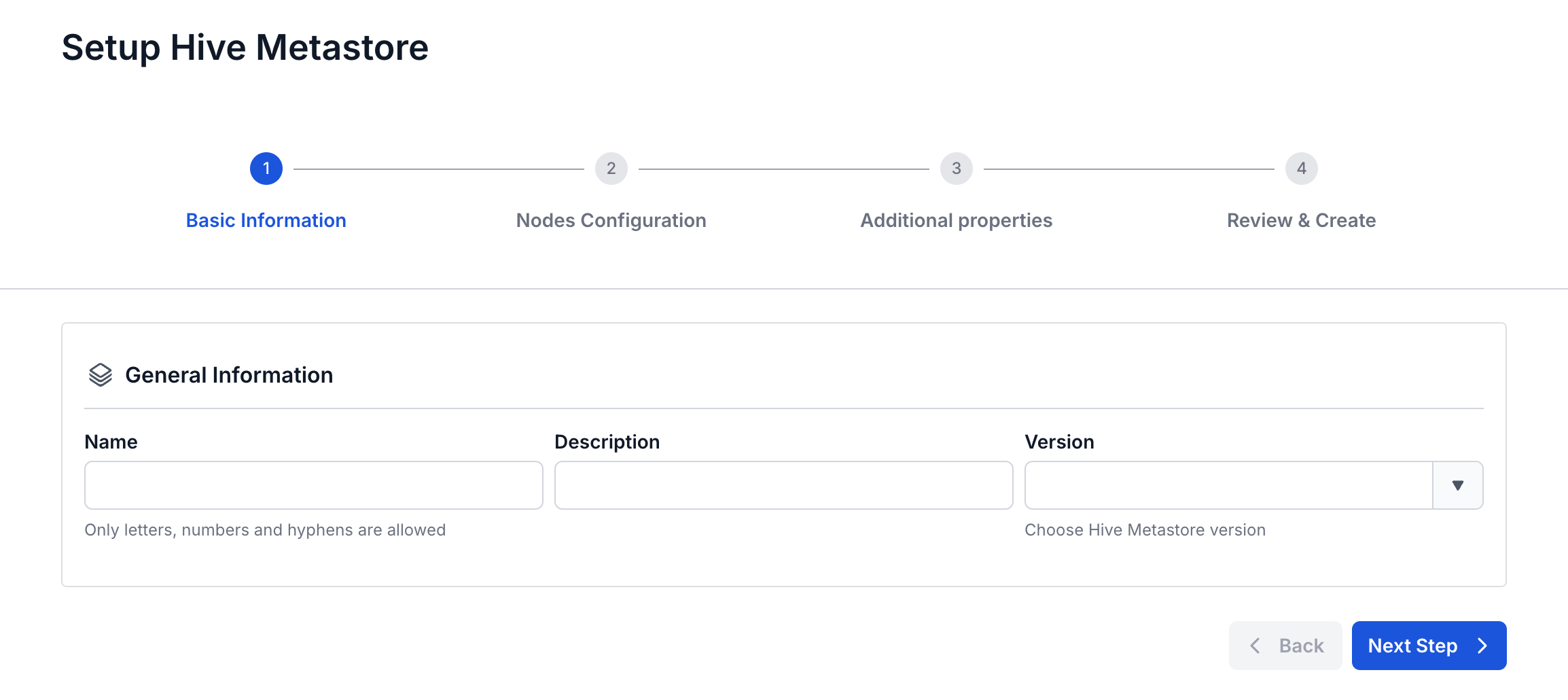
The Setup Hive Metastore form opens on the Basic Information screen.
Enter basic information
- Enter a Name.
- Enter a Description (optional).
- Select a Version.
- Select Next Step.
| Field | Description |
|---|---|
| Name | Required. The service name. 1 to 30 characters. Letters, numbers, and hyphens (-). |
| Description | Optional. A description of the service. |
| Version | Required. The Hive Metastore version. |
Configure nodes
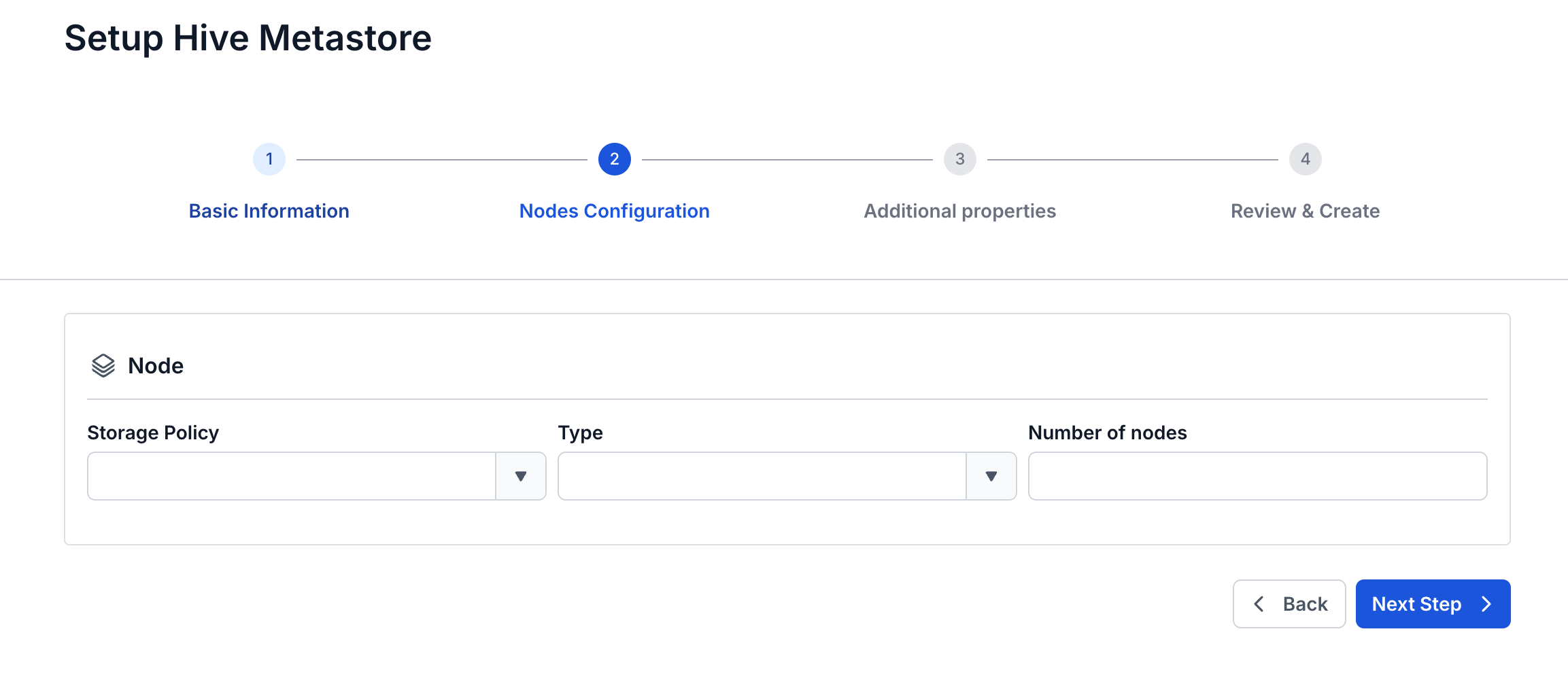
- Select a Storage Policy.
- Select a Type.
- Enter the Number of nodes.
- Select Next Step.
| Field | Description |
|---|---|
| Storage Policy | Required. The storage policy of the nodes, for example Premium-SSD. |
| Type | Required. The resource configuration of the nodes, for example 2 vCPU - 4096 MB RAM. |
| Number of nodes | Required. The number of nodes. From 1 to 10. |
Configure additional properties
On the Additional properties screen, connect Hive Metastore to the database and the object storage where it stores its data.
- Connect the Database.
- Connect the Cloud object storage.
- Select Next Step.
Database
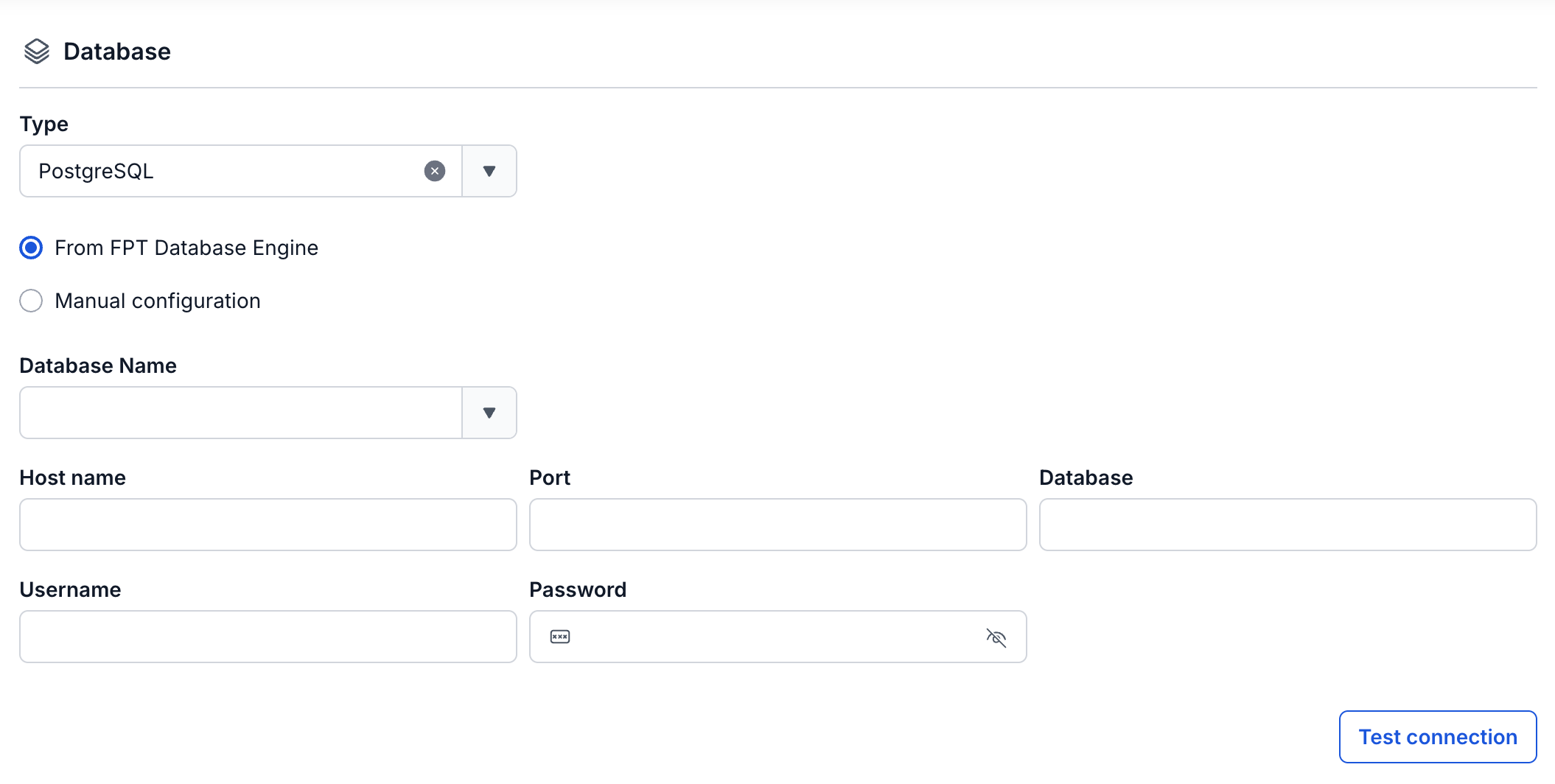
Hive Metastore stores its data in a PostgreSQL database. Use a database you created in FPT Database Engine or your own database.
- Select the database Type.
- Select From FPT Database Engine and choose the database in Database Name, or select Manual configuration.
- Enter or check the connection details: Host name, Port, Database, Username, and Password.
- Select Test connection to check the connection from the workspace to the database.
| Field | Description |
|---|---|
| Type | Required. PostgreSQL. |
| From FPT Database Engine or Manual configuration | Required. From FPT Database Engine uses a database you created in FPT Database Engine. Manual configuration takes the connection details of your own database. Default: From FPT Database Engine. |
| Database Name | Required with From FPT Database Engine. The FPT Database Engine database to use. |
| Host name | Required. The host name or IP address of the database server. |
| Port | Required. The port of the database server, for example 5432. The form does not fill it in. |
| Database | Required. The name of the database. |
| Username | Required. The user that connects to the database. |
| Password | Required. The password of that user. |
Cloud object storage
Enter the object storage bucket where the service stores its data.
- Enter the Endpoint, Access Key, Secret key, Bucket Name, and Path of the bucket.
- Select Test connection to check the connection from the workspace to the storage.
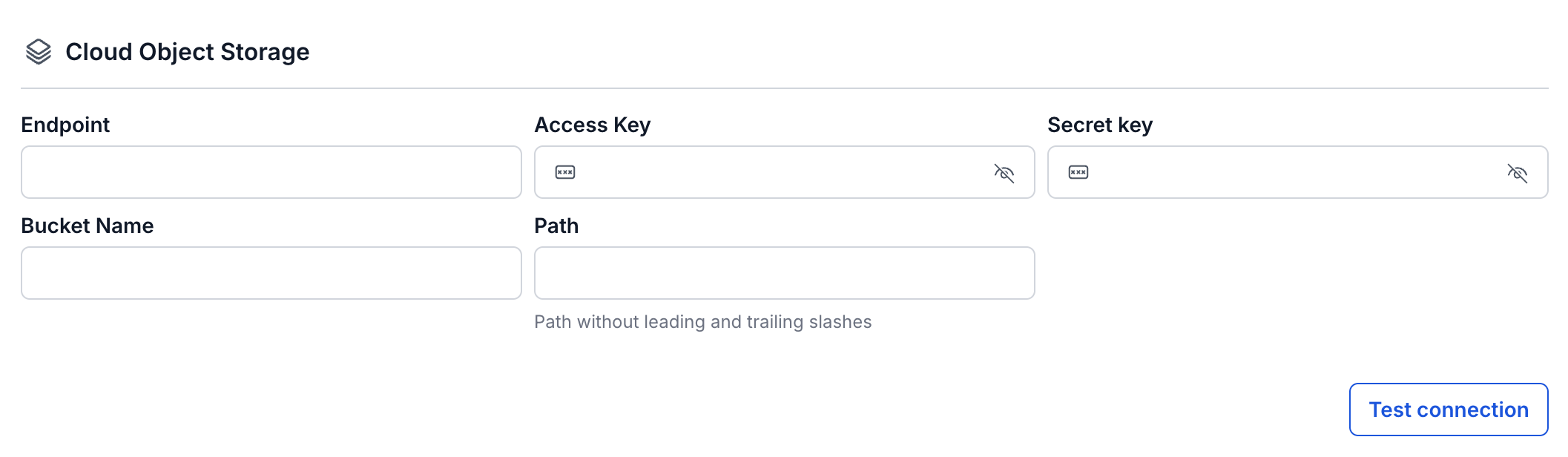
| Field | Description |
|---|---|
| Endpoint | Required. The endpoint of the object storage. |
| Access Key | Required. The access key of the object storage. |
| Secret key | Required. The secret key that goes with the access key. |
| Bucket Name | Required. The name of the bucket. |
| Path | Required. The folder where the service stores its data. Enter it without a leading or trailing slash. |
Review and create
- Check the settings on the Review & Create screen. The database settings appear under Storage, the bucket settings under Cloud Object Storage.
- Select Create.
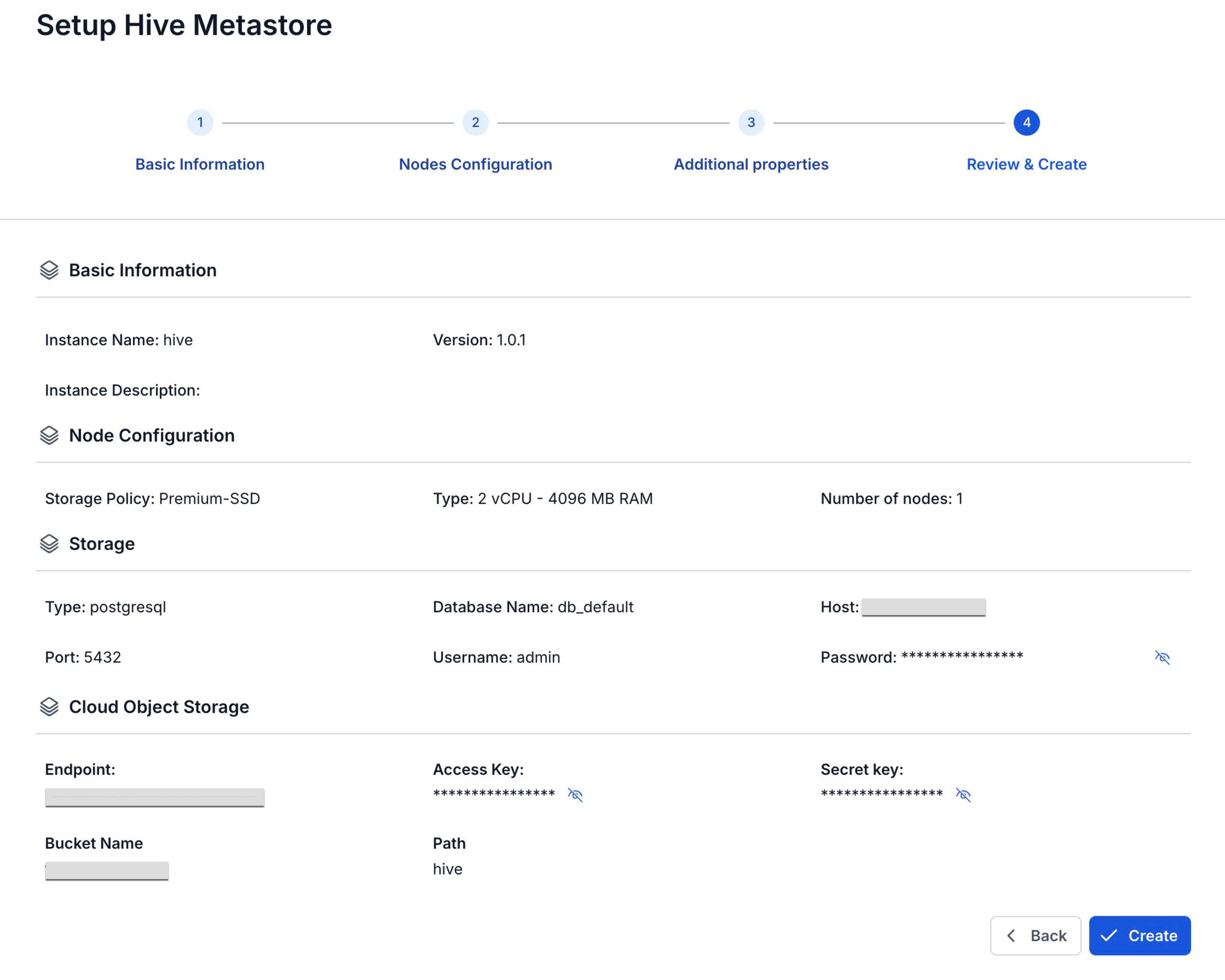
The service is ready when its Status is Healthy. This takes about 10 minutes.