Create Hive Metastore
Hive Metastore is a core component for storing metadata in a Lakehouse architecture. It provides information about tables, schemas, partitions, and data locations, helping tools such as Apache Spark, Trino, or Presto understand and access data efficiently.
To create a Hive Metastore, follow these steps:
Step 1: In the menu bar, select Data Platform > select Workspace Management > select the Workspace name
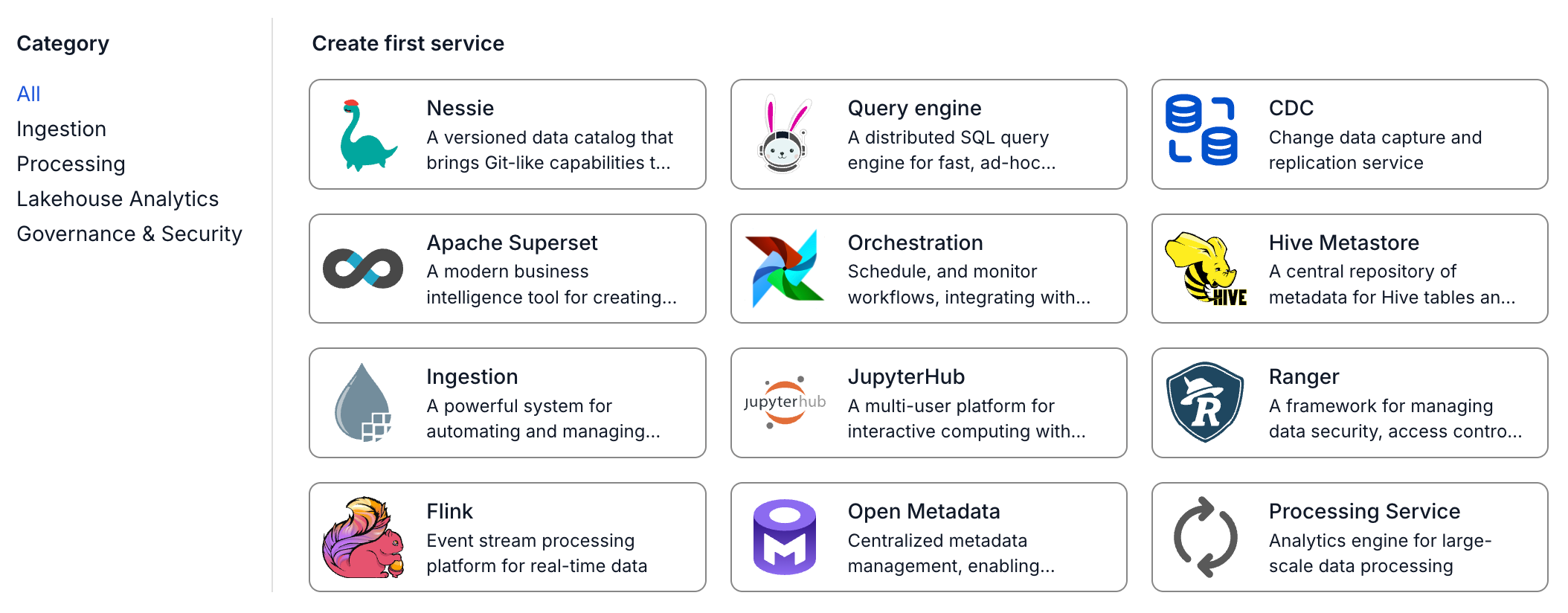
Step 2: In the My Services section, click Create > the New Service popup appears, select Hive Metastore > Create
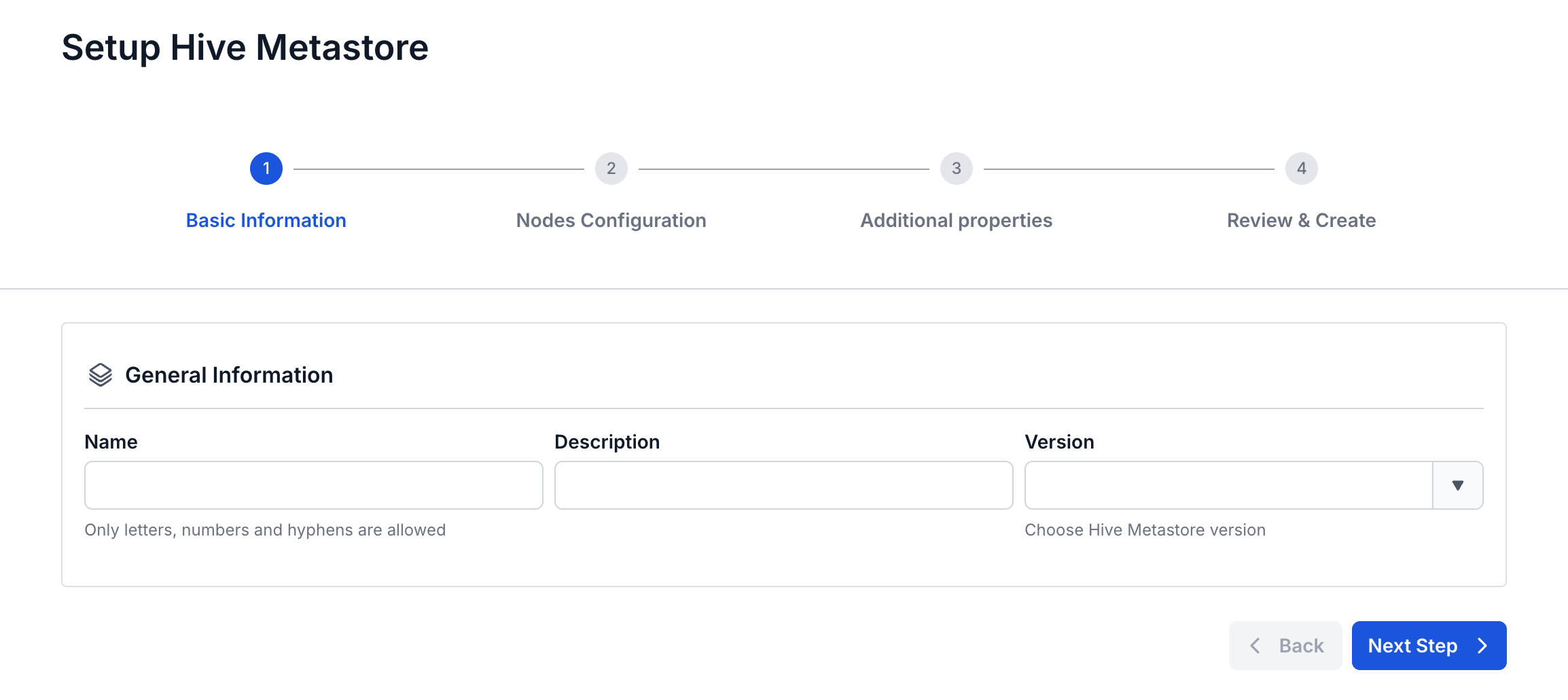
Step 3: In the Hive Metastore creation form, enter the information on the Basic Information screen:
- Name (required): Service name
Note: The service name must be between 1 and 30 characters. It can contain lowercase letters a-z, uppercase letters A-Z, or digits 0-9.
- Description (optional): Description
- Version (required): Select the version
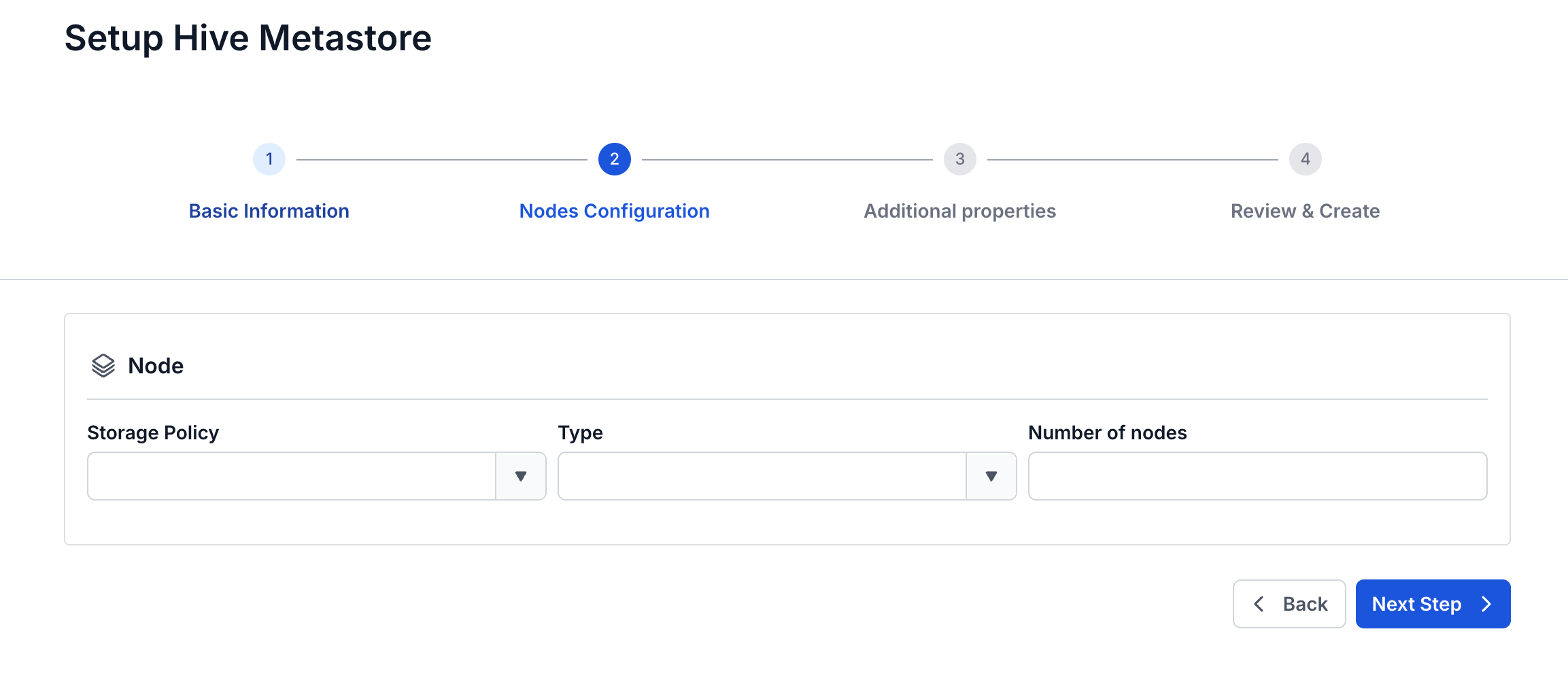
Step 4. Click Next to proceed to the Node Configuration screen
Enter the following information:
- Storage policy (required): Select the Storage Policy
- Type (required): Select the resource configuration
- Number of nodes (required): Enter the number of worker nodes
Step 5. Click Next to proceed to the Additional Properties screen
- Database (Database information used to store data for Hive Metastore; users can use a Database already created on the FPT Database Engine service or another Database of their own)
- If the type selected is PostgreSQL:
- Host name (required): Hostname or IP of the Postgres server
- Port (required): Connection port, default is 5432
- Database name (required): Database name
- Username (required): Username
- Password (required): Password
- If the type selected is MySQL:
- Host name (required): Hostname or IP of the MySQL server
- Port (required): Connection port, default is 3306
- Database name (required): Database name
- Username (required): Username
- Password (required): Password
- If the type selected is PostgreSQL:
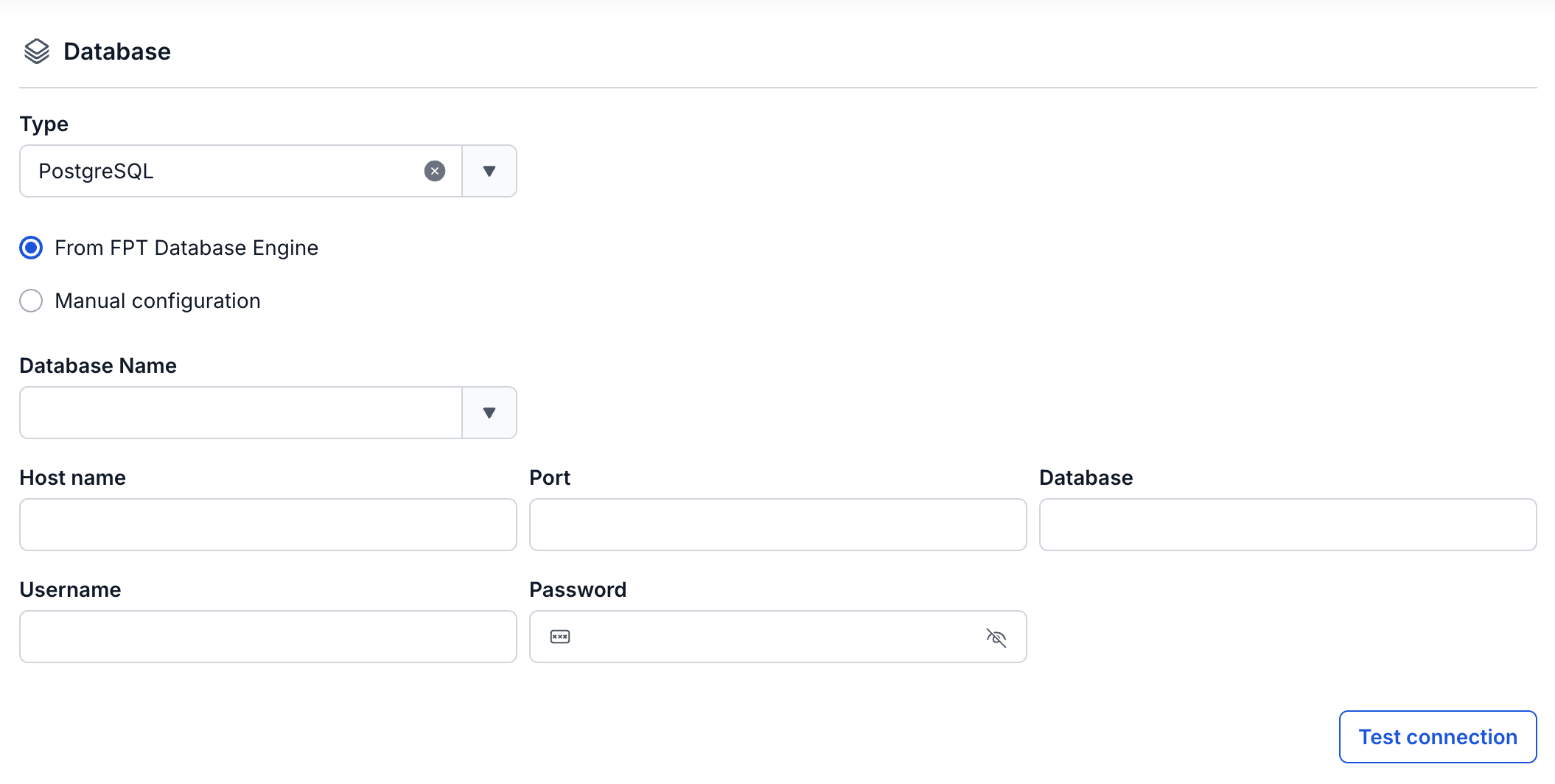
After entering all the Database information, click Test Connection to verify the connection from the Workspace to the entered Database.
- Enter the Storage information:
- Bucket name (required): Bucket name
- Endpoint (required): Access endpoint
- Access key (required): Access key
- Secret (required): Access secret key
- Path (required): Data storage directory
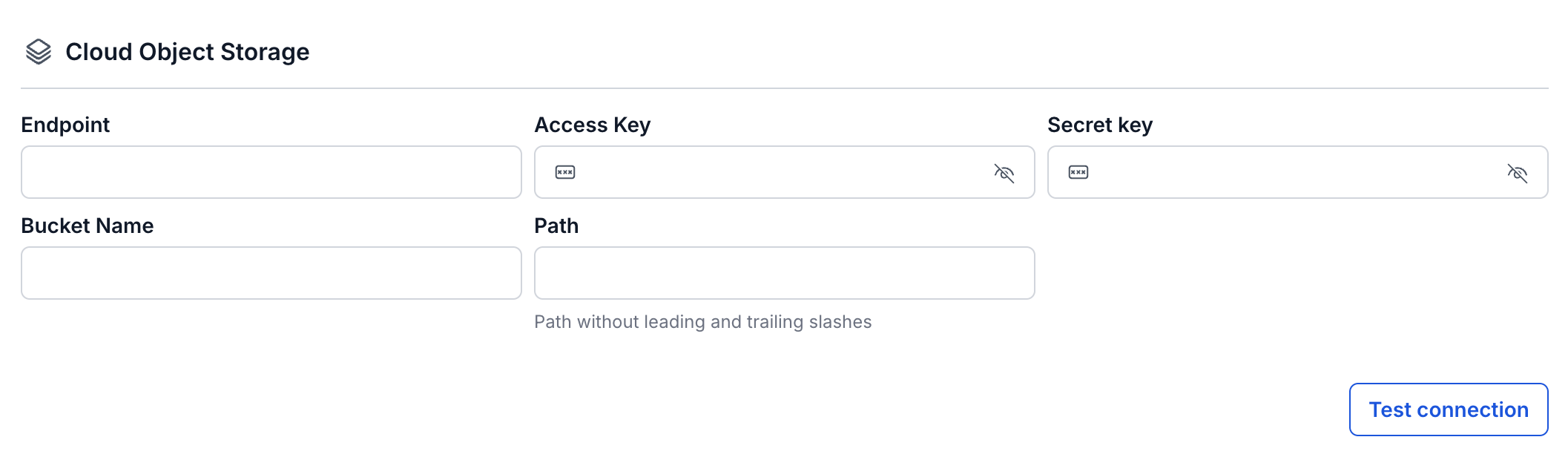
Click Test connection to verify the connection from the Workspace to the Storage
Step 6: Click Next to proceed to the Review & Create screen
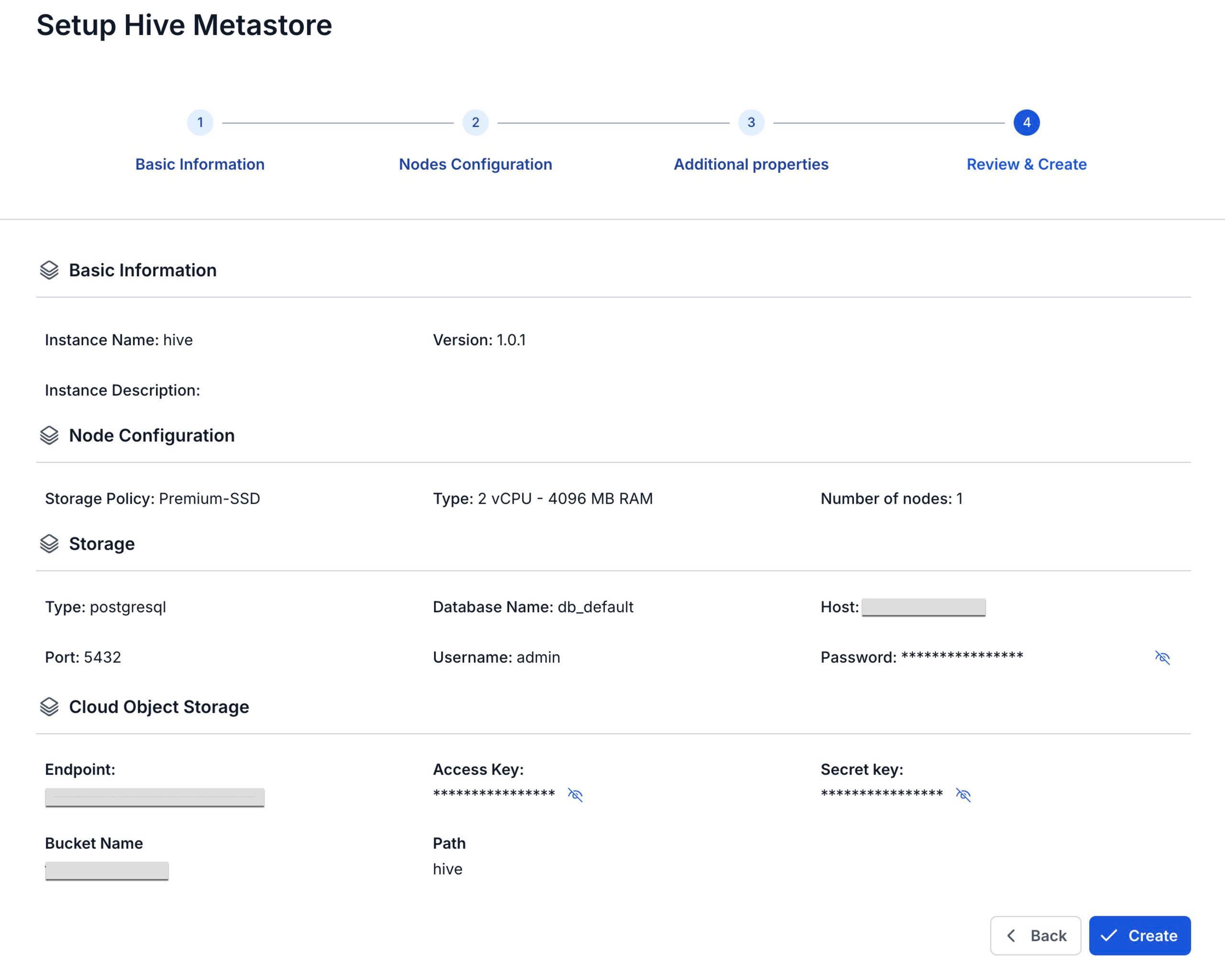
Step 7. Review the information, then click Create to complete the Hive Metastore initialization
Hive Metastore initialization is complete when the Worker Status is Succeeded and the Status of Hive Metastore is Healthy (~10 minutes)