View Hive Metastore details
Use the service details page to find the Private URL of your Hive Metastore service and to check the settings you chose when you created it.
Open the service details
- Select Data platform → Workspace management, then select your workspace.
- On the Overview tab, under Services, select Hive Metastore.
The page title shows the service type and the name you gave the service. Below the title is a summary of the service, then the Essential Information tab. The Actions menu holds Delete. See Delete a Hive Metastore service.
| Field | Description |
|---|---|
| Status | The status of the service, for example Healthy. |
| Created at | When the service was created, for example 19 days ago. |
Essential Information tab
The Essential Information tab shows the connection details and settings of the service in five sections.
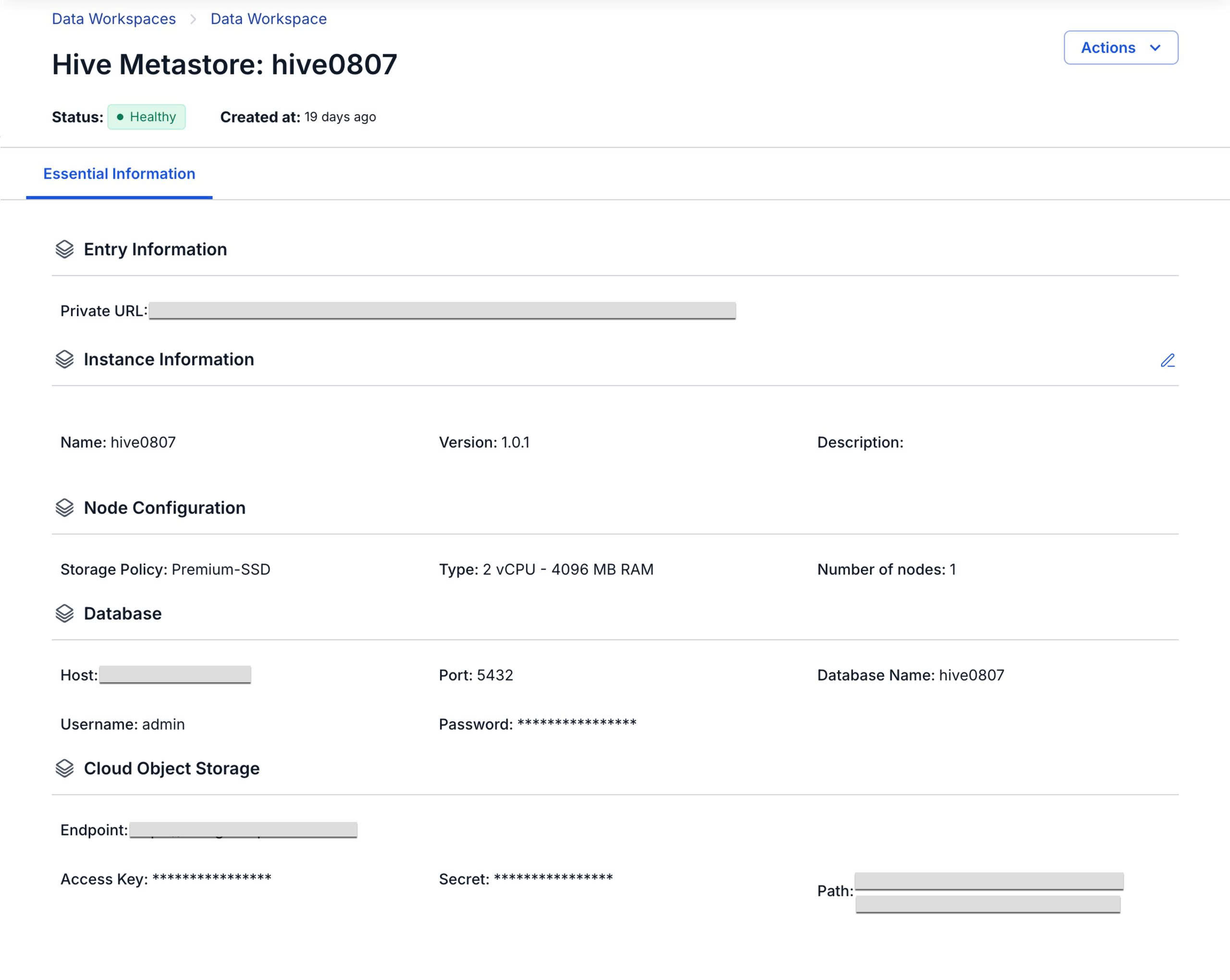
| Section | What it shows |
|---|---|
| Entry Information | The Private URL. Other services use Hive Metastore through this URL. |
| Instance Information | The Name, Version, and Description you entered when you created the service. |
| Node Configuration | The Storage Policy, Type, and Number of nodes. |
| Database | The Host, Port, Database Name, Username, and Password of the database. The password is masked. |
| Cloud Object Storage | The Endpoint, Access Key, Secret, and Path of the object storage. The access key and the secret are masked. |
Edit the service
You can change the name and description of the service after you create it.
- Open the service details. See Open the service details.
- In Instance Information, select the edit icon.
- In the Update Basic Info panel, change the Name or Description, then select Save.