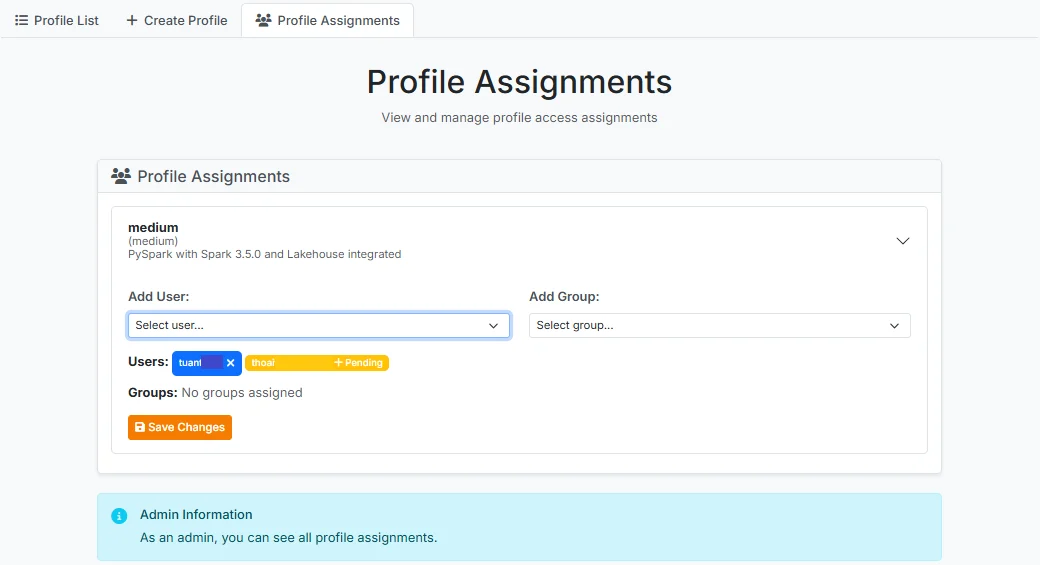
Assign User Profile Permissions
After logging into JupyterHub, a user with the Admin role selects the Service > Profile menu, then clicks the Profile Assignments tab
The system displays a card for each existing profile. Click the profile you want to assign permissions to, to open its details
- Add User: Select from the list of Users in the system
- Add Group: Select from the list of Groups in the system
After making your selection, click Save Changes to assign the user/group permissions to the profile