Delete a Lakehouse
Delete a Lakehouse when you no longer need it. Only its platform resources are removed, and your S3 bucket and data stay as they are.
Prerequisites
- The Lakehouse status is Completed or Running. To stop a Lakehouse that is still being set up, see Terminate a Lakehouse setup.
Delete the Lakehouse
Deleting a Lakehouse cannot be undone.
-
Select Data platform → Lakehouse.
-
Select the name of the Lakehouse.
-
On the details page, select Actions → Delete.

-
In the Delete this Lakehouse? dialog, select Delete. You do not need to type the Lakehouse name.
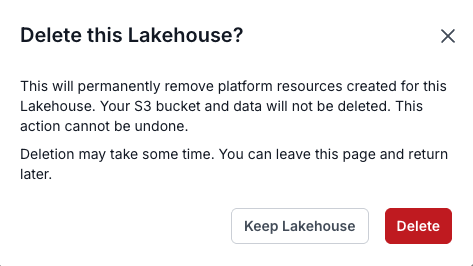
The dialog tells you that the platform resources created for this Lakehouse are permanently removed, and that your S3 bucket and data are not deleted. Deletion may take some time, so you can leave the page and come back later.
To cancel, select Keep Lakehouse.
Track the deletion
The status changes to Deleting while the resources are removed. When deletion finishes, the Lakehouse no longer appears in the Lakehouse list.
If deletion runs into an error, the Lakehouse stays in Deleting with a message that the Ops team has been notified. You do not need to do anything.