Terminate a Lakehouse setup
Terminate the setup when you no longer want a Lakehouse that is still being set up, or when its setup failed. Its platform resources are reclaimed, and your S3 bucket and data stay as they are.
Prerequisites
- The Lakehouse status is Initializing, Preparing infrastructure, Connection information required, Setting up your Lakehouse, or Setup couldn't be completed.
- To remove a Lakehouse that is Completed or Running, delete it instead. See Delete a Lakehouse.
Terminate the setup
Terminating a Lakehouse setup cannot be undone.
-
Select Data platform → Lakehouse.
-
Select the name of the Lakehouse.
-
On the details page, select Actions → Terminate setup.

When the Connection information required banner is shown, you can also select Terminate setup on the banner.
-
In the Terminate Lakehouse setup? dialog, select Terminate setup.
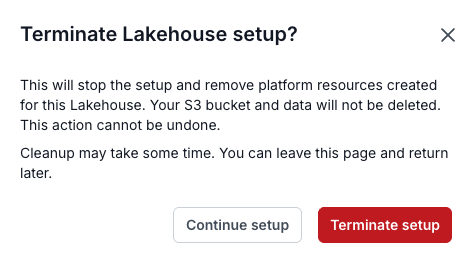
The dialog tells you that:
- Setup stops and the platform resources created for this Lakehouse are removed.
- Your S3 bucket and data are not deleted.
- Cleanup may take some time. You can leave the page and come back later.
To keep the setup going, select Continue setup instead.
Track the termination
The status changes to Terminating setup while the resources are reclaimed. When cleanup finishes, the status shows Setup terminated for a short time, and then the Lakehouse no longer appears in the Lakehouse list.
If cleanup runs into an error, the status changes to Termination incomplete and the Ops team is notified. You do not need to do anything.