Search catalogs, schemas, and tables
Search filters the catalog tree by name so you can find a table in a large Lakehouse without expanding every node. Matching text is highlighted in the tree.
Prerequisites
- You are on the Data Explorer page.
Search by name
- Type at least two characters in Type to search above the catalog tree.
The tree shows only the nodes whose names contain your text. The search is not case-sensitive.
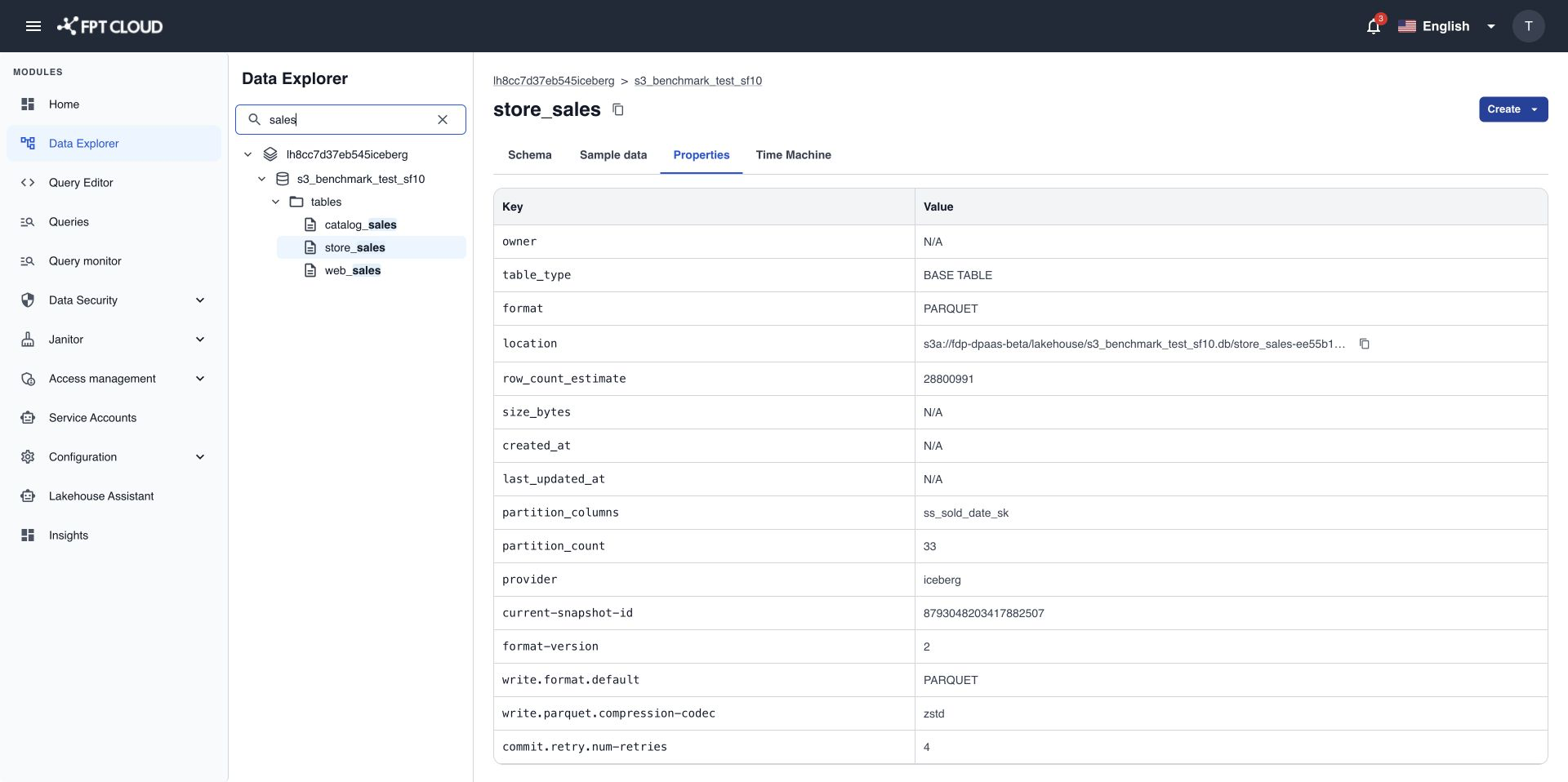
- Select a result to open its details on the right.
- Press
Escor clear the text to show the full tree again.
If nothing matches, the tree shows No results found. Try a different keyword.
What search covers
Search runs only on the objects the tree has already loaded in your session. Objects not yet loaded in the tree do not appear in the search results.
The tree loads one level at a time. When you open Data Explorer, only catalogs are loaded. Schemas load when you expand a catalog, and tables and views load when you expand a schema.
tip
To find a table by name, expand its catalog and schema first, then search.