Manage groups
Put people who need the same access into one group and assign roles to the group, so you manage the group instead of each person. Every member gets the permissions of the group's roles.
Prerequisites
- Your role includes the group permissions:
groups:readto see groups andgroups:writeto change them. Theportal_adminrole has all of them.
View groups
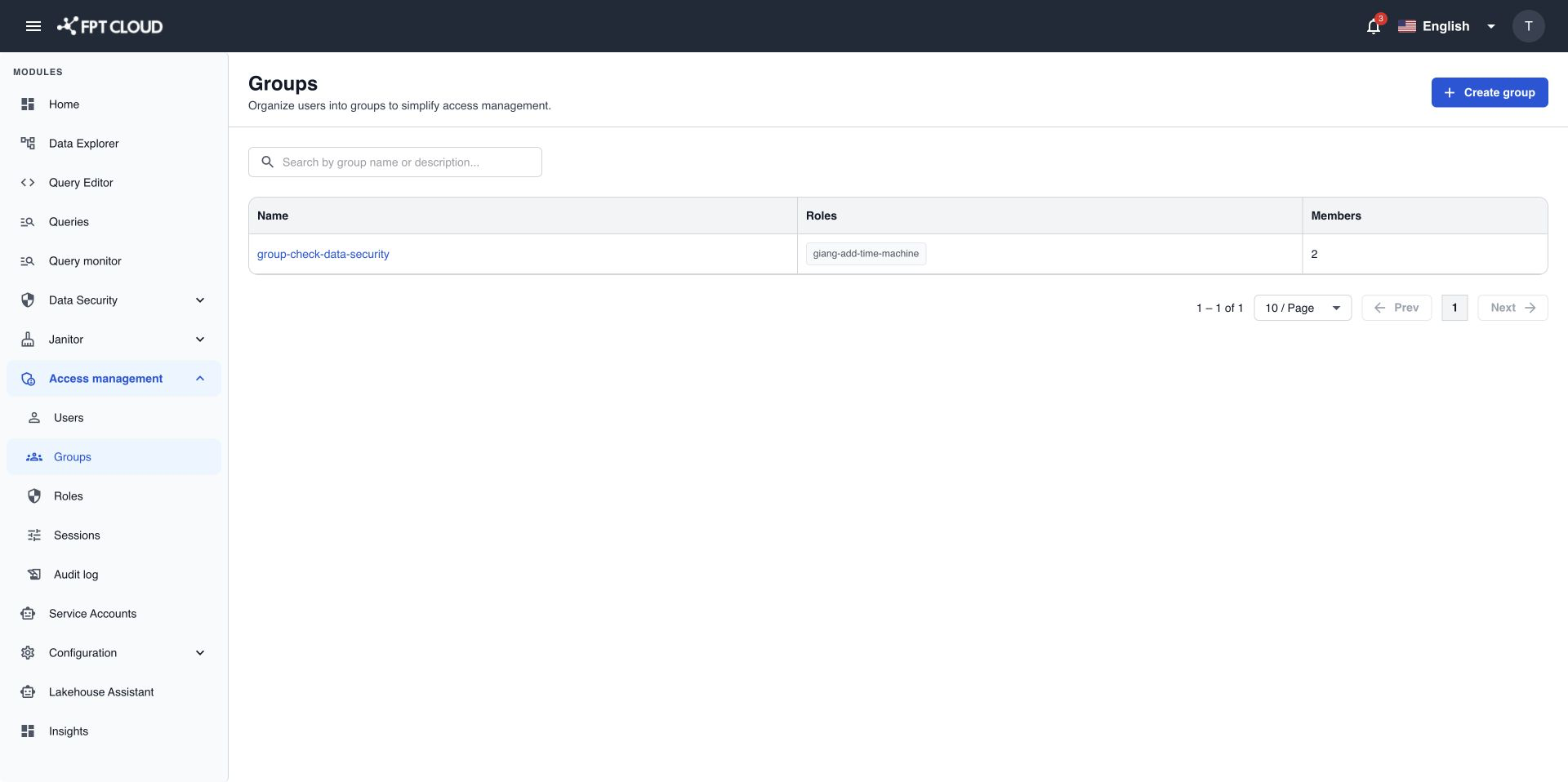
- Select Access management → Groups.
- To find a group, type its name in the search box.
The list shows each group with its number of members and its roles, 10 groups per page.
Create a group
- Select Create group.
- Enter a Name of 2 to 100 characters. The name must be unique.
- Enter a Description of up to 500 characters (optional).
- Select Create group.
If you see A group with this name already exists., choose another name.
Add members
- In the Groups list, select the group name.
- Open the Members tab.
- Select Add member.
- Search by name or email, then select the users to add. Users who are already members do not appear.
- Select Add.
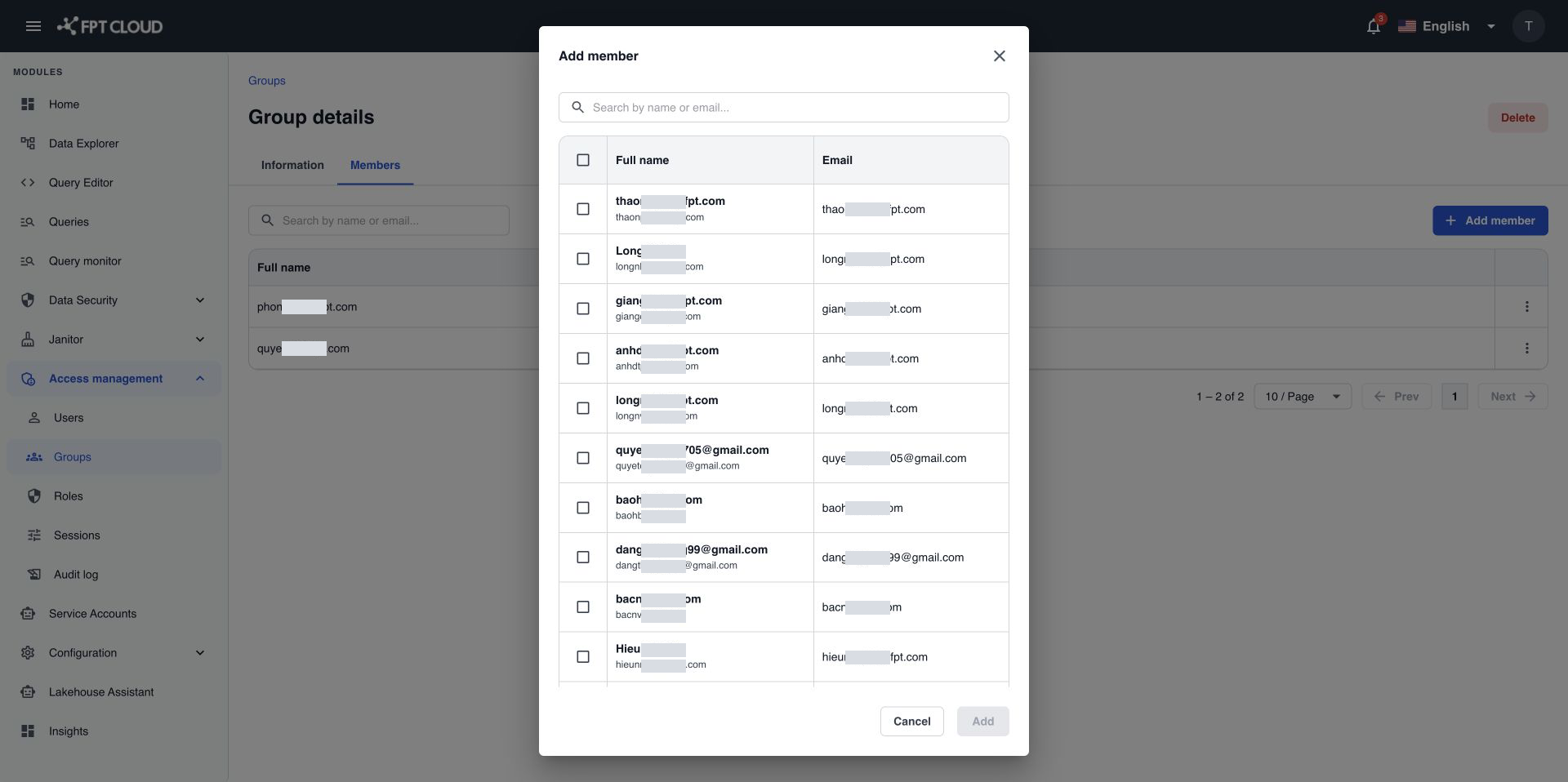
The new members appear in the list. You can also add a user to groups from the Group field when you create or edit the user.
Remove a member
- In the Members tab, select ⋯ on the user's row.
- Select Remove.
- In Remove member, select Remove.
You see Member removed successfully. The user loses the permissions granted through this group right away.
Edit a group or its roles
- In the Groups list, select the group name to open the group details.
- Change the name, the description, or the roles of the group.
- Save your changes.
Role changes apply to every member of the group.
Delete a group
- In the Groups list, select the group name to open the group details.
- Select Delete, then confirm.
The members lose the permissions granted through this group.
If an action fails
| Message | What it means | What to do |
|---|---|---|
A group with this name already exists. | Another group uses this name. | Choose another name. |
Unable to add member. Please try again later. | The members were not added. | Wait a moment, then try again. |
Unable to remove member. Please try again later. | The member was not removed. | Wait a moment, then try again. |